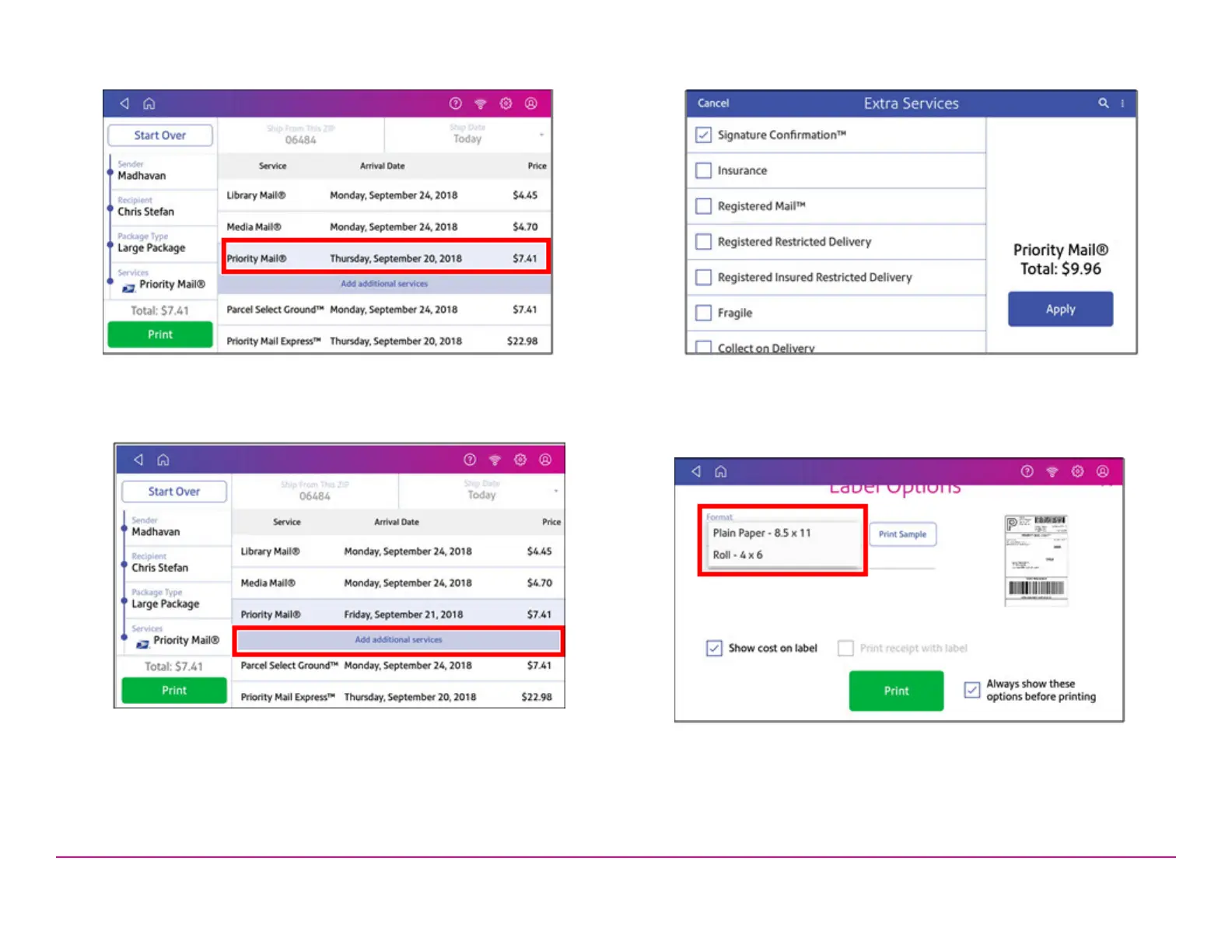
11. Tap the service you wish to use.
12. To add additional services, tap Add additional services. If you are
not adding any extra services, go to step 14.
13. Select the desired services and tap Apply.
14. To print the label, tap Print.
15. On the Label Options screen, tap Format and select the printer
format.
16. (Optional)To print a sample label, tap Print Sample.
Pitney Bowes Quick ReferenceGuide December 08,2020 Page 7 of 18












 To Next Page