SendPro Tablet Operator’s Guide
18
SendPro Tablet Operator’s Guide
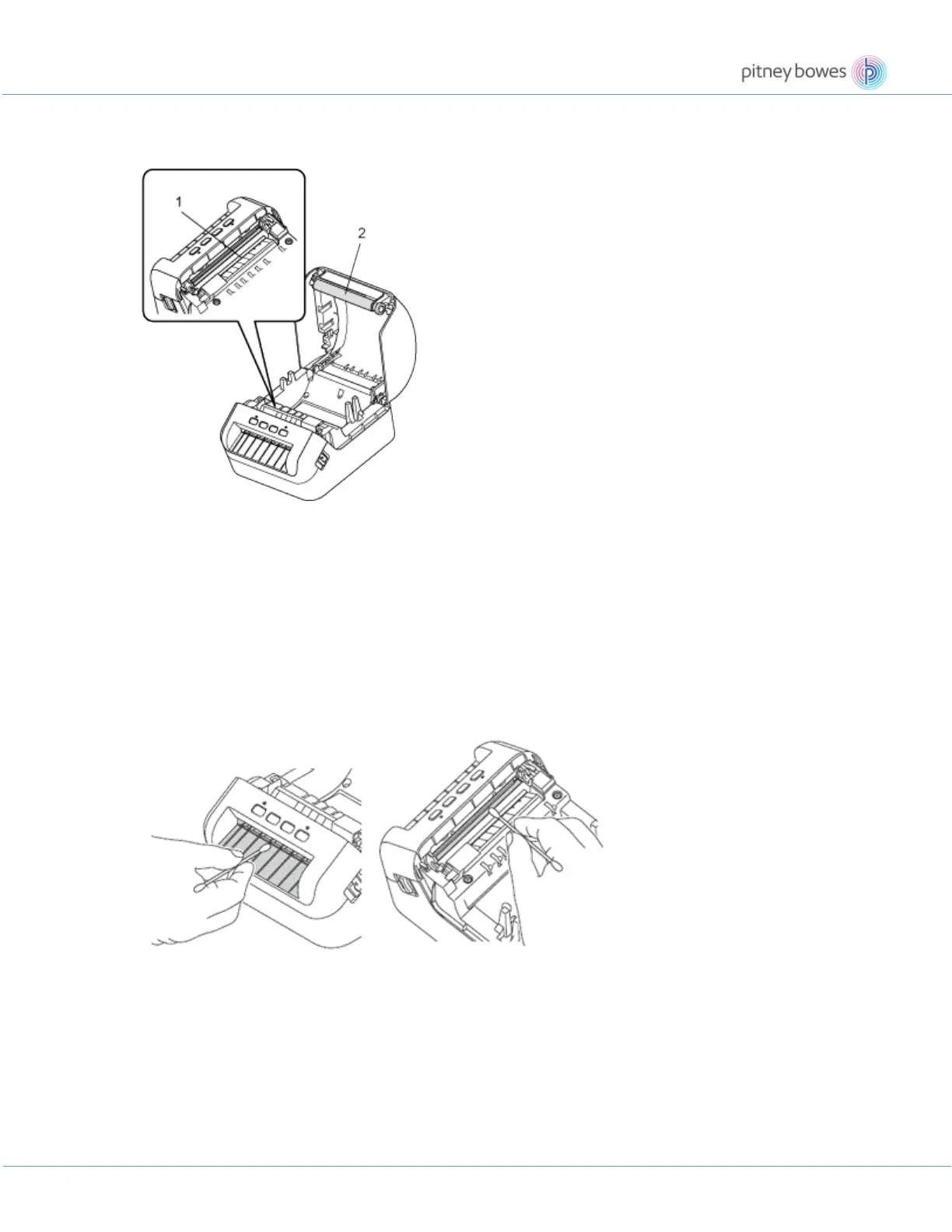
Roller maintenance
Cut the DK label and peel the backing from the label. Then, place the adhesive side of the label against the roller
and remove the dirt.
1. Print head
2. Roller
Exterior of the unit maintenance
Wipe any dust and marks from the main unit using a soft, dry cloth.
Use a slightly damp cloth if it is difficult to remove marks.
Do not use paint thinner, benzene, alcohol or any other organic solvent.
These may deform or damage the printer case.
Label outlet maintenance
If a label causes the machine to jam due to adhesive residue attached to the label outlet, disconnect the AC
Power Cord from the machine and clean it with a cloth or cotton swab dipped in alcohol.











 To Next Page