SendPro Tablet Operator’s Guide
19
SendPro Tablet Operator’s Guide
How do I install/change the label roll?
To install a new label roll:
1. Make sure that the printer is turned Off.
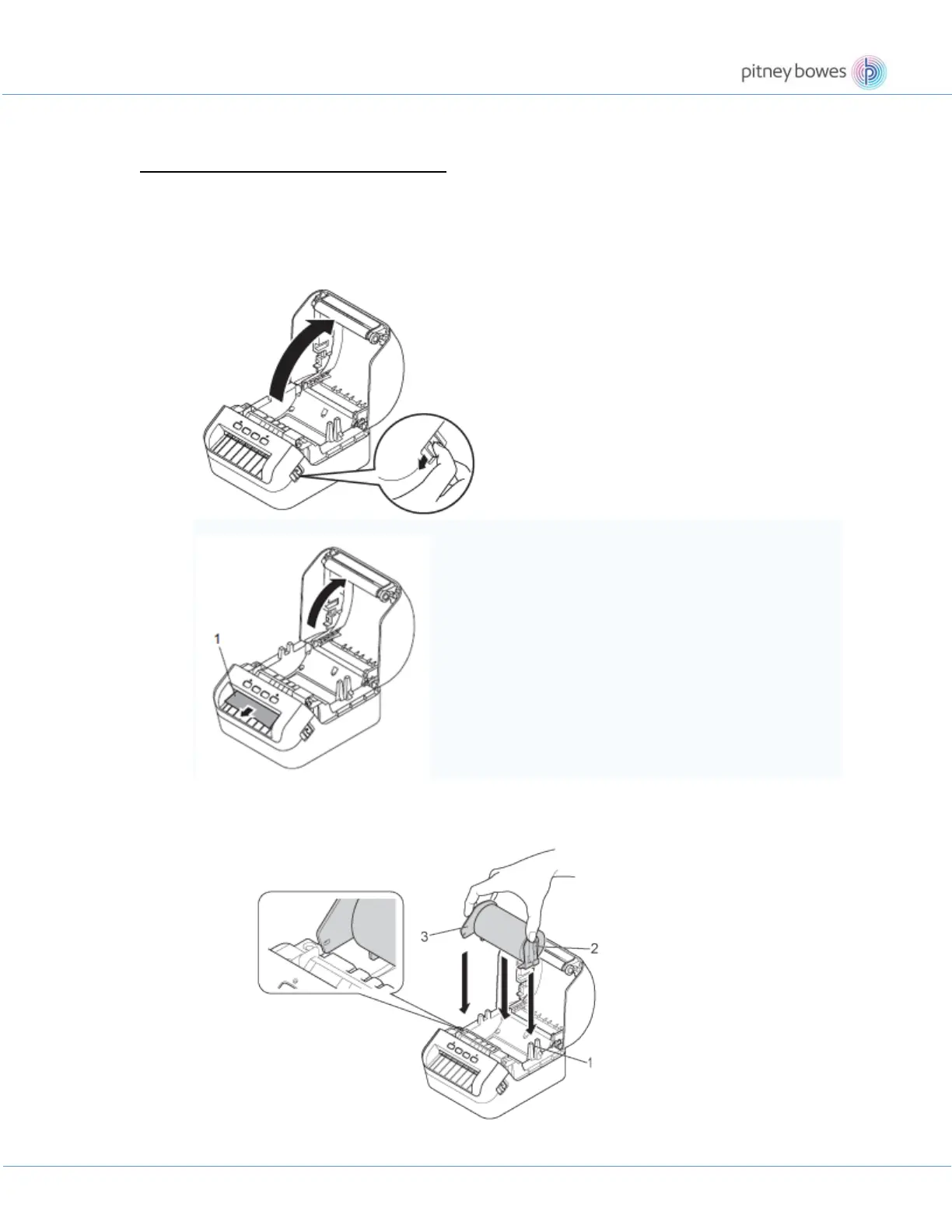
2. Pull the release levers on both sides of the printer to unlock the DK Roll Compartment Cover.
Hold the printer by the front, and firmly lift the DK Roll Compartment Cover to open it.
Before using the printer, remove the protective sheet (1) from the Label Output Slot.
3. Place the DK Roll into the Roll Spool Guide (1).
• Make sure that the Roll Spool Arm (2) is inserted firmly in the Roll Spool Guide.
• Make sure the Stabiliser (3) slides into the notch of the printer.
4. Thread the DK Roll through the printer.
• Align the edge of the DK Roll with the upright edge of the Label Output Slot.











 To Next Page