Sending Serial Commands via USB
Planar RPS and Video Controller RS232 User Guide Page | 42
020-1332-00I
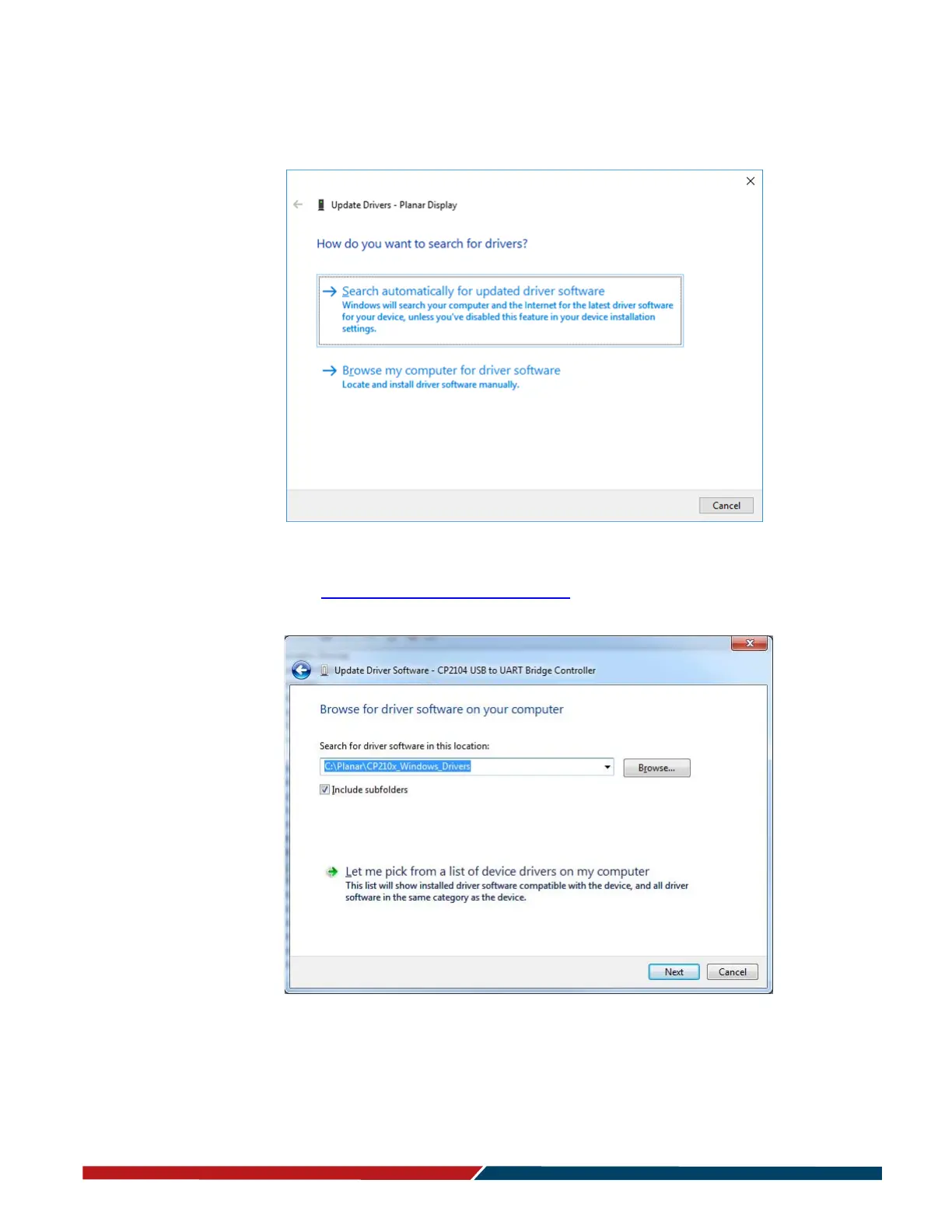
8 Follow the steps defined in the Update Driver Software wizard as follows.
a On the initial screen, select “Browse my computer for driver software”.
b Make sure the “Include subfolders” checkbox is checked. The USB drivers are
included on the USB flash drive in the accessory kit; they can also be obtained
from http://www.planar.com/support. Use the “Browse” button to locate the
directory where the USB drivers are located. Click “Next”.



 To Next Page