Command Guide
-276-
periodic { Mon | Tue | Wed | Thu | Fri | Sat | Sun } <start_h> <start_m> to <end_h>
<end_m> [ reboot <reboot_h> <reboot_m> ]
periodic To create a periodic mode time-range for the PoE time-range of the switch.
Fri Periodic Mode, with Friday.
Mon Periodic Mode, with Monday.
Sat Periodic Mode, with Saturday.
Sun Periodic Mode, with Sunday.
Thu Periodic Mode, with Thursday.
Tue Periodic Mode, with Tuesday.
Wed Periodic Mode, with Wednesday.
< start_h: 0-23> <0-23> start hour
< start_m: 0-59> <0-59> start minute
to start to end
< end_h: 0-23> <0-23> end hour
< end_m: 0-59> <0-59> end minute
reboot Enable reboot function
< reboot_h: 0-23> <0-23> reboot hour
< reboot_m:0-59> <0-59> reboot minute
Default:
N/A
Usage Guide:
To configure the Power Over Ethernet Schedule for specific profile.
Example:
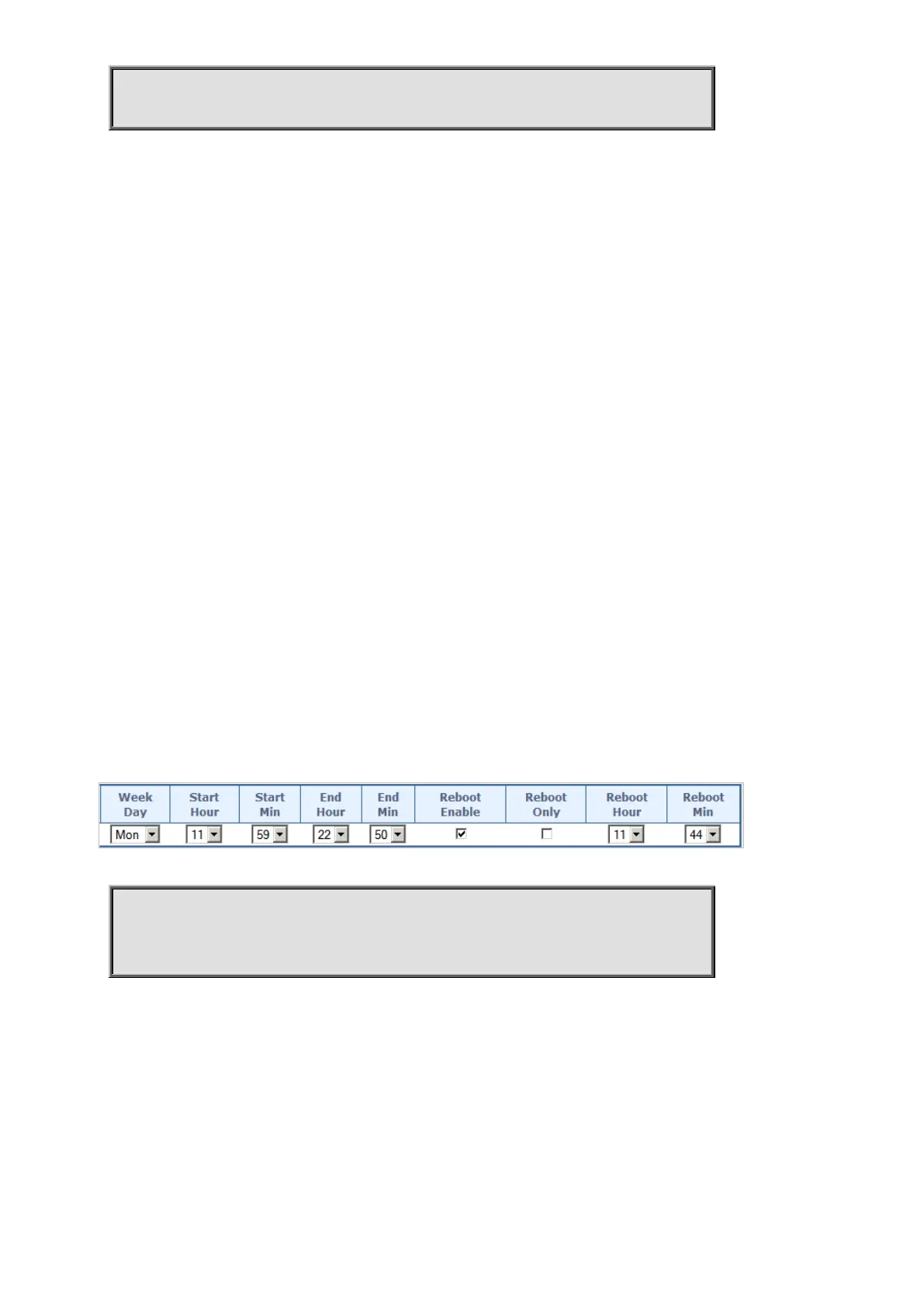
To configure the Power Over Ethernet Schedule (below table) for specific profile 1.
Switch# configure terminal
Switch (config)# poe-time-range profile1
Switch (config-poe-time-range)# periodic Mon 11 59 to 22 50 reboot 11 44



 To Next Page
 Loading...










