User’s Manual of WNRT-617
-97-
Click the Disable All button to disable all the entries.
Click the Delete All button to delete all the entries.
Click the Previous button to view the information in the previous screen, click the Next button to view
the information in the next screen.
5.12.2 System Routing Table
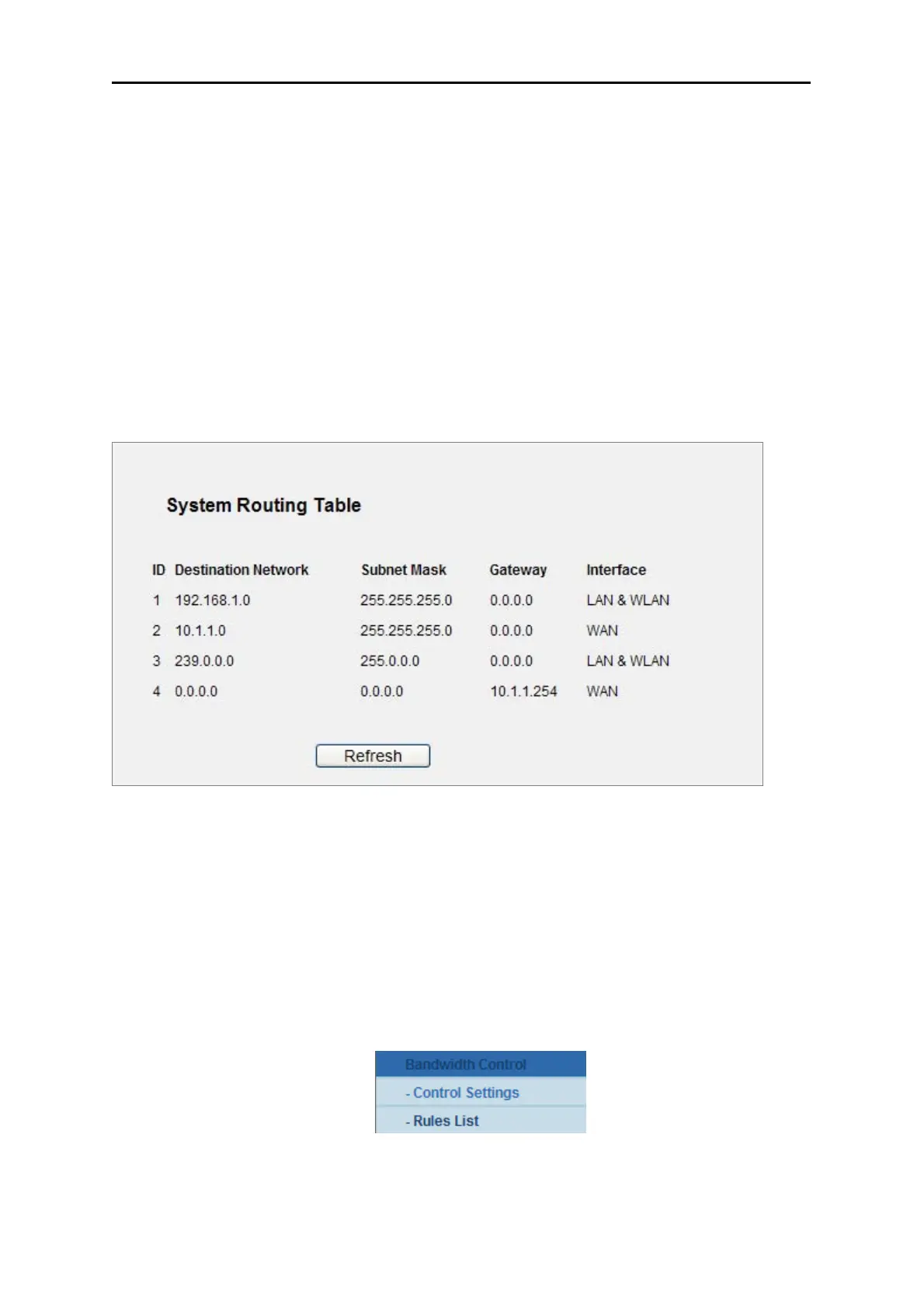
Choose menu “System Routing Table”, you can check all of the valid route entries in use. The
Destination IP address, Subnet Mask, Gateway, and Interface will be displayed for each entry. Click
the Refresh button to refresh the data displayed.
Figure 5-68
5.13 Bandwidth Control
There are two submenus under the Bandwidth Control menu as shown in Figure 5-52. Click any of
them, and you will be able to configure the corresponding function. The detailed explanations for each
submenu are provided below.
Figure 5-52



 To Next Page