User’s Manual of WNRT-617
-60-
5.7 DHCP
There are three submenus under the DHCP menu (shown in Figure 5-18): DHCP Settings, DHCP
Clients List and Address Reservation. Click any of them, and you will be able to configure the
corresponding function.
Figure 5-18 The DHCP menu
5.7.1 DHCP Settings
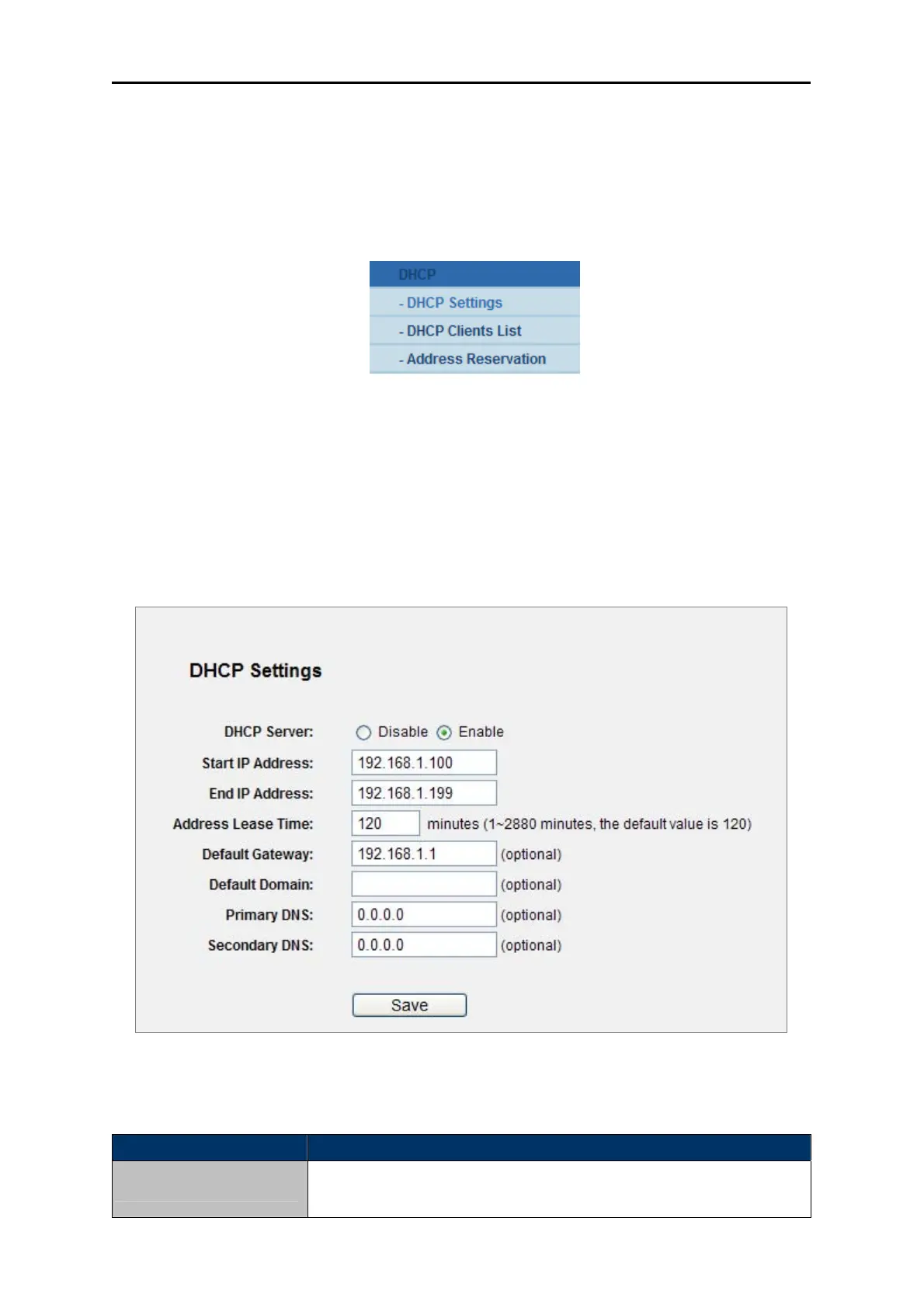
Choose menu “DHCP→DHCP Settings”, you can configure the DHCP Server on the page (shown in
Figure 5-19).The Router is set up by default as a DHCP (Dynamic Host Configuration Protocol) server,
which provides the TCP/IP configuration for all the PC(s) that are connected to the Router on the LAN.
Figure 5-19 DHCP Settings
The page includes the following fields:
Object Description
DHCP Server
Enable or Disable the DHCP server. If you disable the Server, you must
have another DHCP server within your network or else you must



 To Next Page