User’s Manual of WNRT-617
-59-
5.6.5 Wireless Statistics
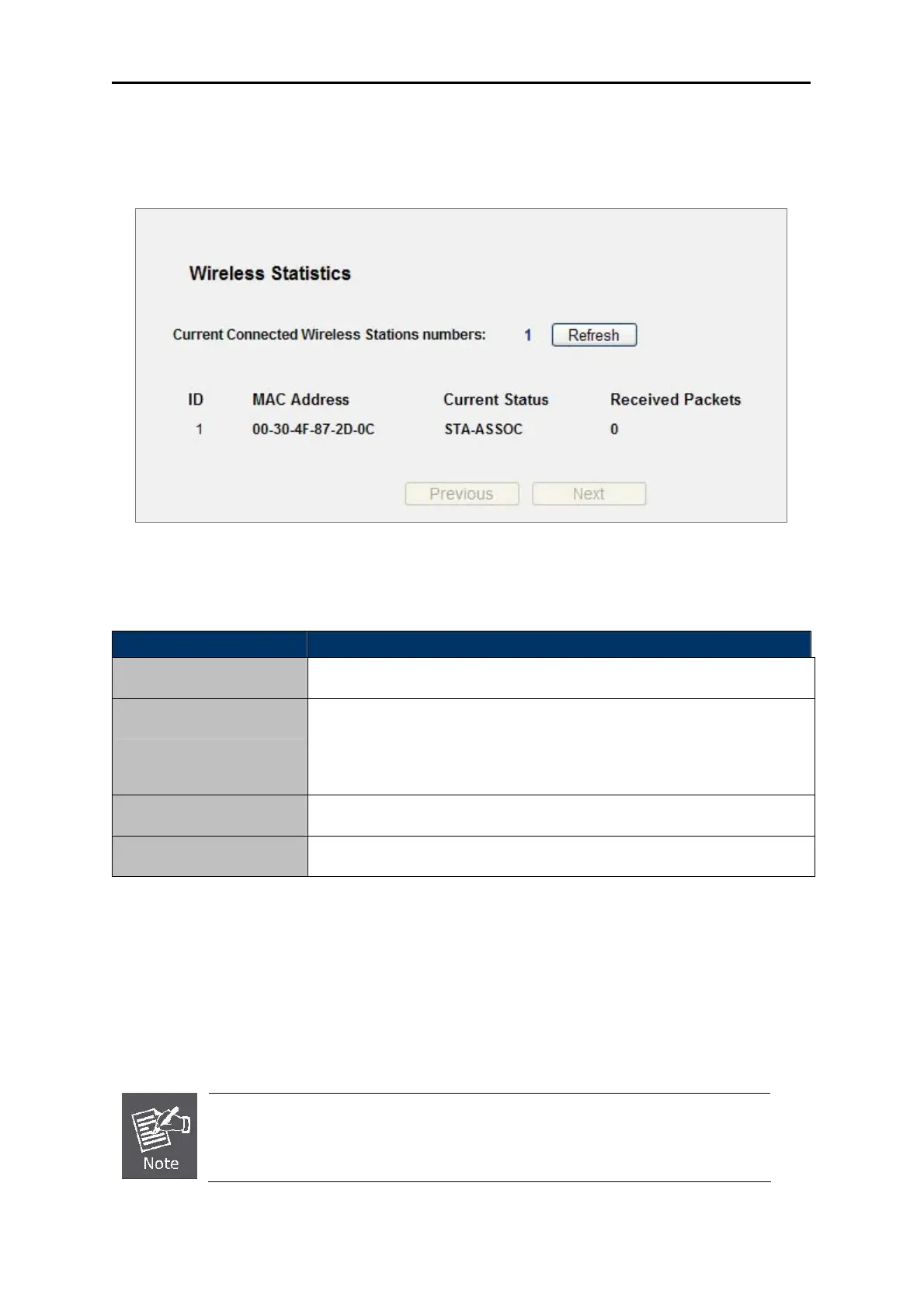
Choose menu “Wireless→Wireless Statistics”, you can see the MAC Address, Current Status,
Received Packets and Sent Packets for each connected wireless station.
Figure 5-17 The Router attached wireless stations
The page includes the following fields:
Object Description
MAC Address
The connected wireless station's MAC address
Current Status
The connected wireless station's running status, one of STA-AUTH /
STA-ASSOC / STA-JOINED / WPA / WPA-PSK / WPA2 / WPA2-PSK / AP-UP
/ AP-DOWN / Disconnected
Received Packets
Packets received by the station
Sent Packets
Packets sent by the station
Table 5-20
You cannot change any of the values on this page. To update this page and to show the current
connected wireless stations, click on the Refresh button.
If the numbers of connected wireless stations go beyond one page, click the Next button to go to
the next page and click the Previous button to return the previous page.
This page will be refreshed automatically every 5 seconds.



 To Next Page