User’s Manual of WNRT-617
-13-
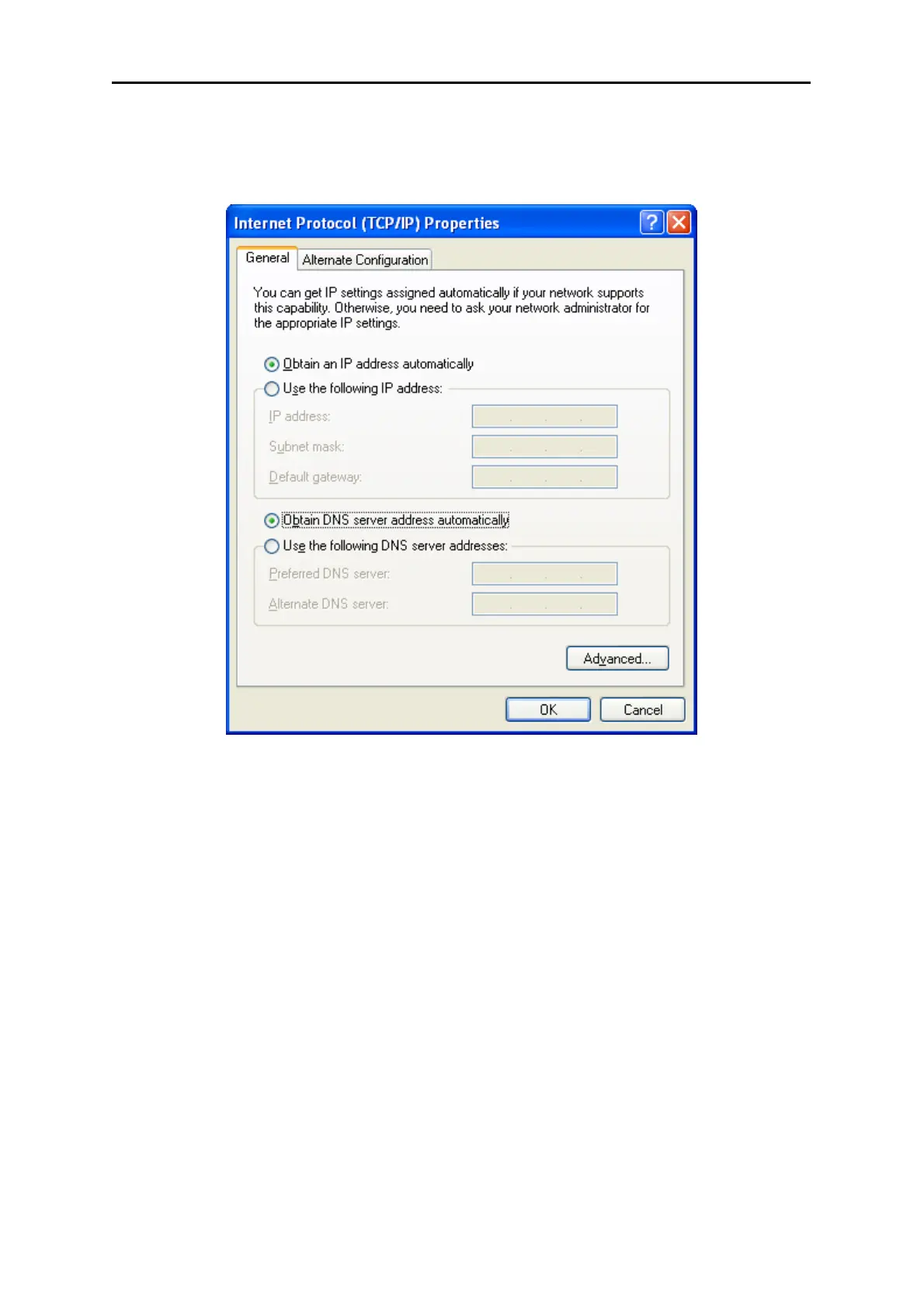
2. Setting IP address automatically
Select Obtain an IP address automatically, Choose Obtain DNS server automatically, as shown in
the Figure below:
Figure 4-3
Now click OK to save your settings.
4.1.2 Configure the IP Address Manually
Summary:
Set up the TCP/IP Protocol for your PC.
Configure the network parameters. The IP address is 192.168.1.xxx ("xxx" is any number
from 2 to 254), Subnet Mask is 255.255.255.0, and Gateway is 192.168.1.1 (The Router's
default IP address)
1 Select Use the following IP address radio button.
2 If the Router's LAN IP address is 192.168.1.1, enter IP address 192.168.1.x (x is from 2 to 254),
and Subnet mask 255.255.255.0.



 To Next Page