User’s Manual of WNRT-617
-24-
4.3 PLANET Smart Setup! Utility
You can configure the Wireless Router by running the SMART SETUP! in the CD-ROM provided in the
package.
To setup through the Smart Setup! program, insert the CD into your Windows XP / Vista / Win 7 PC
and follow the instructions on the screen.
Step 1. Power on the Cable/DSL Modem.
Step 2. Connect the WAN port (Blue port) of the WNRT-617 to the Cable/DSL Modem with RJ-45 UTP
Ethernet cable.
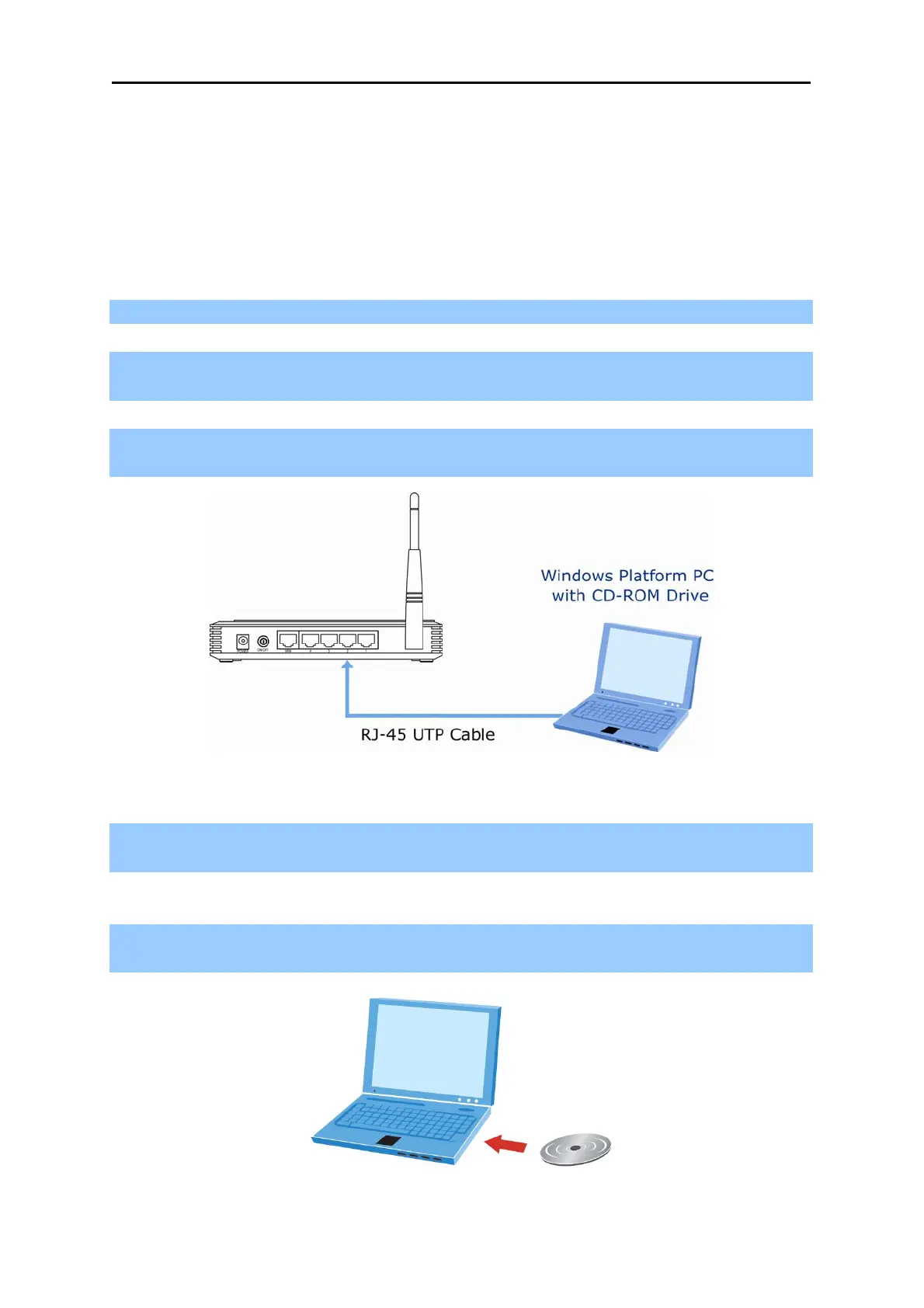
Step 3. Connect the PC LAN port to the LAN Ports (Yellow ports) of the WNRT-617 with RJ-45 UTP
Ethernet cable, shown in Figure 4-19.
Figure 4-19 LAN Port connect of the WNRT-617 Wireless Router
Step 4. Connect the power adapter to the power socket on the WNRT-617, and the other end into an
electrical outlet. Then power on the Wireless Router.
Step 5. Insert the CD into your Windows platform PC and follow the instructions on the screen to
quickly setup for the Internet connection..



 To Next Page