User’s Manual of WNRT-617
-75-
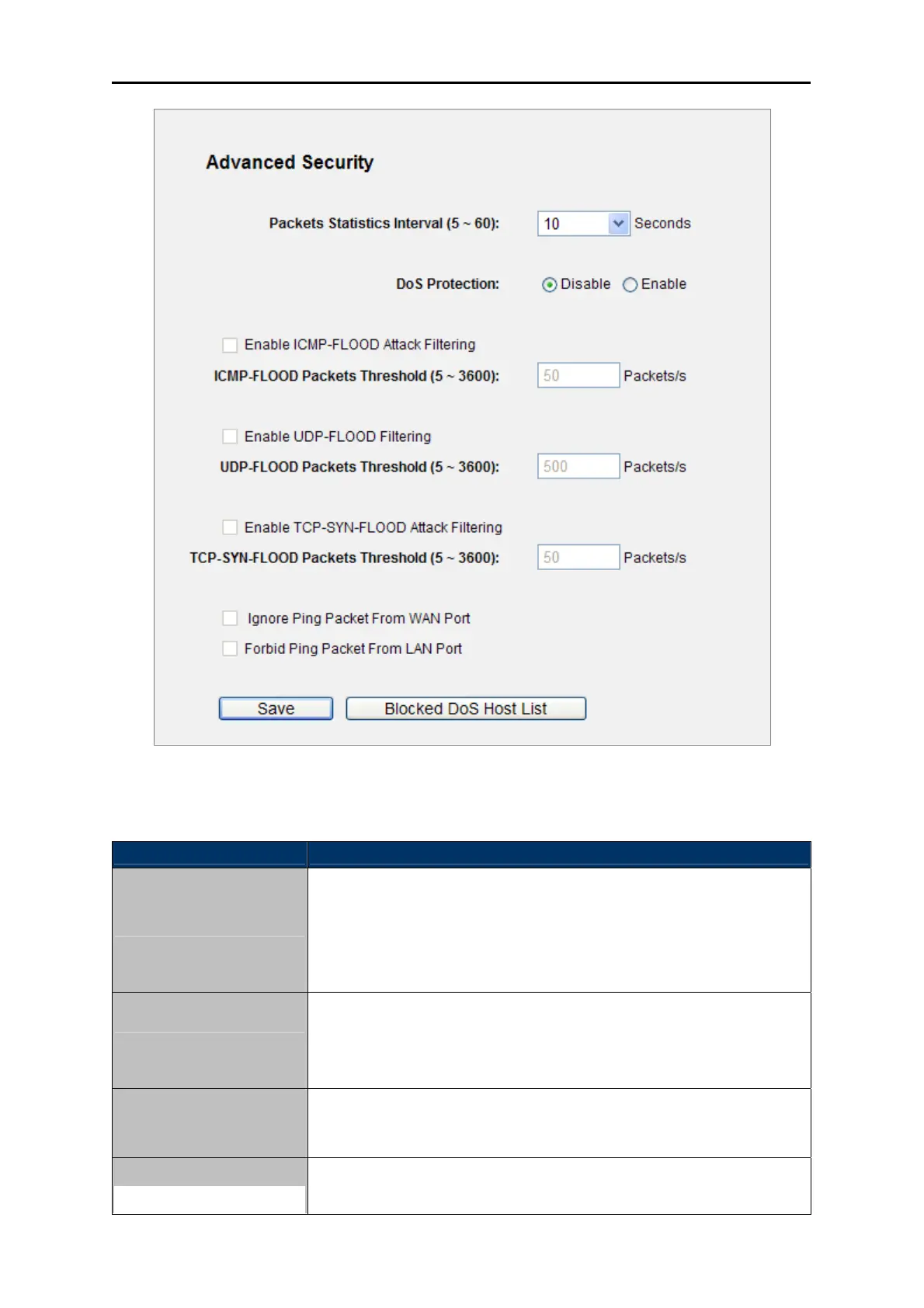
Figure 5-32 Advanced Security
The page includes the following fields:
Object Description
Packets Statistics
Interval (5~60)
The default value is 10. Select a value between 5 and 60 seconds from
the drop-down list. The Packets Statistics Interval value indicates the
time section of the packets statistics. The result of the statistics is used
for analysis by SYN Flood, UDP Flood and ICMP-Flood.
DoS Protection
Denial of Service protection. Check the Enable or Disable button to
enable or disable the DoS protection function. Only when it is enabled,
will the flood filters be enabled.
Enable ICMP-FLOOD
Attack Filtering
Enable or Disable the ICMP-FLOOD Attack Filtering.
ICMP-FLOOD Packets
The default value is 50. Enter a value between 5 ~ 3600. When the
current ICMP-FLOOD Packets number is beyond the set value, the



 To Next Page