User’s Manual of WNRT-617
-88-
Click the Delete All button to delete all the entries in the table.
Click the Next button to go to the next page, or click the Previous button return to the previous page.
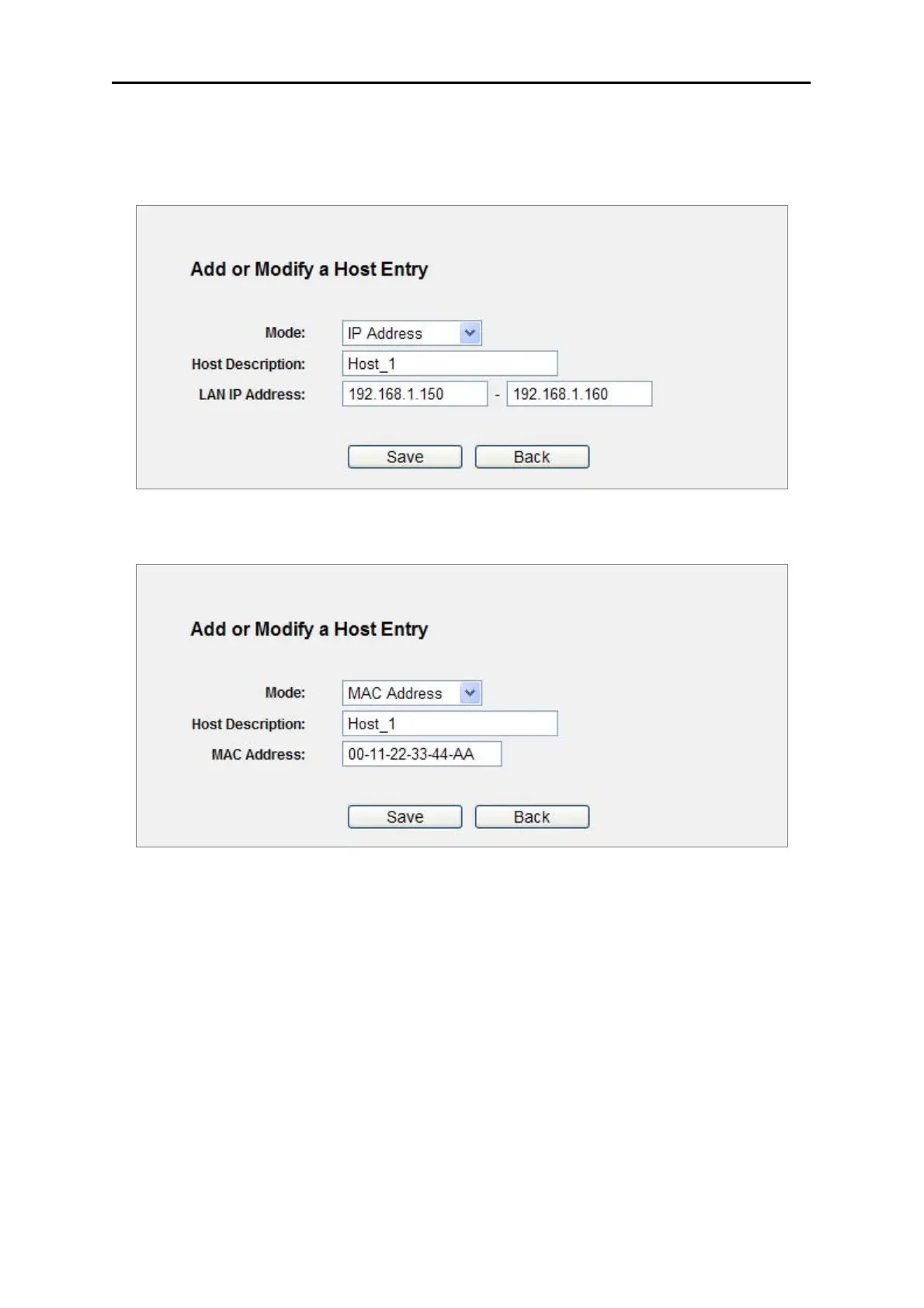
Figure 5-42 Add or Modify a Host Entry
Figure 5-43 Add or Modify a Host Entry
For example: If you desire to restrict the internet activities of host with MAC address
00-11-22-33-44-AA, you should first follow the settings below:
Step 1. Click Add New... button in Figure 5-41 to enter the Add or Modify a Host Entry page.
Step 2. In Mode field, select MAC Address from the drop-down list.
Step 3. In Host Description field, create a unique description for the host (e.g. Host_1).
Step 4. In MAC Address field, enter 00-11-22-33-44-AA.
Step 5. Click Save to complete the settings.
Then you will go back to the Host Settings page and see the following list.



 To Next Page