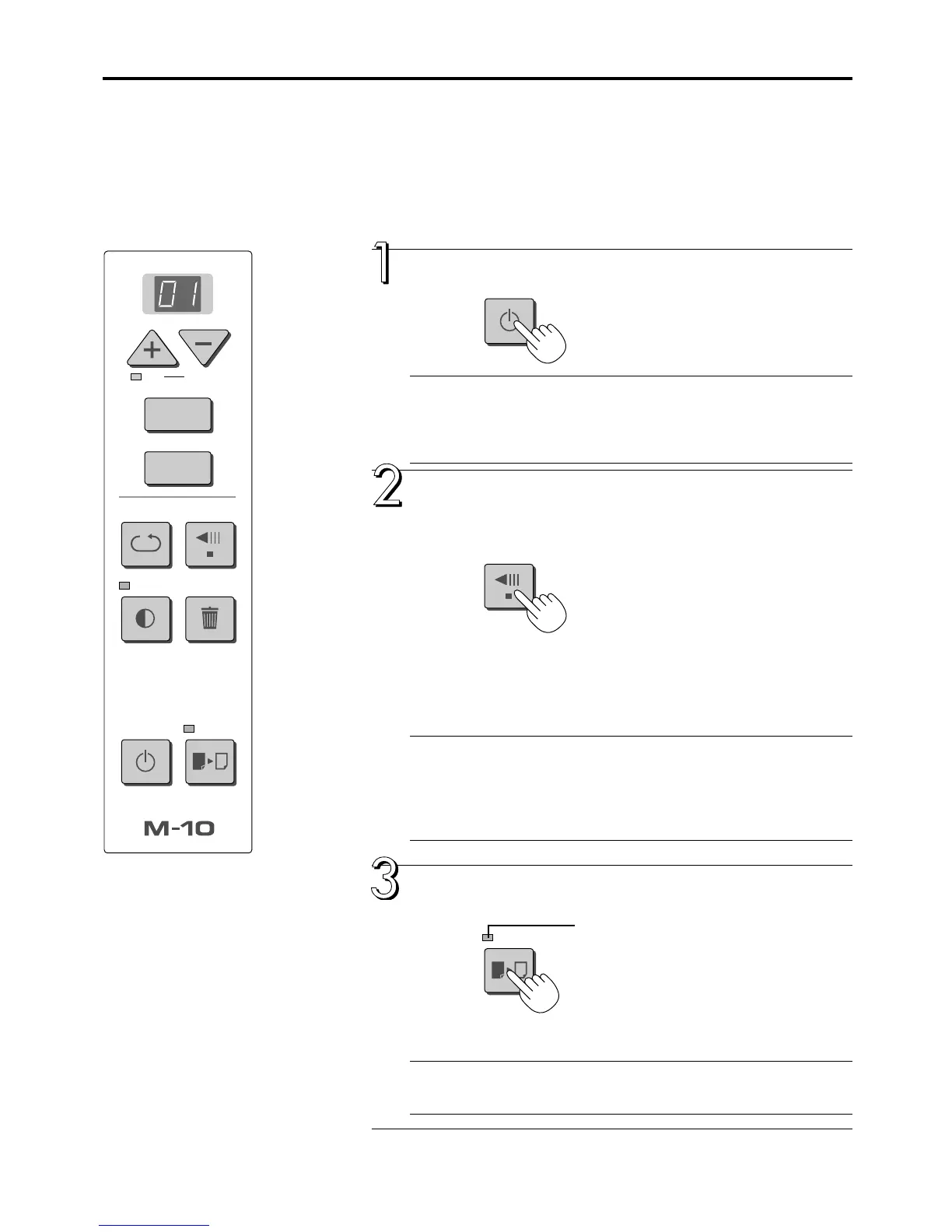
E-12
COLOR
FEED/STOP
OK
Cancel
REPEAT
Density
POWER COLOR
MemoryClear
FEED/STOP
COPY
MEMORY
Press the POWER button and switch on the power.
Note
When the POWER button is pressed and the power is turned on, the LED on the
display shows a countdown of approximately 25 seconds, then the LED stops flash-
ing, remaining lit.
The copyboard is checking its status during this time.
When the drawing is on the rear sheet, press the
FEED/STOP button to bring out the desired surface
for printing.
A press of the FEED/STOP button scrolls the sheet surface one screen
portion left and automatically stops it. (The M-10S takes approximately 15
seconds and the M-10W takes approximately 20 seconds.)
To stop the operation part way through, press the FEED/STOP button again.
Note
* The one-screen that is visible is printable position.
*To make fine adjustments to the sheet surface, when the sheet is stopped, move
the sheet slowly by hand. The sheet can be moved either left or right.
* The peripheral area of the sheet surface is not printed. Please see “Effective read-
ing size” on Page E-8.
Press the COLOR button and select Color or Black
& White.
• At first, when the power is switched on, black & white is selected.
Note
If a black and white printer is connected, the selection is ignored and printing is
performed in black and white.
PRINTING
This function prints the sheet screen of the copyboard on the printer connected to the copyboard.
BASIC PRINTING OPERATION
Preparation:
1. Set A4 or letter size paper in the printer. See Page E-19.
2. Switch on the printer power. See Page E-19.
COLOR lamp
Lit ....... Printing will be in color.
Unlit .... Printing will be in black & white.
Continued on next page
POWER



 To Next Page