E-19
A printer is used to print out the drawn sheet surface.
Depending on the printer, the operation may differ and the names of the parts may be different. Please see your
printer instruction manual for details.
PRINTER SET UP
Please check that the copyboard and the printer have been connected. See Page E-23.
PRINTER OPERATION GUIDE
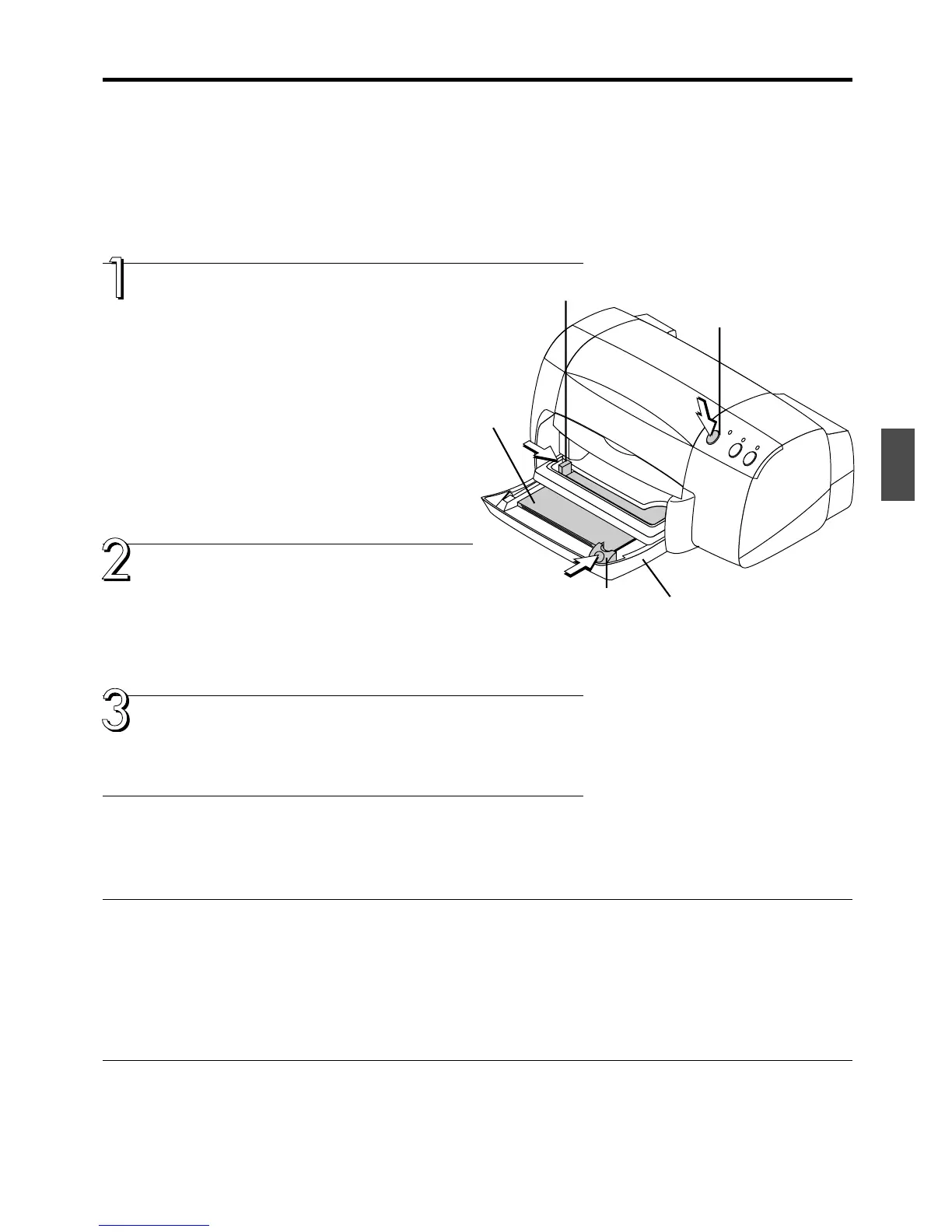
Set the paper.
Please use A4 or letter size printer paper.
See your printer instruction manual for details.
1) Arrange the paper edges so that they are even.
2) Insert paper at the specified position of the paper tray.
3) Press the paper guide gently until it touches the paper.
Switch on the power.
Press the power switch. The power indicator will light.
This completes the preparation of the printer.
A press of the COPY button on the copyboard operation panel will read the
sheet surface portion and start the printing operation.
When finished printing...
Switch off the printer power and remove the paper.
Close the paper tray.
Caution: Do not switch off the printer power while printing.
Paper
* The printer is an option.
* The diagram shows an example of a printer. Operation and handling may differ depending on you printer.
Precautions in the use of printer paper
Please observe the following matters to avoid paper feed problems and paper jamming.
• Please do not use thin paper, thick paper, or handmade paper.
• Do not use paper that has protrusions, recesses, or burrs.
• Do not use paper that is folded, wrinkled, torn, or has cuts in it.
• Do not use embossed paper, paper with a rough surface, or coated paper.
• Do not use paper bearing cellophane tape, seals, or other material.
• Do not print on paper that has already been printed.
• Do not insert paper of differing paper sizes.
Paper guide
Power switch
Paper tray
Paper guide



 To Next Page