E-9
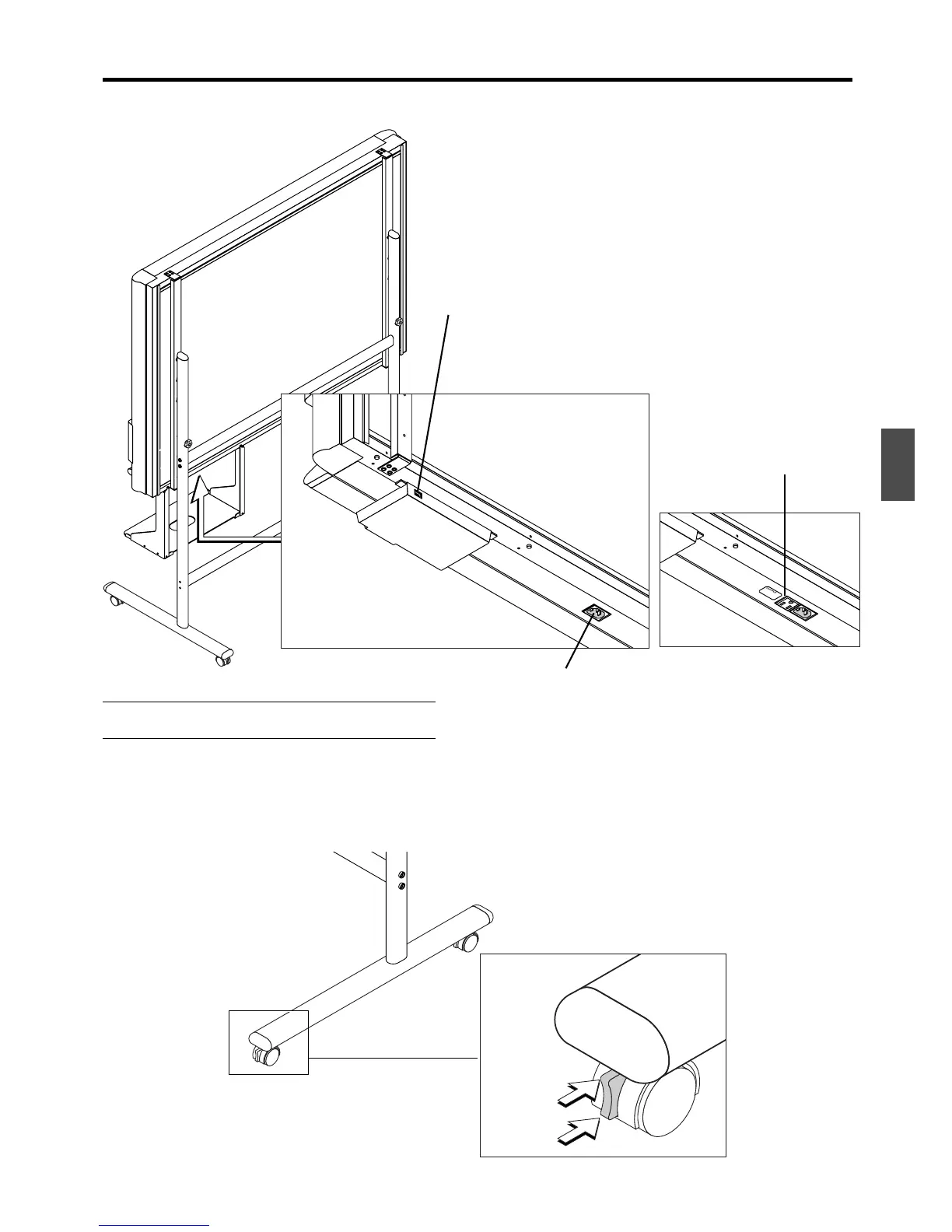
Copyboard Rear
Printer connector
Connect this with the USB connector of the printer.
(The printer connector is dedicated for use with a printer;
use it only with a printer.)
The connector is located on
the bottom surface of the
copyboard. The diagram view
is seen from the bottom.
AC input connector
This connector supplies power to the
copyboard. Make a connection between this
and an AC wall power outlet.
Locking and unlocking the stand* casters
After setup, please lock the casters with the stoppers. Unlock the caster stoppers when moving the copyboard.
Lock the caster by pressing the bottom part of the lock button. Unlock by pressing the top part.
Note
Please take the printer power directly from a wall outlet.
Lock
* May be sold separately.
Unlock
Some models have the AC
OUTPUT connector depending
on the country of destination.



 To Next Page