E-20
OK
Cancel
COPY
MEMORY
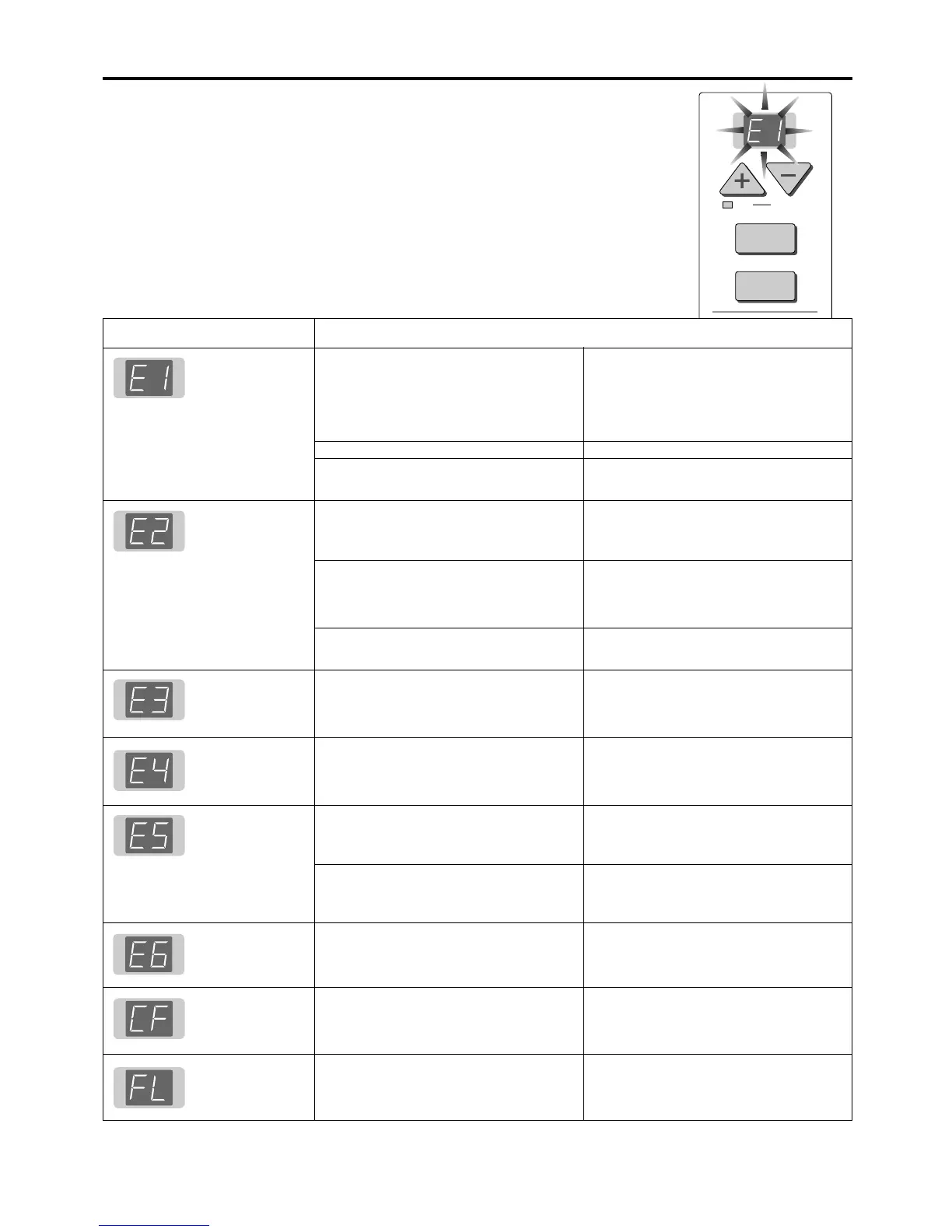
If any of the following flashing indications appear in the display window of the control
panel, please check the matters described below.
The flashing will continue for 5 seconds.
MEANING OF ERROR MESSAGES
Error Display Number
Printer problem
Memory card not
recognized
Memory storage
problem
Memory clearing
problem
Reading problem
Internal memory
problem
No memory card
loaded
Memory is full
• Connect the printer properly and switch
on the printer power.
•
Insert A4 or Letter size paper into the printer.
• Read the printer instruction manual.
• The copyboard supports the FAT format.
Please perform the formatting with a per-
sonal computer.
• Please see our home page for informa-
tion about memory cards and CF adapt-
ers that can be used with the copyboard.
(http://www.plus-vision.com)
• Please check the operation with a per-
sonal computer.
• Please perform memory storage again.
• Do not insert or remove the memory card
during processing.
• Please perform memory clear again.
• Do not insert or remove the memory card
during processing.
• Press the POWER button to switch off the
power, then switch the power on again.
Perform the copy operation after this.
• Use in an environment in which the tem-
perature is warmer than 10°C, or replace
the fluorescent bulb.
• Unplug the power plug from the power
outlet and then plug it in again.
• Insert a memory card in the card slot.
• Please delete unnecessary data using a
personal computer or this machine.
If the problem persists, please contact your nearby PLUS Vision sales office, dealer, or store.
• Is the printer cable connected?
• Is power being supplied to the printer?
• When the printer uses an AC power
adapter, is the cable disconnected some-
where?
• Has paper been set in the printer?
• Is the printer error indicator flashing (or
lit)?
• Is the memory card unformatted.
• Is a memory card that is not supported
by the copyboard being used?
• When a CF adapter is being used, does
the insertion make perfect contact?
• Is the memory card damaged?
• An error occurred during memory storage.
• An error occurred during the memory era-
sure operation.
• The fluorescent lamp is bad or there is a
read error.
• Are you using the unit in a very cold envi-
ronment?
• This is an initialization error of the inter-
nal memory when the power plug was in-
serted into the power outlet.
• No memory card is loaded in the
copyboard.
• There is no available space.
Problem and Solution



 To Next Page