E-8
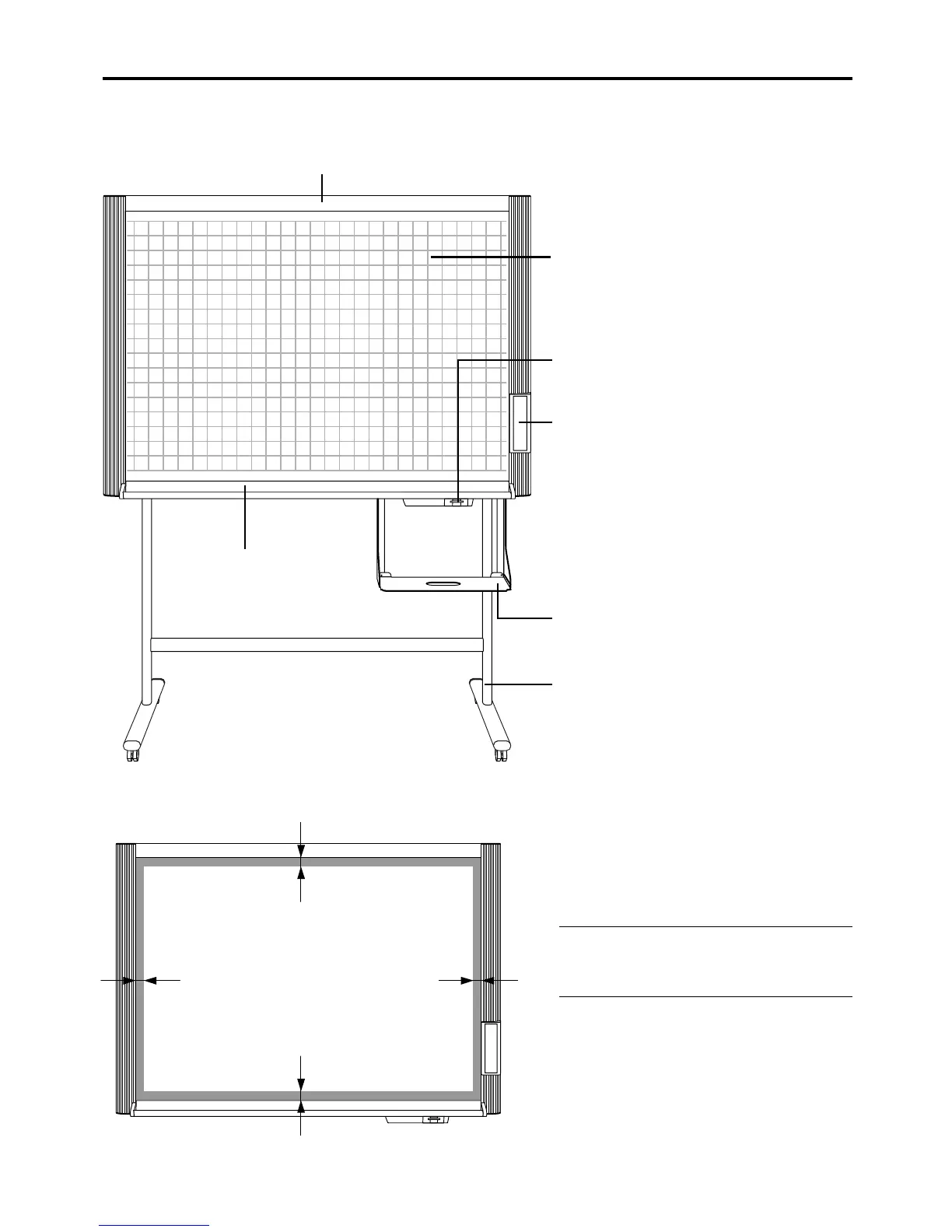
Sheet
Special markers are used on the sheet to draw
diagrams and to write.
Card slot
A CompactFlash card is inserted here.
Control panel
Printer tray
The printer* is placed here.
Stand*
This stand supports the copyboard.
Effective reading size
The copyboard cannot read the indicated border
portion of the sheet surface when copying. Please
write within the effective reading area.
Note
The vertical readable area of the Copyboard is the por-
tion between the most upper ruled line and the most
lower one on the sheet.
*The printer and stand may be sold separately.
NAMES OF THE PARTS
Copyboard Front
Copyboard
Dust tray
approx. 35mm
approx. 30mm
approx. 35mm
approx.30mm



 To Next Page