E-23
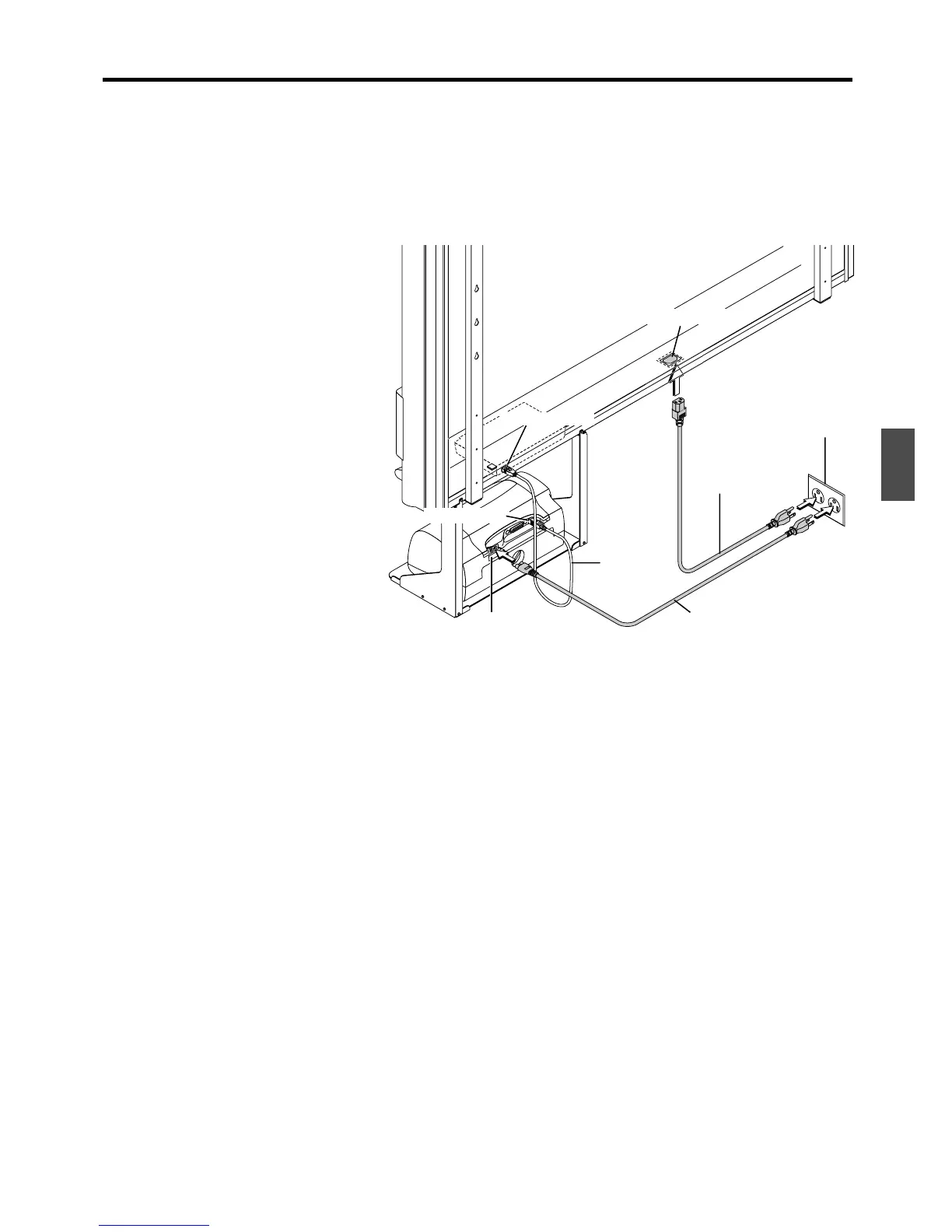
CONNECTIONS BETWEEN THE COPYBOARD AND PRINTER
The installation method at the printer side will differ depending on your printer.
APPENDIX
(1) Connect the printer connector of the
copyboard with the USB connector of
the printer using the supplied USB
cable.
(2) Plug the power cable that was supplied
with the printer into a wall outlet.
(3) Connect the AC INPUT connector of the
copyboard with a wall power outlet us-
ing the power cable supplied with the
copyboard.
When connections are completed, fasten
the cable with the supplied cable clips.
Wall outlet
Power cable
(supplied)
USB cable
(supplied)
AC INPUT connector
Printer connector
Power cable supplied
with the printer
USB connector
AC INPUT
power connector



 To Next Page