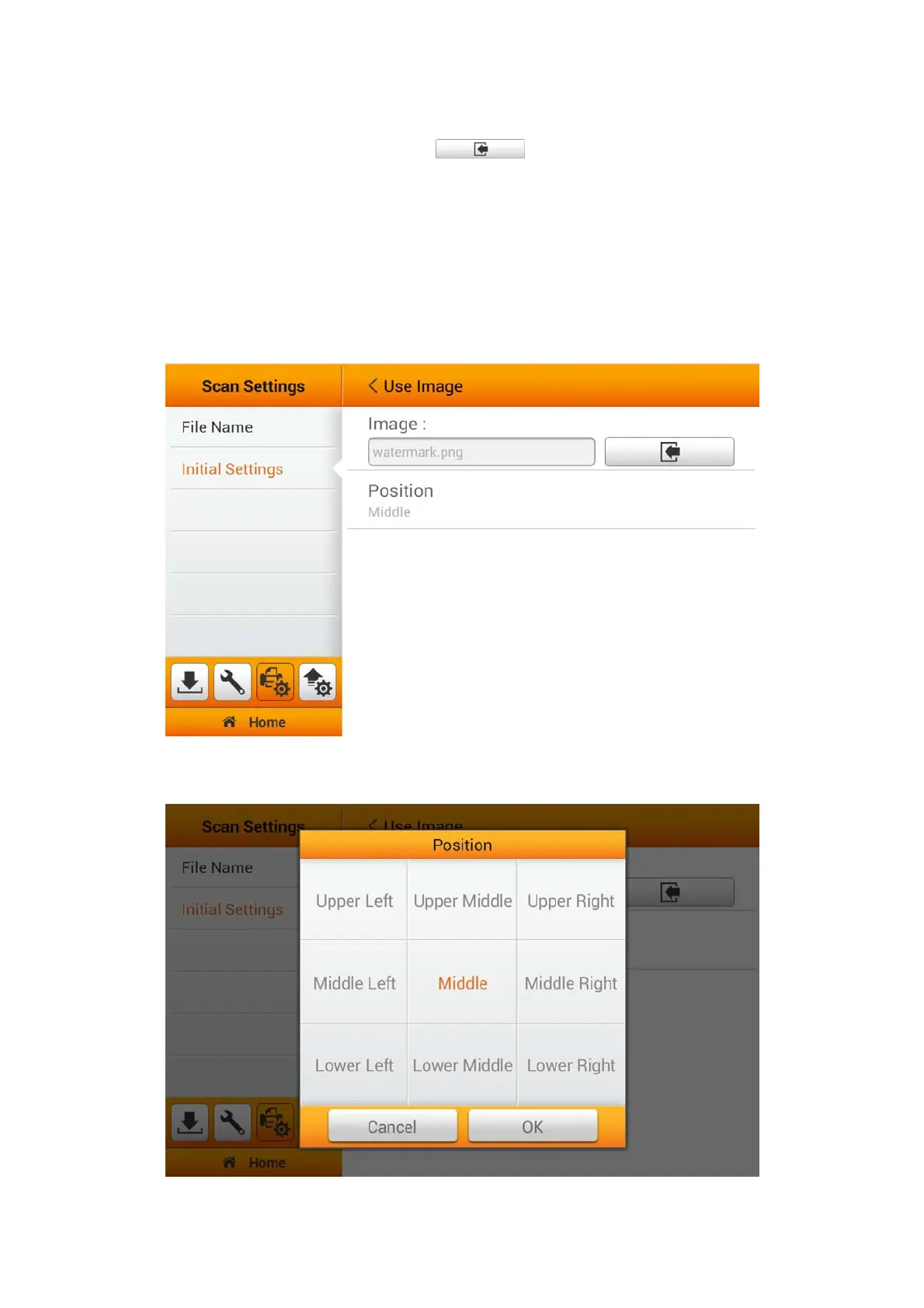
If you select Use Image as the Watermark, you have to upload the desired image
and select the desired position. Tap the
button to upload the desired image.
Please note, when using Image file for your watermark overlay, we strongly
recommend that the image be no bigger than 800x800 pixels. [Recommend size and
format: 600x200pixels; PNG]
The color of the image overlay will correspond to your scanning color mode. Please
adjust transparency of the image accordingly.
Note: When scanning Black & White we strongly recommend the transparency
setting to be set at 150%.
Tap on Position to select the desired position. There are 9 positions to choose
from. Tap the OK button to confirm the settings or tap Cancel to exit this dialog.
33















 To Next Page