6
Information
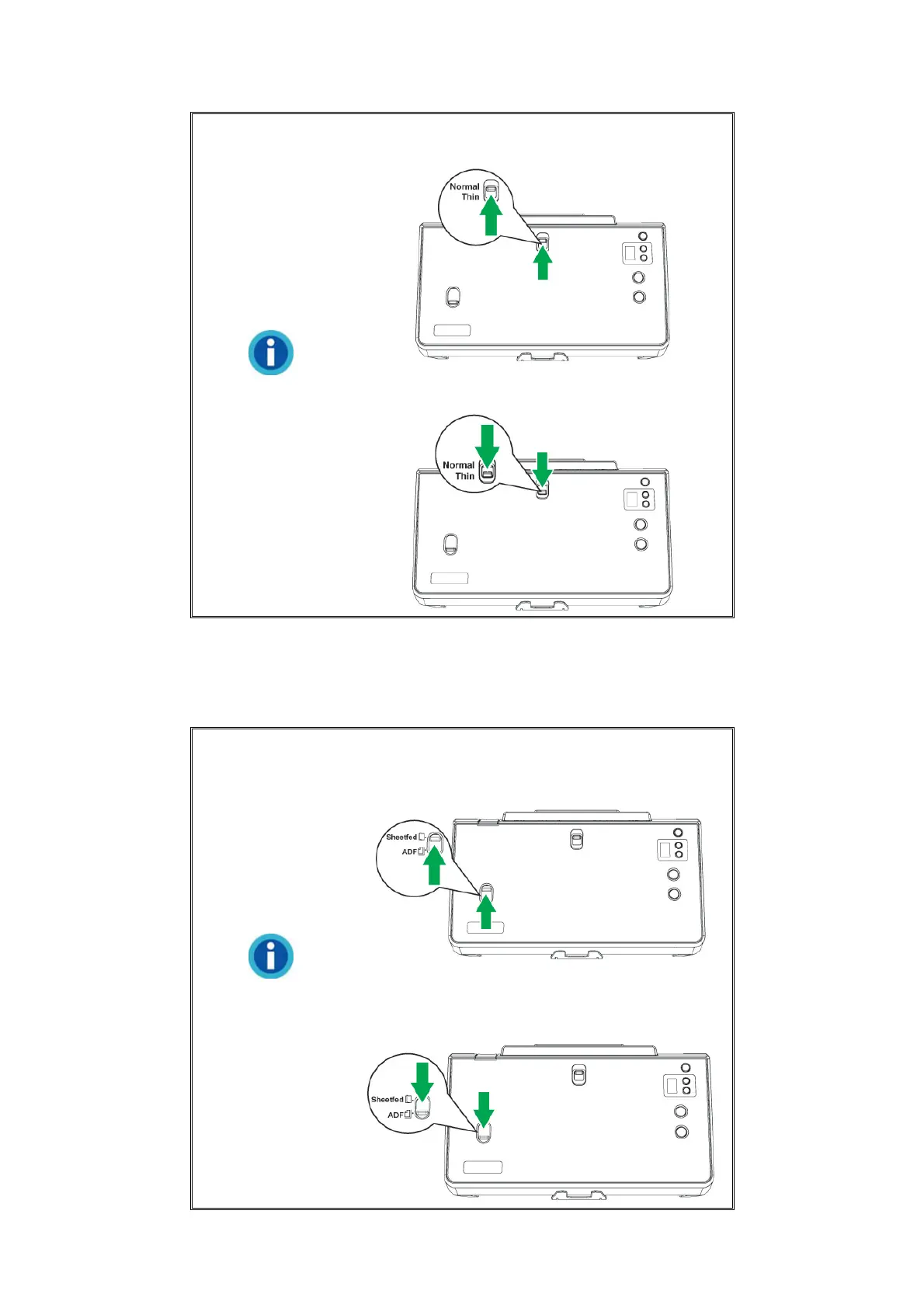
Slide the switch upward to scan normal
paper.
Slide the switch downward to scan thin
paper.
5. SHEETFED / ADF SCAN SWITCH—Slide the switch upward to scan bound
documents such as passports, passbooks, and booklets. Slide the switch
downward for multi-page ADF scanning to automatically feed a stack of documents
each time.
Information
Single-page Sheetfed: Slide the switch
upward to scan the bound documents such
as passports.
Multi-page Auto Document Feeder (ADF):
Slide the switch downward for multi-page
ADF batch scanning.











 To Next Page