25
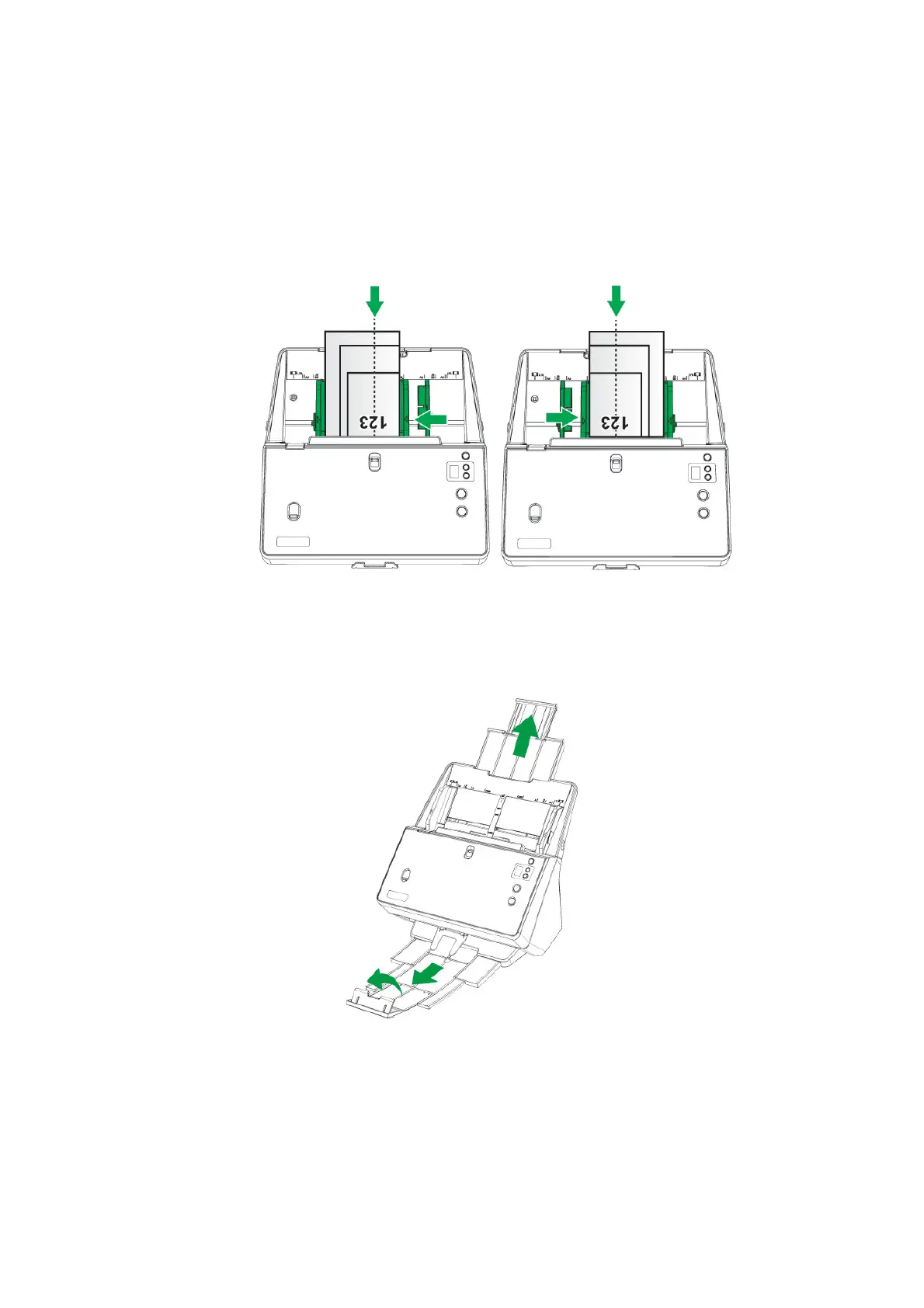
2. Load the documents, headfirst and face down, in the ADF paper chute and all
the way into the ADF until touching the bottom. Make sure all documents reach
ADF center line to be fed into the scanner, and the center line of the narrowest
document is placed on the ADF center line to be picked by the pick rollers.
Otherwise, some documents may not feed into the scanner.
3. Pull out the paper chute extension and stacker to provide further support for the
documents. Pull down the paperweight to keep the correct order for the stack of
output documents when you scan mixed batch documents with different paper
sizes and thicknesses.
PLACING THE DOCUMENT FOLDED IN HALF
To scan the document folded in half, make sure to slide the Sheetfed / ADF scan
switch upward for sheetfed scanning, and load the document one by one.
ADF center line
ADF center line











 To Next Page