26
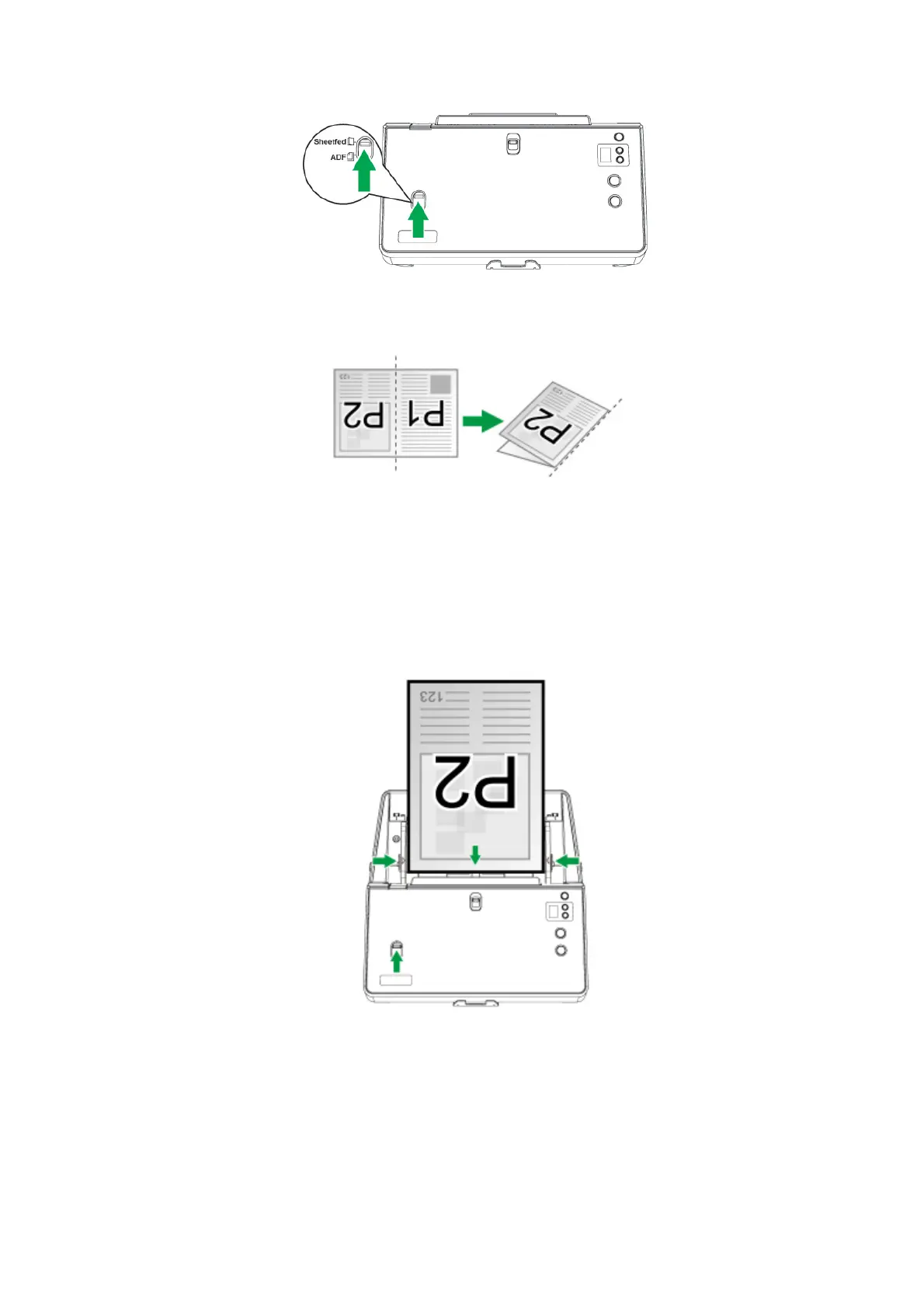
1. To scan a document with large page size, spread the page to be scanned
facing outwards and neatly fold it in half from the center.
2. Load the document, headfirst and face down, toward the center of the ADF
paper chute and all the way into the ADF until touching the bottom.
For single-sided scan, load the document face down so that the side to be
scanned faces towards the paper chute.
For double-sided scan, load the desired page order of document face down so
that the side to be scanned faces towards the paper chute.
3. Adjust the paper width slider for the paper size you are using. The paper width
slider should be gently touching both sides of the document.











 To Next Page