27
PLACING THE PASSPORT
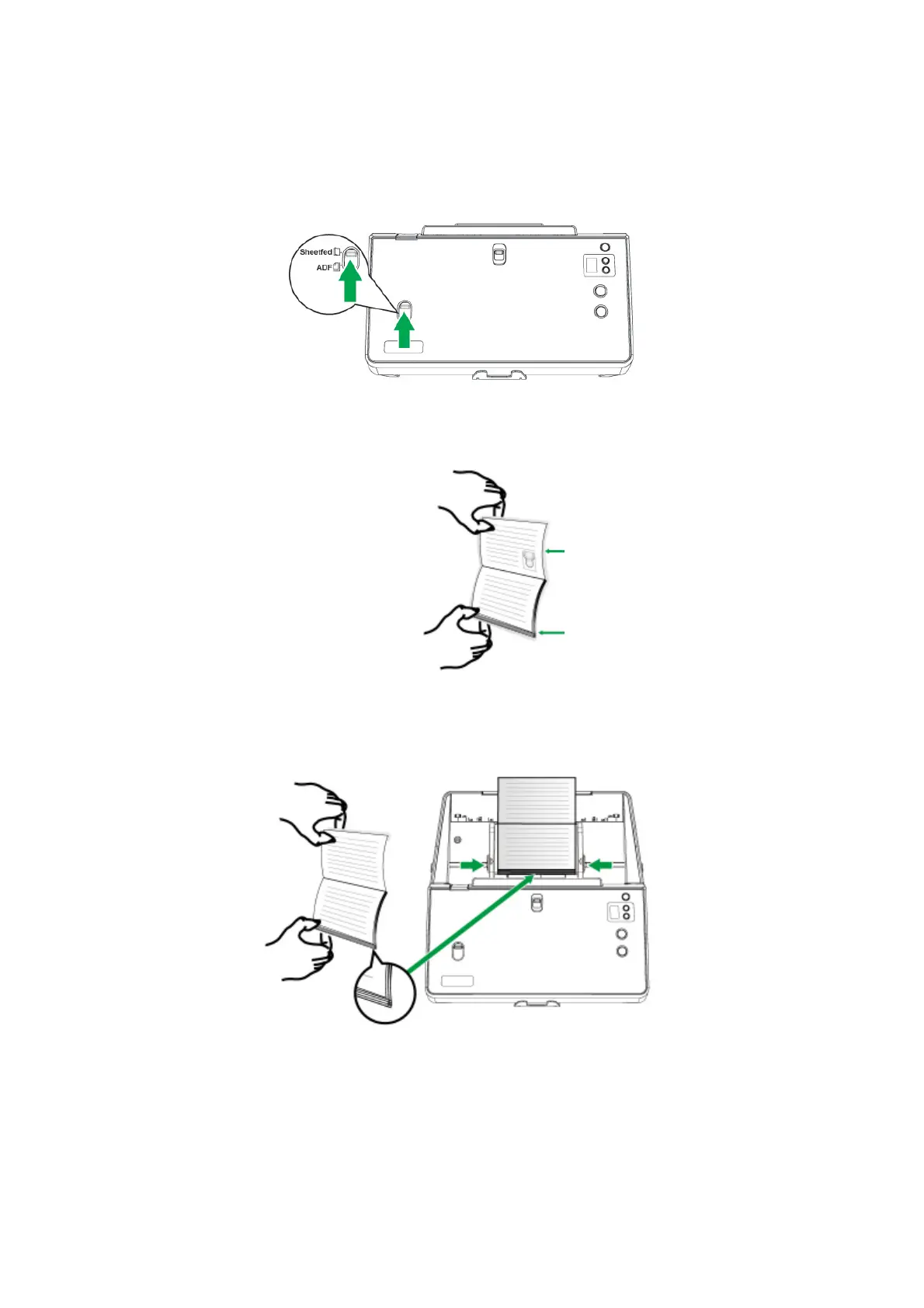
To scan the passport, make sure to slide the Sheetfed / ADF scan switch upward
for passport scanning.
1. Open the passport. There is one part with fewer passport pages and the other
part with more passport pages.
2. Load the passport, the part with more passport pages first and face up, toward
the center of the ADF paper chute and all the way into the ADF until touching
the bottom. Adjust the paper width slider for the passport you are using.
The part with fewer passport pages
The part with more passport pages











 To Next Page