35
C
C
l
l
e
e
a
a
n
n
i
i
n
n
g
g
t
t
h
h
e
e
A
A
D
D
F
F
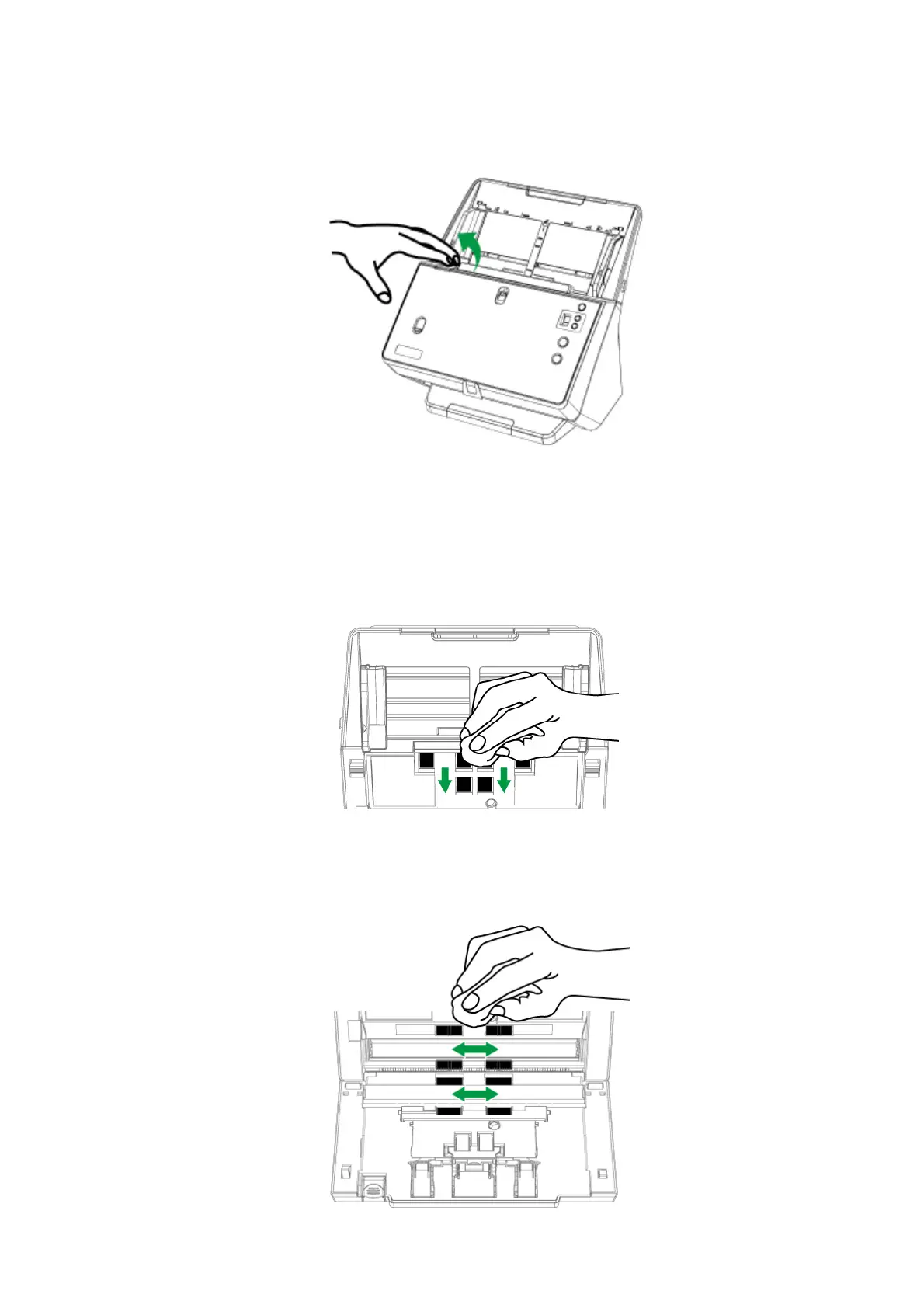
1. Open the ADF cover by pulling the lever.
2. Gently wipe the following areas with the cloth dampened with the cleaner. Be
careful NOT to scratch their surfaces.
Clean Pick Rollers and Separation Rollers:
Wipe the pick rollers and separation rollers from top to bottom (in the direction
of arrow shown in the picture).
Clean Feed Rollers:
Wipe the Feed Rollers from side to side and then rotate it. Repeat this until its
entire surface is cleaned.











 To Next Page