49
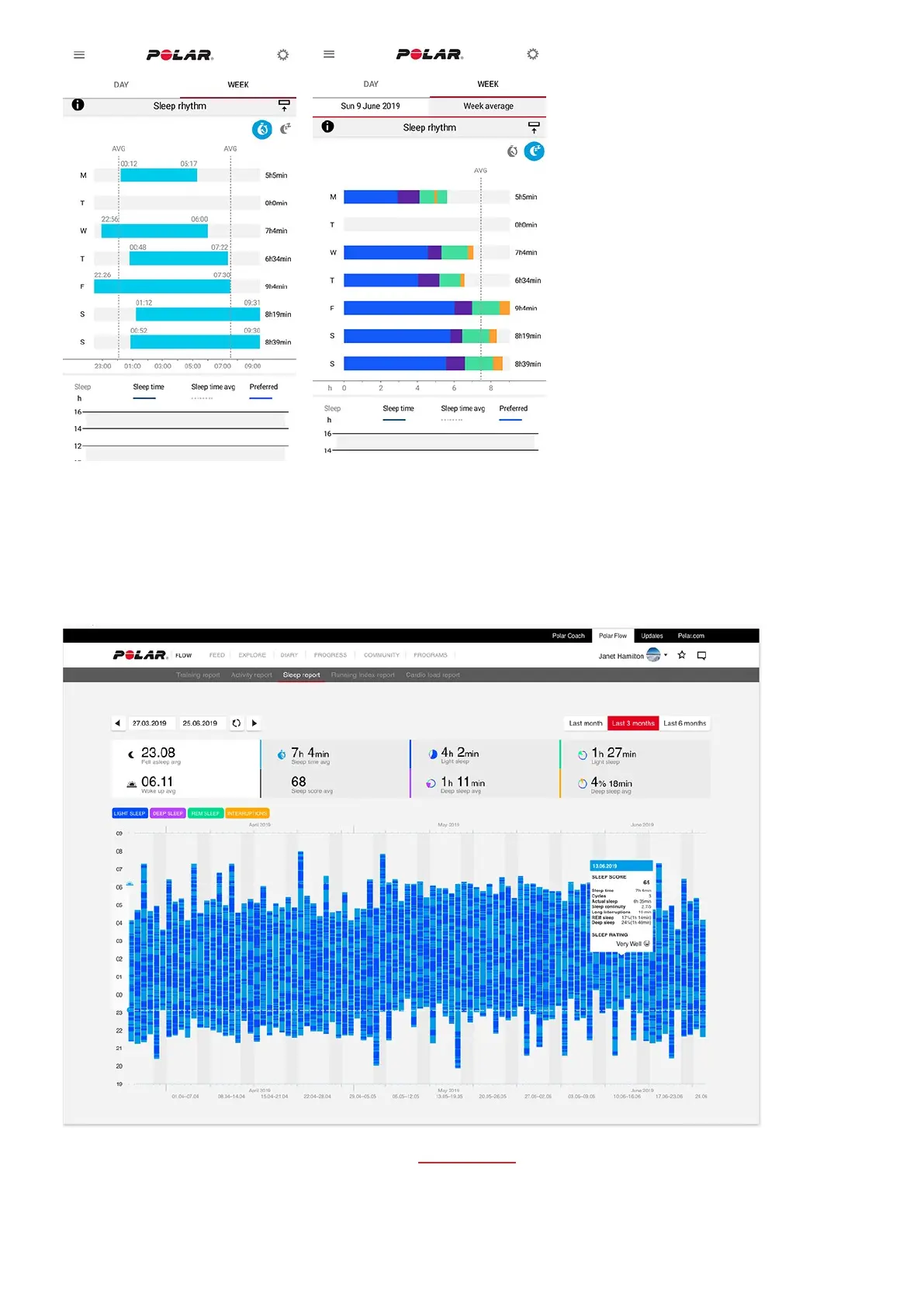
To view your long-term sleep data with sleep stages in the Flow web service go to Progress, and choose the Sleep
report tab.
Sleep report gives you a long-term view to your sleep patterns. You can choose to view your sleep details for a 1-
month, 3-month or 6-month period. You’re able to see averages for the following sleep data: fell asleep, woke up, sleep
time, REM sleep, deep sleep and interruptions to your sleep. You can view a nightly breakdown of your sleep data by
hovering your mouse over the sleep graph.
Learn more about the Polar Sleep Plus Stages in this in-depth guide.





 To Next Page