97
l Automatic pause: To use Automatic pause during training, you need to have GPS set to High Accuracy or a
Polar stride sensor in use. Your sessions pause automatically when you stop, and continue automatically when
you start.
l Choose the GPS recording rate.
When you're done with the sport profile settings, click Save. Remember to sync the settings to your watch.
Please note that in a number of indoor sports, group sports and team sports profiles the HR visible to
other devices setting is enabled by default. This means that compatible devices using Bluetooth Smart
wireless technology, e.g. gym equipment, can detect your heart rate. You can check which sport profiles
have Bluetooth broadcasting enabled by default from the Polar Sport profiles list. You can enable or disable
Bluetooth broadcasting from sport profile settings.
PLANNING YOUR TRAINING
You can plan your training and create personal training targets for yourself in the Polar Flow web service or in the Polar
Flow app.
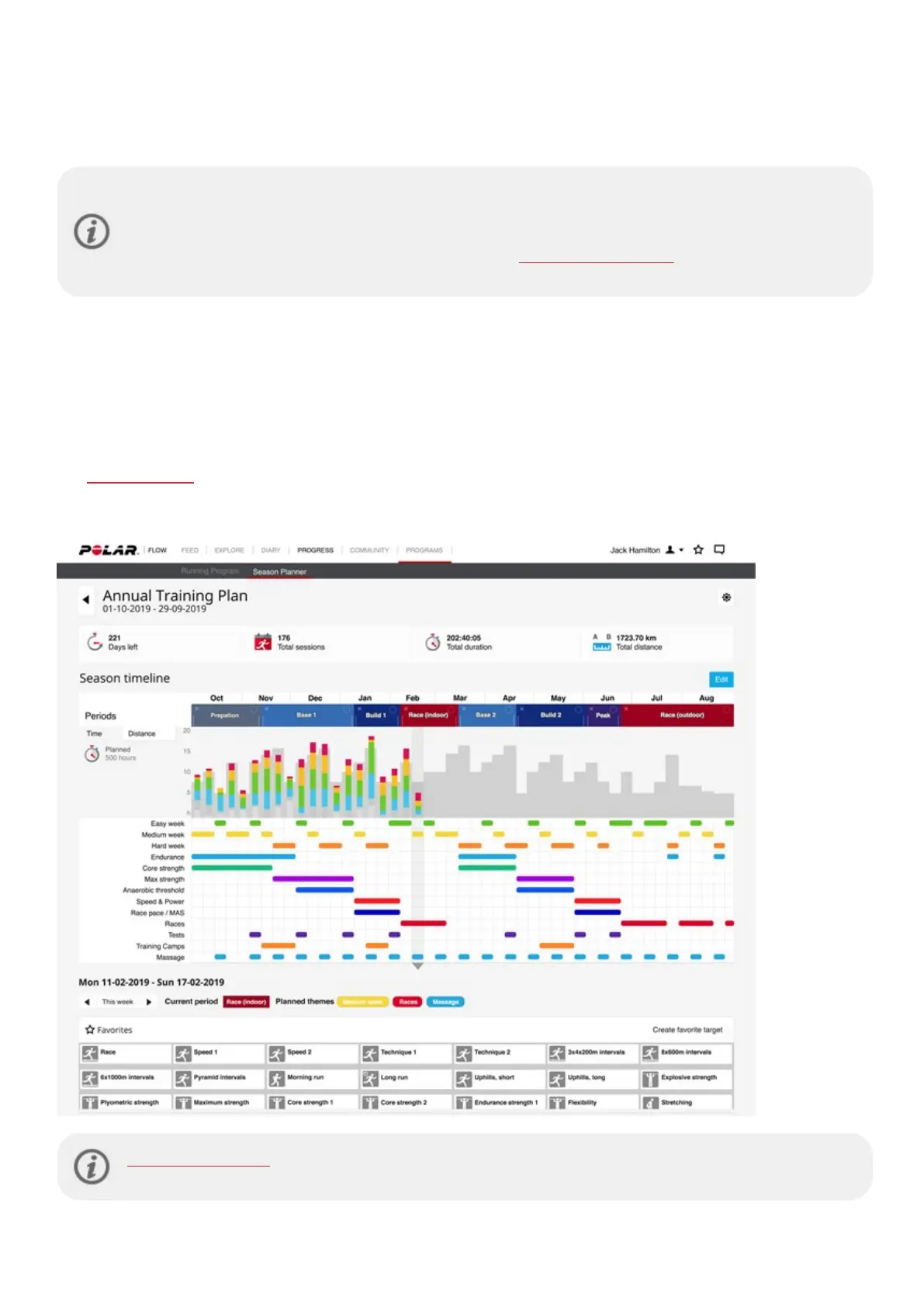
CREATE A TRAINING PLAN WITH THE SEASON PLANNER
The Season Planner in the Flow web service is a great tool for creating a tailored annual training plan. No matter what
your training goal is, Polar Flow helps you create a comprehensive plan to reach it. You can find the Season Planner tool
from the Programs tab in the Polar Flow web service.
Polar Flow for Coach is a free remote coaching platform that allows your coach plan every detail of your
training from full season plans to individual workouts.



 To Next Page