52
Backlight always on during training: Swipe down from the top of the display to pull down the Quick
settings menu. Tap the Backlight icon to select Always on or Automatic. With always on the watch
display will be illuminated throughout your training session. The backlight setting will default back to
automatic after you finish your training session. Please note that selecting always on will drain your
battery much faster than the default setting.
Training results on your watch and in Polar Flow
You'll get a summary of your training session on your watch right after you've finished the session. You'll get a more
detailed analysis in the Polar Flow app or in the Polar Flow web service. For cardio training targets you get a basic
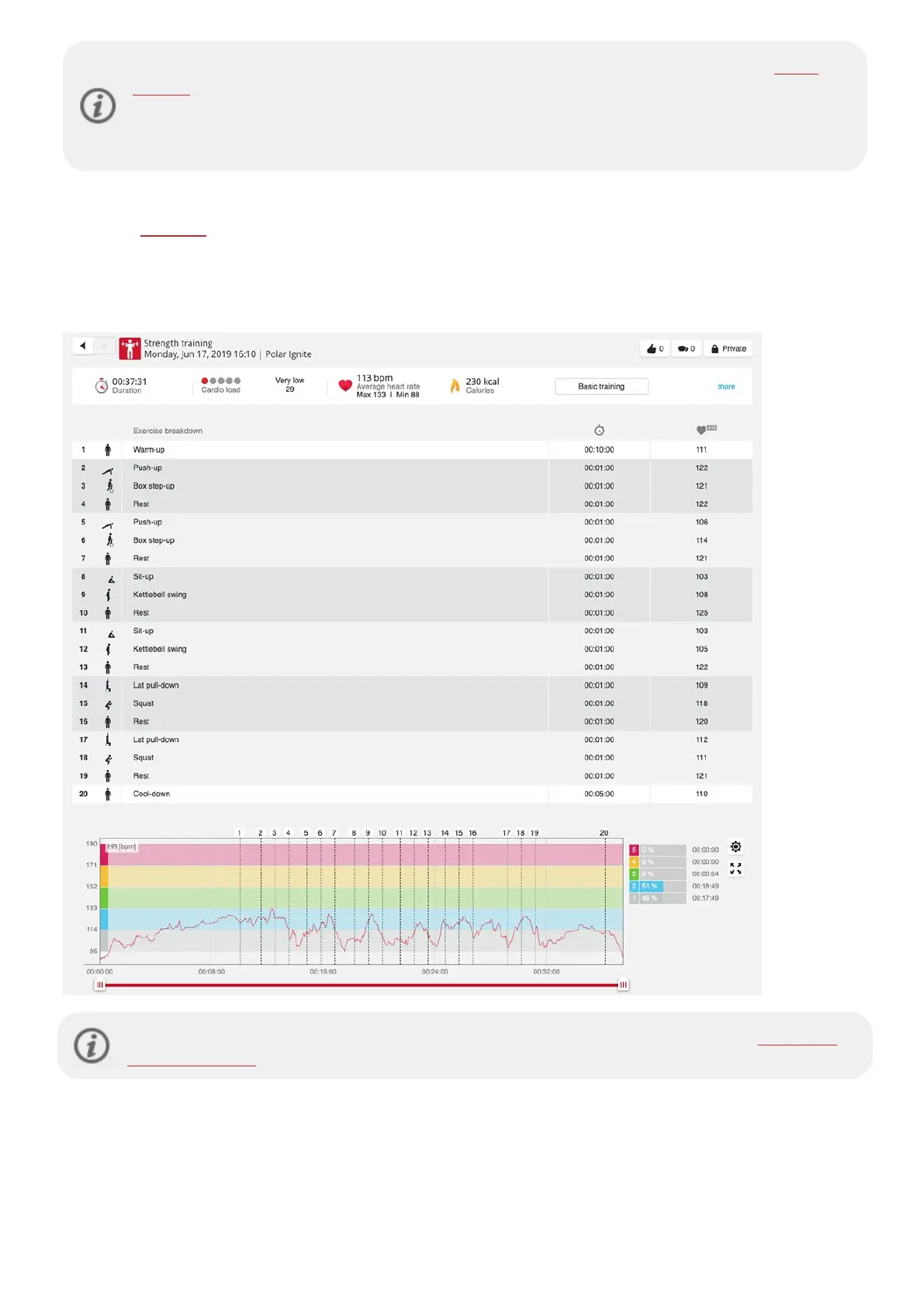
training result, which shows the phases of the session with heart rate data. For strength and supportive training
targets you get detailed training results, which include your average heart rate and time spent on each exercise. These
are displayed as a list, and each exercise is also displayed on the heart rate curve.
Training may include some risk. Before beginning a regular training program please read the Minimizing
risks when training guidance.



 To Next Page