ZONEMASTER ZONETOUCH V2 ZONE CONTROL SYSTEM - Installation Manual
11
7.1.1 Touch Screen Address
Up to two touch screens can be installed in one system. Each touch screen has
adefaultaddressof‘1’.Duringcommissioningeachtouchscreenshouldbe
assignedauniqueaddressforcommunicatingwiththemaincontrolmodule
properly.FollowthefollowingstepstosettheTouchscreenAddress:
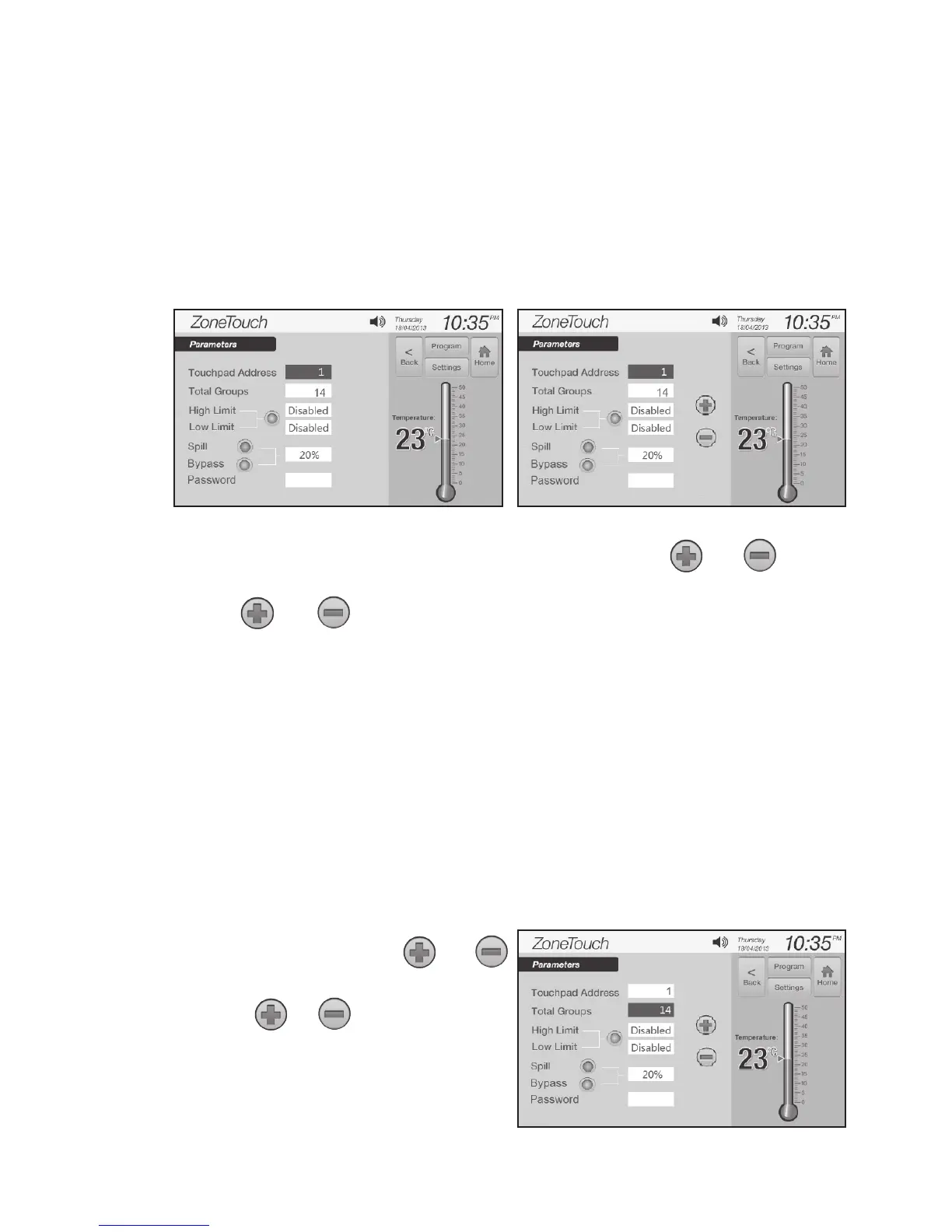
a) On‘InstallerSettings’screen(Figure6),touch‘Parameter’togetto‘Parameter’
screen(Figure7).
b) Touch theediteldof‘TouchpadAddress’tohighlightit,and
buttonswillappear(Figure8).
c) Use and buttons to select a touchpad address from 1 to 2.
NOTE: Each controller (touch screen) must have a unique address.
Two touch screens with the same address will cause communication
problems between the main control module and the touch screens.
7.1. 2 Number of Groups in the System
For the purpose of groupstatusdisplayandspill/bypasszonecalculation,the
systemneedstoknowthetotalnumberofgroupstobeinstalled.Thefactory
default number is 8.
IMPORTANT: This number must be equal to the total group number used
in the system as planned in Pre-Installation process. If this is wrong, the
system may not work properly.
a) Touch the totalgroupeld,and
buttonswillappear(Figure9).
b) Press or button to change
to the total number of groups in the
system. The selectable number is
from 1 to 16.
Figure 7. Figure 8.
Figure 9.



 To Next Page