ZONEMASTER ZONETOUCH V2 ZONE CONTROL SYSTEM - Installation Manual
18
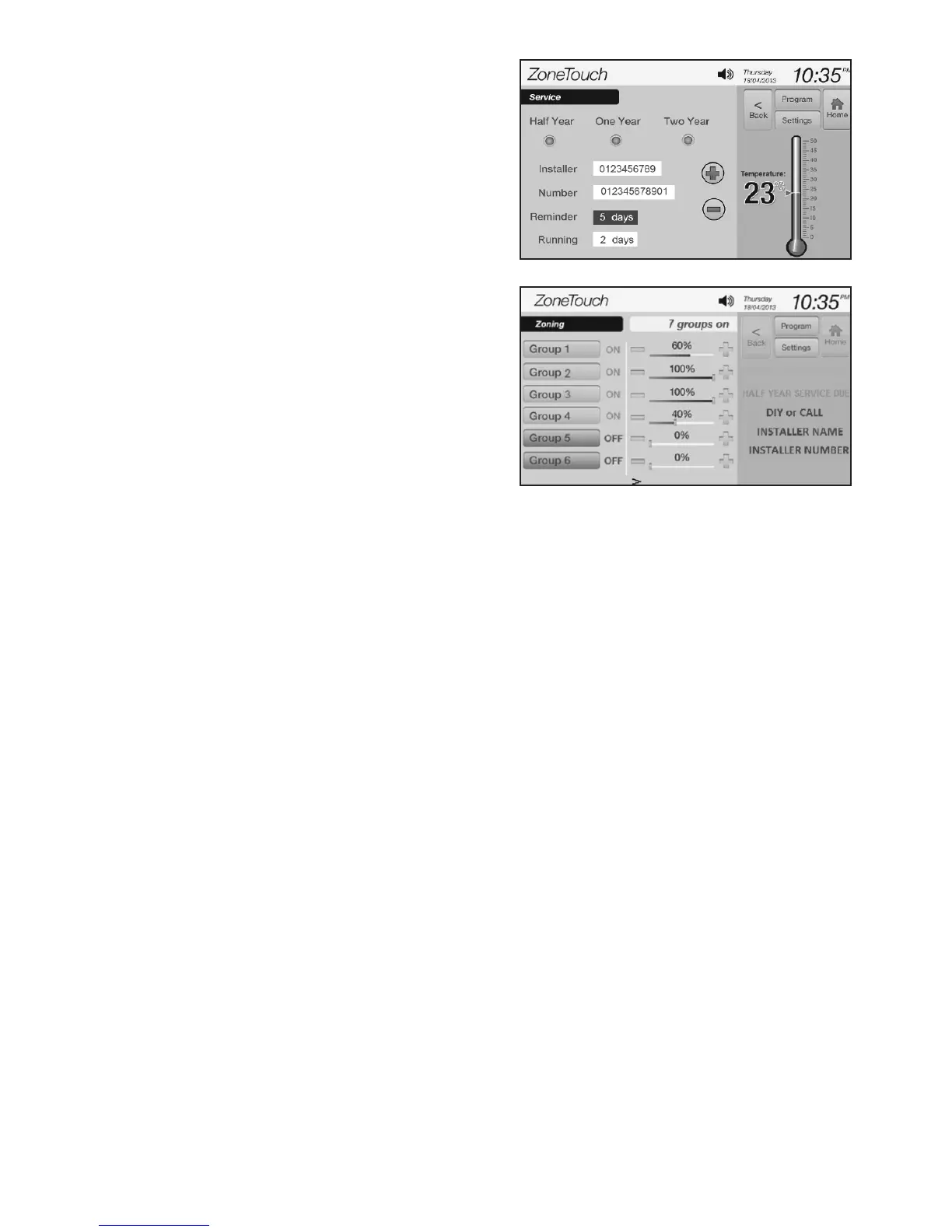
Figure 25.
Figure 26.
Reminderinformationwillbe
displayed on the right side of the
touchscreenwhentheserviceisdue
( F i g u r e 26)forthelengthofthe
reminderdays(5daysinthe
exampleofgure23).Touchingthe
information area will clear the alert
before the set reminder days has
reached.
The running days show how many
d a y s havingpassedsincethesystem
h a s beencommissionedorserviced.
It will automatically start from 1 for
e v e r y 728days.
NOTE: Record the above parameters
such as Grouped Zones & Balancing
on the sticker of the Main Control
ModuleandtheSystemConguration,GroupedZonesalongwithNamed
Groups, Balancing and Installer details to table 1, 2, 3 and 4 respectively on
page 11 and 12 of the User manual for future reference.
7.6 TestingDamperOn/O
a) Switch on the air conditioner.
b) Enter the home screen of ZONETOUCH V2.
c) Touch thegroupbuttonstoturngroupsonorotocheckifthedampersare
correctly connected by feeling the air at the outlet.
d) The Turbogroupcanbetestedbyselectingtherelevantchosengroupas
Tu r b o modeinthe‘UserSettings’andthenpressthegroupbuttonuntil
a c t i v e turbomodeisdisplayedonthescreenforthatparticulargroup.
NOTE: Bypass zone damper cannot be tested via touch screen. It has to be
checked by observing the indicator on the damper motor.



 To Next Page