7.4 Naming Groups
Thenameofagroupissetas‘Group_address’(e.g.Group_1)indefaultsetting.
Thenamescanbecustomizedasfollows:
a) In ‘InstallerSettings’screen(Figure
6 ) , touchtoenter
‘Naming’screen(Figure20).
b) Touchtheediteldofagroupto
rename it. A name list will appear for
selection(Figure21).
c) Touch a name in the list to specify
t h e nametothegroup,andalso
you can touch to enter
o r editanamemanually(Figure22).
d) TouchtoconrmortouchtocancelandbacktoNaminglist
pageortouchtocancelandbacktothehomescreen.
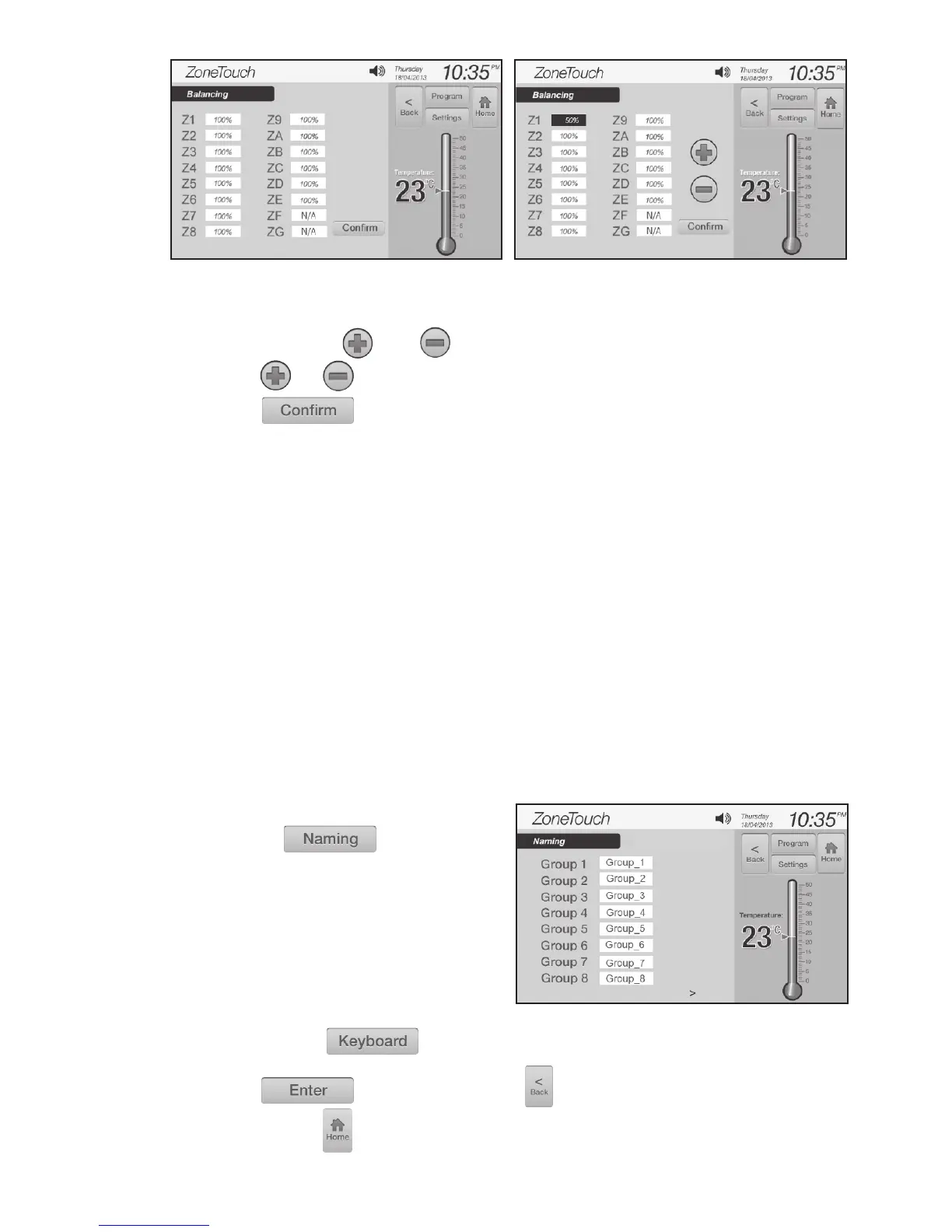
c) Clicktheediteldtoselectthezonetobebalanced,theeldwillbe
highlightedthenandbuttonswillappear(Figure19).
d) Touch or button to adjust the balance percentage.
e) Touch button to accept the changes just made.
NOTE:
• Thebalancing menu will display all 16 zones irrespective of the number
of zones actually present in the system.
• Thebalancing percentages of the inactive zones remain locked and show
as N/A.
• The OPEN % value on the Zoning screen can be operated by the user for
additionalairowadjustmenttothegroups.Theoverallopening%ofthe
zone is calculated as OPEN % x Balance %.
ZONEMASTER ZONETOUCH V2 ZONE CONTROL SYSTEM - Installation Manual
16
Figure 18. Figure 19.
Figure 20.



 To Next Page