ZONEMASTER ZONETOUCH V2 ZONE CONTROL SYSTEM - Installation Manual
14
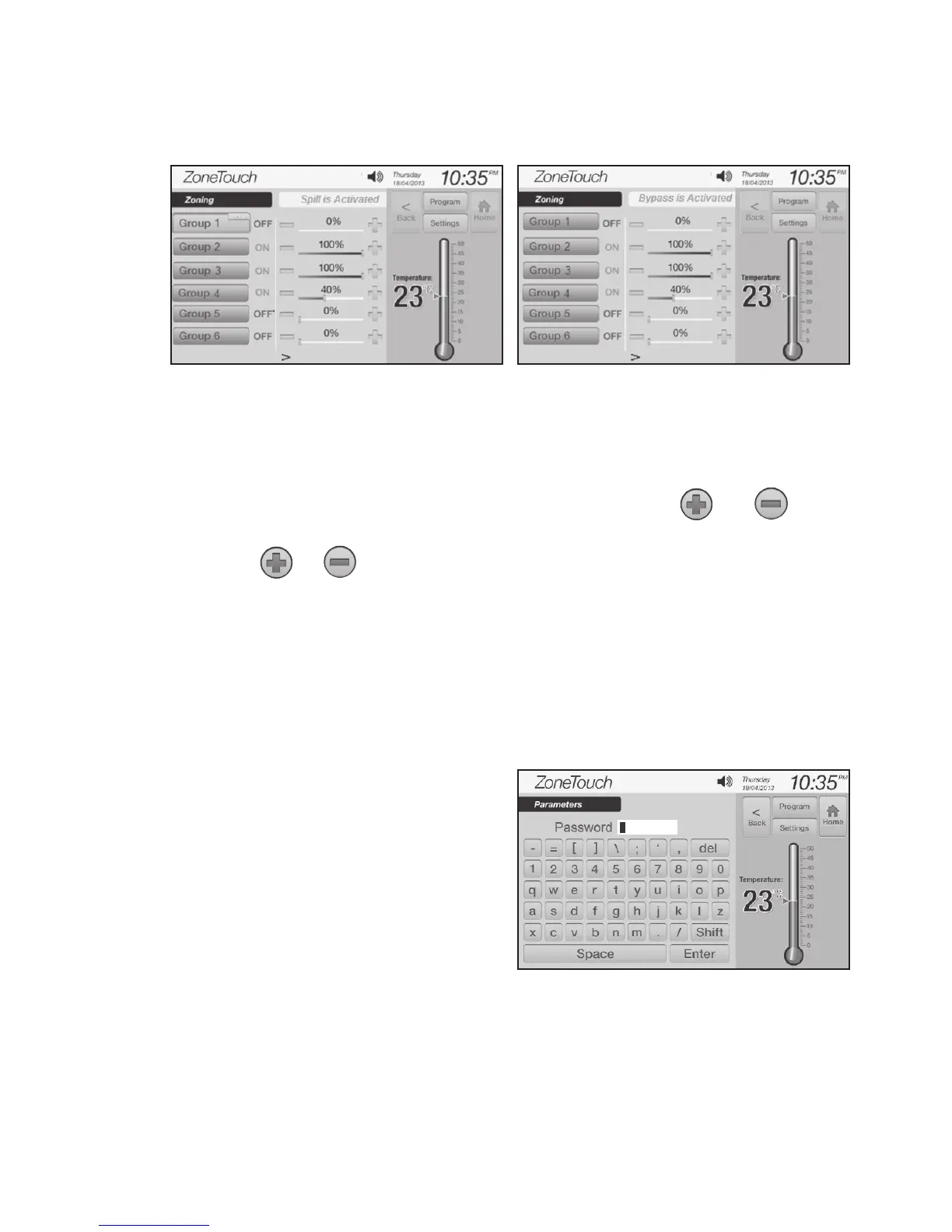
Similarlyifbypassset-pointisreached,thescreendisplays‘BypassisActivated’
asshowninFigure13.
Spill/Bypass Settings
a) In the‘Parameter’screen(Figure7),touchtheoptionbuttonsofspillorbypass
to select spill mode or bypass mode.
b) Touchspill/bypassediteldtomakeiteditable,andthenand
buttons will appear.
c) Touch orbuttontochangethespill/bypassset-pointtorequired
v a l u e . Theadjustablerangeisfrom0%to50%with10%increments.
IMPORTANT: DO NOT set spill/bypass set-point to 0% unless there is a
permanent open zone used as spill zone. Otherwise, there will be no spill
zone when all zones are closed and damage may be caused by high
pressure build up inside ducts if air conditioner is running.
Figure 12. Figure 13.
Figure 14.
7.1.5 Installer Settings Password
The password which will be used in
Figure5istopreventunauthorized
changing of the installer settings.
Toresetthispassword,touchthe
passwordediteldinthe‘Parameter’
screen(Figure7),andthentypeinthe
newpasswordandtouch‘Enter’key
toconrmthepasswordchange
(Figure14).



 To Next Page