ZONEMASTER ZONETOUCH V2 ZONE CONTROL SYSTEM - Installation Manual
15
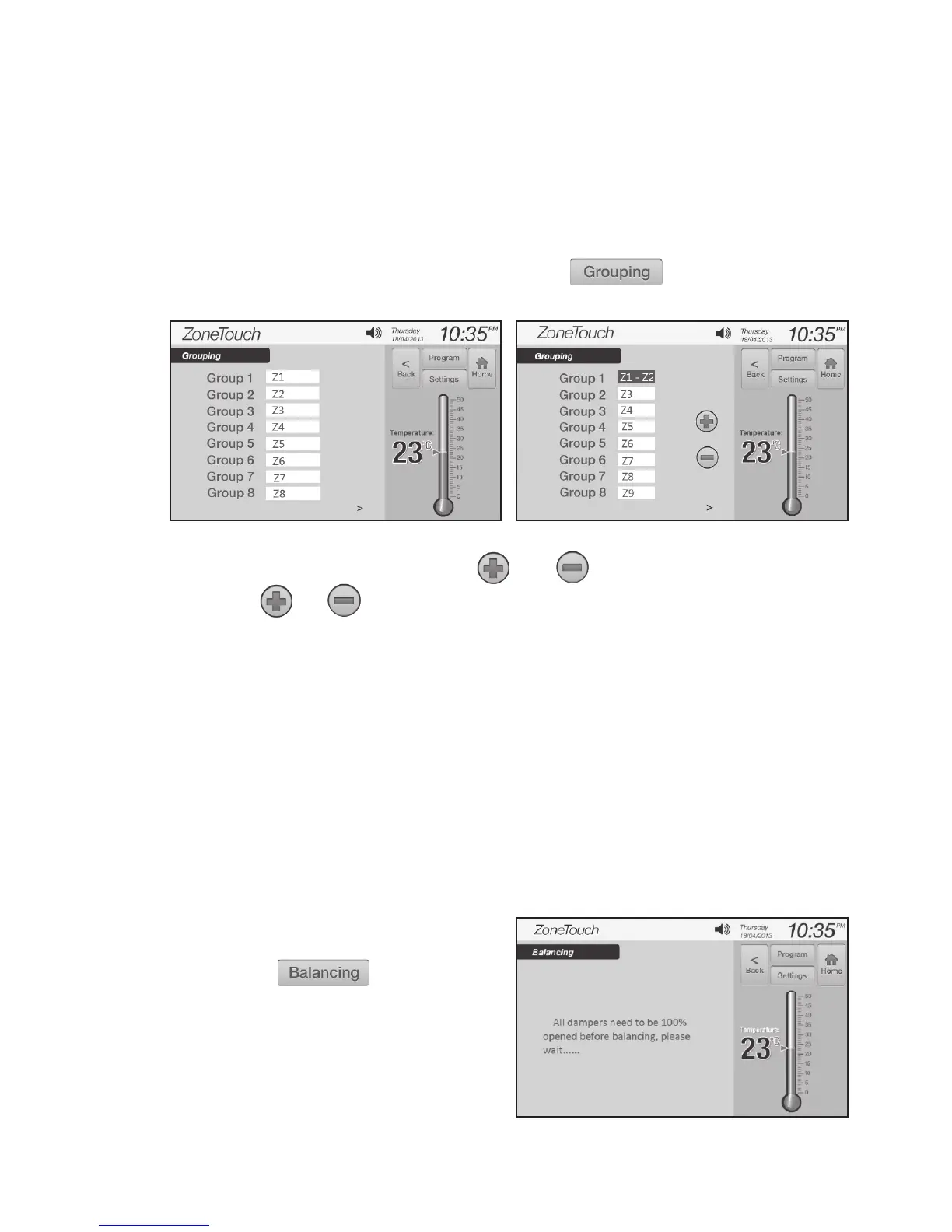
Figure 15. Figure 16.
Figure 17.
7.2 Grouping Zones
For ease of control operation,multiplezonescanbegroupedtogether.The
groupedzonesaretreatedasonegroupwithitsownnameandturnedonoro
together.Individualbalanceddamperpositionisnotaectedbygrouping,
whichmeanszonebalancingcanbeconductedbeforeoraftergrouping.
Groupingcanbecarriedoutasfollows:
a ) I n ‘InstallerSettings’screen(Figure6),touch toenter‘Grouping’
screen(Figure15).
7.3 Balancing Zones
Remote balancing feature of ZONETOUCH V2oerstheexibilityofbalancing
theamountofairowtoeachzoneelectronically.Oncetheopeningpositionof
thedamperisset,thedamperwillonlyopentothisposition.Thedefaultsetting
foreachdamperis100%openingpositionandtheadjustablerangeisbetween
10%and100%.Thebalancingsettingscanbeconductedonthetouchscreen
as below.
a) In ‘InstallerSettings’screen(Figure
6 ) , touch
b) The system will show a prompt
( F i g u r e 17)andthenenterthe
‘Balancing’screen(Figure18).
b) Touchtheediteldofthegroup, and buttons will appear.
c) Touch or buttontoaddorminuszonestothegroup
d) Repeatstepsb)andc)todeneallgroups.
NOTE: The maximum number of zones in a group is four. The zones to be
grouped will be consecutive zones. The factory default for grouping is that
each group has one zone.



 To Next Page