ZONEMASTER ZONETOUCH V2 ZONE CONTROL SYSTEM - Installation Manual
17
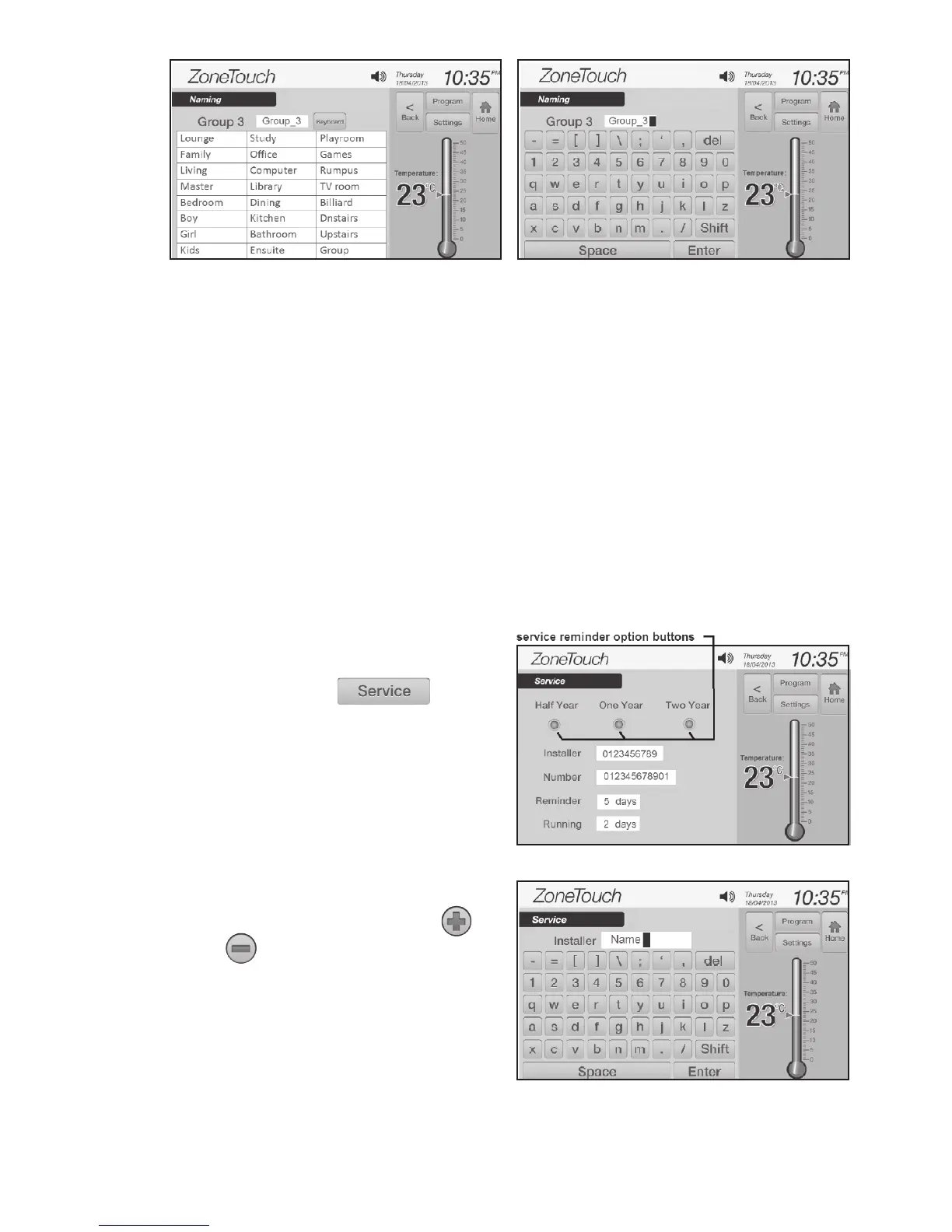
Figure 21. Figure 22.
Figure 23.
Figure 24.
7.5 Enabling/Disabling Service Reminder
Thereisabuilt-inservicereminderintheZONETOUCHV2systemforhalfyear,
one year and two years to automatically display an alert notifying customers
t h a t theairconditioningsystemisdueforservice.Installerscanalsousethis
featuretoleavetheirdetailssuchastheirnamesandcontactnumbers.
Theservicereminderwilldisplay‘HALFYEARSERVICEDUE’,‘ONEYEAR
SERVICEDUE’or‘TWOYEARSERVICEDUE’andinstaller’snameandcontact
number on touch screen for the set number of days if it has been enabled for
halfyear(182days),oneyear(365),twoyears(728days)respectivelysincethe
airconditioningsystemhadbeencommissionedorservicedasshowningure
26.Thedaysinthe‘Service’screenwillautomaticallyresetto1after728days
orcanbemanuallychanged.TheServiceReminderisdisabledbydefaultbut
canbeenabledasfollows:
a) In the‘InstallerSettings’screen
( F i g u r e 6),touch to
e n t e r the‘Service’screen(Figure23).
b) Touchtheservicereminderoption
buttons to enable or disable the
relevantreminders.
c) Touchtheediteldtochangetothe
desired setting. The installer name
and number can be entered by
usingakeyboard(Figure24).
or buttons can be used to adjust
reminderandrunningdays(Figure25).
Maximum length of the name is 10
characters and the phone number is
12 digits.



 To Next Page