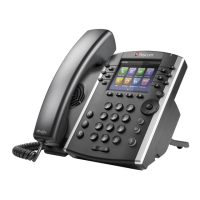
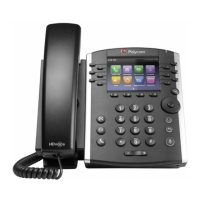
Quick Start Guide: Polycom VVX 401/411
Call Functions
Enter Data
1.
Use the dial pad keys to enter information.
2.
Press to backspace.
3.
Press a key repeatedly to view the character options and type with the dial pad keys.
4.
Press
Encoding
or
Mode
to type other characters.
5.
Use the
1
,
*
,
0
, and
#
keys when using the dial pad keys.
About Calls
Only one call can be active at a time. You can use the handset, speakerphone, or headset for calls.
1.
Change modes during a call by picking up the handset, or pressing or .
2.
Press to see the active call or the Calls view If you navigate away from your call(s).
Tip
: Switch to the Lines view by pressing
More > Lines
when in the Calls view. Switch back to the Calls
view by pressing
More > Calls
.
Place Calls
1.
Pick up the handset, or press or .
2.
Enter the phone number and press
Send
.
-OR-
Enter the phone number first, press
Dial
, pick up the handset, or press or .
3.
From Lines view
- press the phone line key, enter the phone number, and press
Send
.
4.
From Home view - select New Call using the left and right arrow keys. Enter the phone number,
and press Send.
Answer Calls
•
Speakerphone - press or select
Answer
.
•
Handset - pick up the handset.
•
Headset - press .
•
To answer a new call while on an active call, press
Answer
. The current call is held.
End Calls
•
To end an active call, replace the handset, press
,
, or press End Call.















 To Next Page