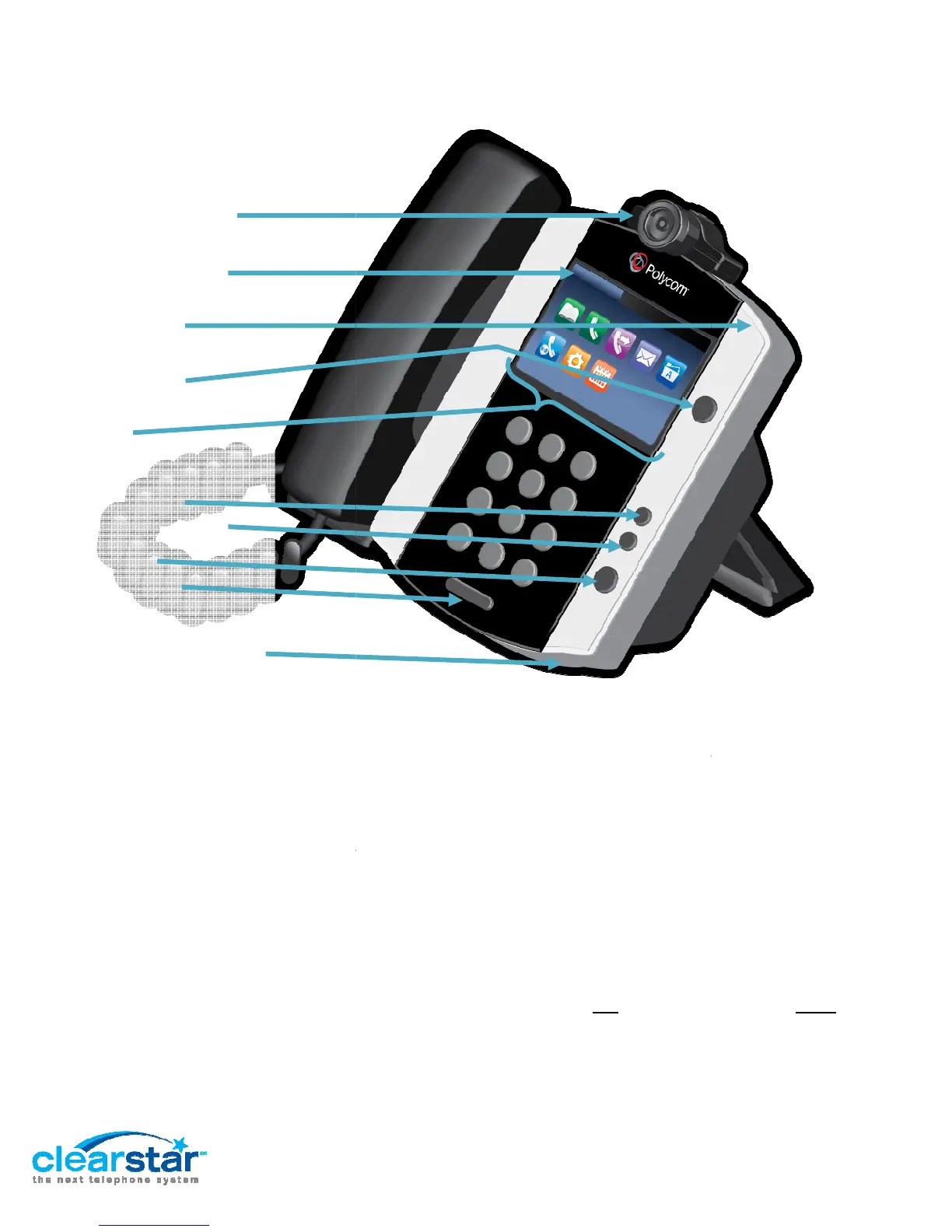
Phone Layout
The guide is dense with instruction. We’ve tried to make it clear for you. Here’s a hint.
refer to three kinds of buttons:
Onscreen Buttons
Buttons are in Bold
Softkeys:
are context sensitive and lined up along the bottom of the display.
will be italicized
Pre-
to these just as buttons.
Keypad: These are just the numbers 1
In the instructions, we are direct in whether you should
a hard key.
Polycom Video Camera
Messages/Recent Calls
(Onscreen Buttons)
Message Waiting
Light
Home Button
Softkeys
(Along bottom of Display)
Headset Button
Speakerphone Button
Mute Button
Volume Buttons
Speakerphone Microphone
Polycom VVX 500 & VVX 600
Long Format Guide
V1.2 10-3-13
The guide is dense with instruction. We’ve tried to make it clear for you. Here’s a hint.
: You will
touch the screen to engage these buttons. Onscreen
Onscreen Buttons or Icons.
are context sensitive and lined up along the bottom of the display.
.
: are hard keys on the phone
like speakerphone. We will
Keypad: These are just the numbers 1
-9 plus * 0 #.
In the instructions, we are direct in whether you should
tap
Page 2 of 15
The guide is dense with instruction. We’ve tried to make it clear for you. Here’s a hint.
We will
touch the screen to engage these buttons. Onscreen
are context sensitive and lined up along the bottom of the display.
Softkeys
like speakerphone. We will
refer
press

















 To Next Page