36
General programming 8.
After the mains cable is connected, the device runs through an internal routine and all 4 channels are set with
the previously stored data. During this, the status LED next to the USB socket flashes green.
Only after the status LED is continuously green or orange, contact is possible between PCU 4141 and
Laptop/PC.
Software installation 8.1.
Download the software package from the homepage www.polytron.de (SATC12_Vxxx.zip) and unzip in
the directory of your choice (e.g. C:\ PCU 4141).
The software can also be loaded from the enclosed USB stick.
8.1.1. Installation of the driver
Start Instal_driver.cmd
Follow the instructions on the screen.
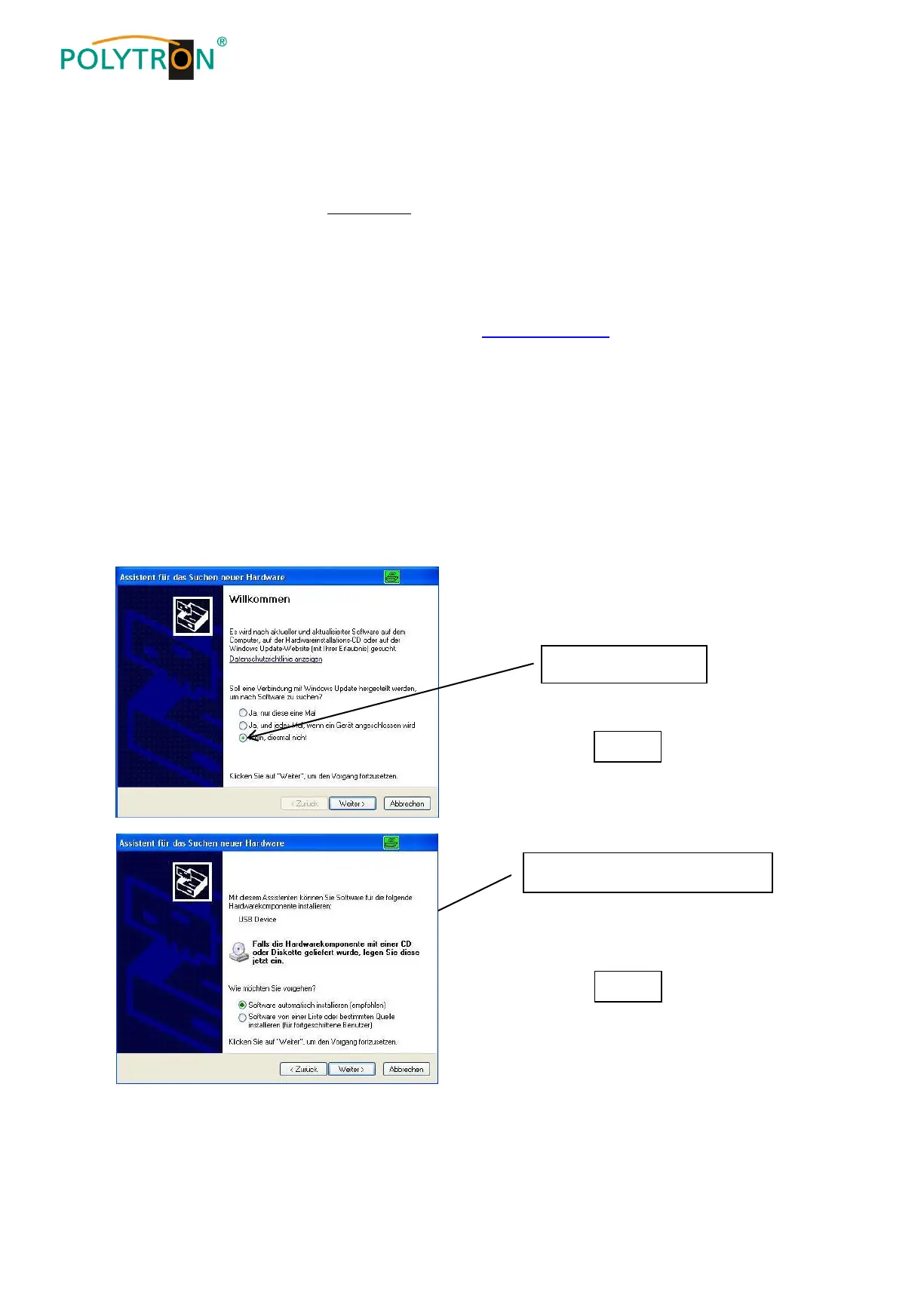
In some first installations the following dialog can appear. This depends on the operating system. Carry out
the following instructions and select the selection fields:
install software automatically


 To Next Page