37
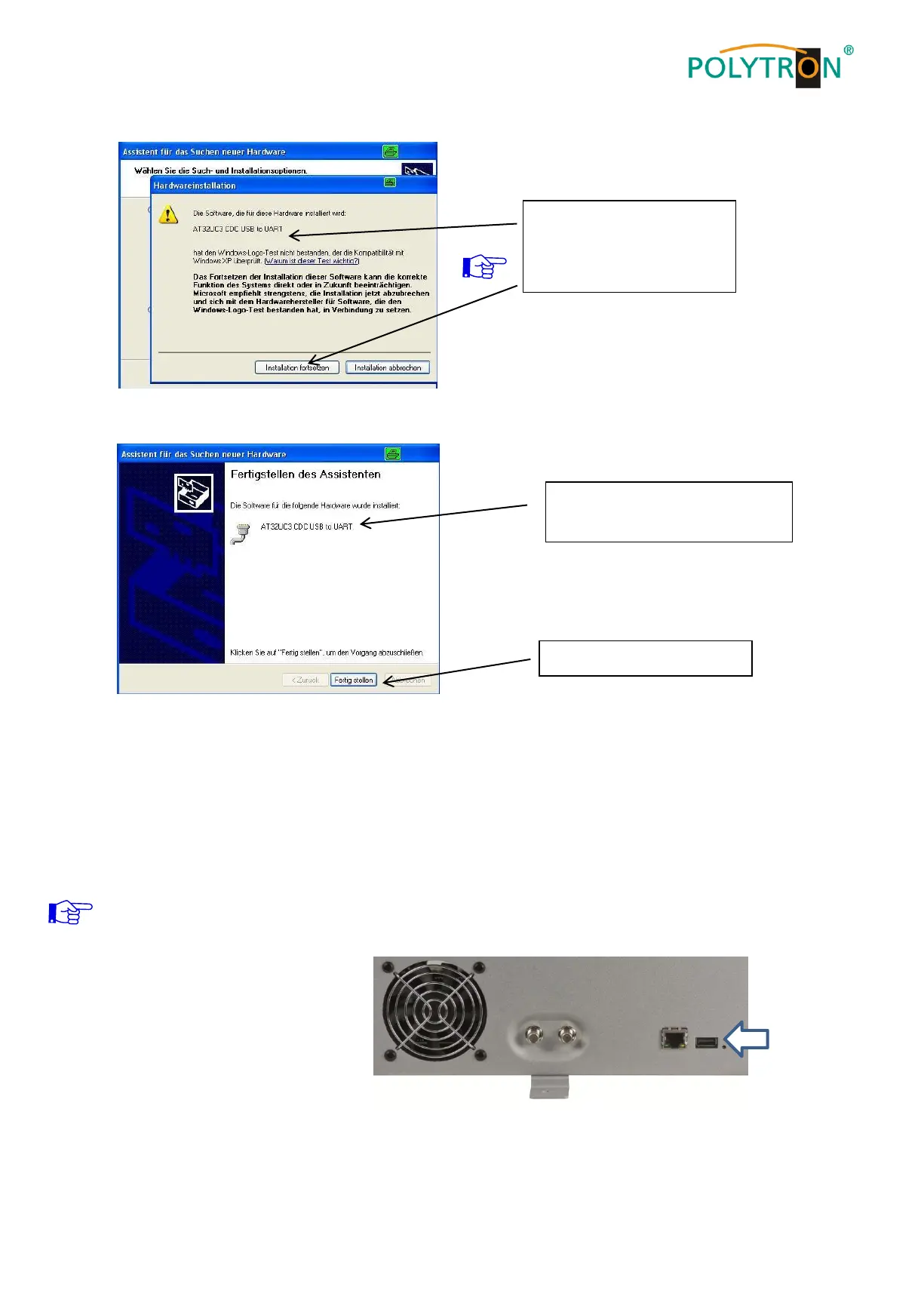
The installation of the driver software is now complete.
8.1.2. Installation of the programming software
Install the software by starting the "Setup.exe" program in the desired folder.
Follow the instructions on the screen.
Close the screen displays once the installation has ended.
After the installation of the programming software on the PC, the
PCU 4141 can be connected to the PC with the USB cable.
Only connect the device to
the PC once the software
installation has been completed.
If this notice is displayed:
Continue the installation
The software was installed for
the following hardware


 To Next Page