49
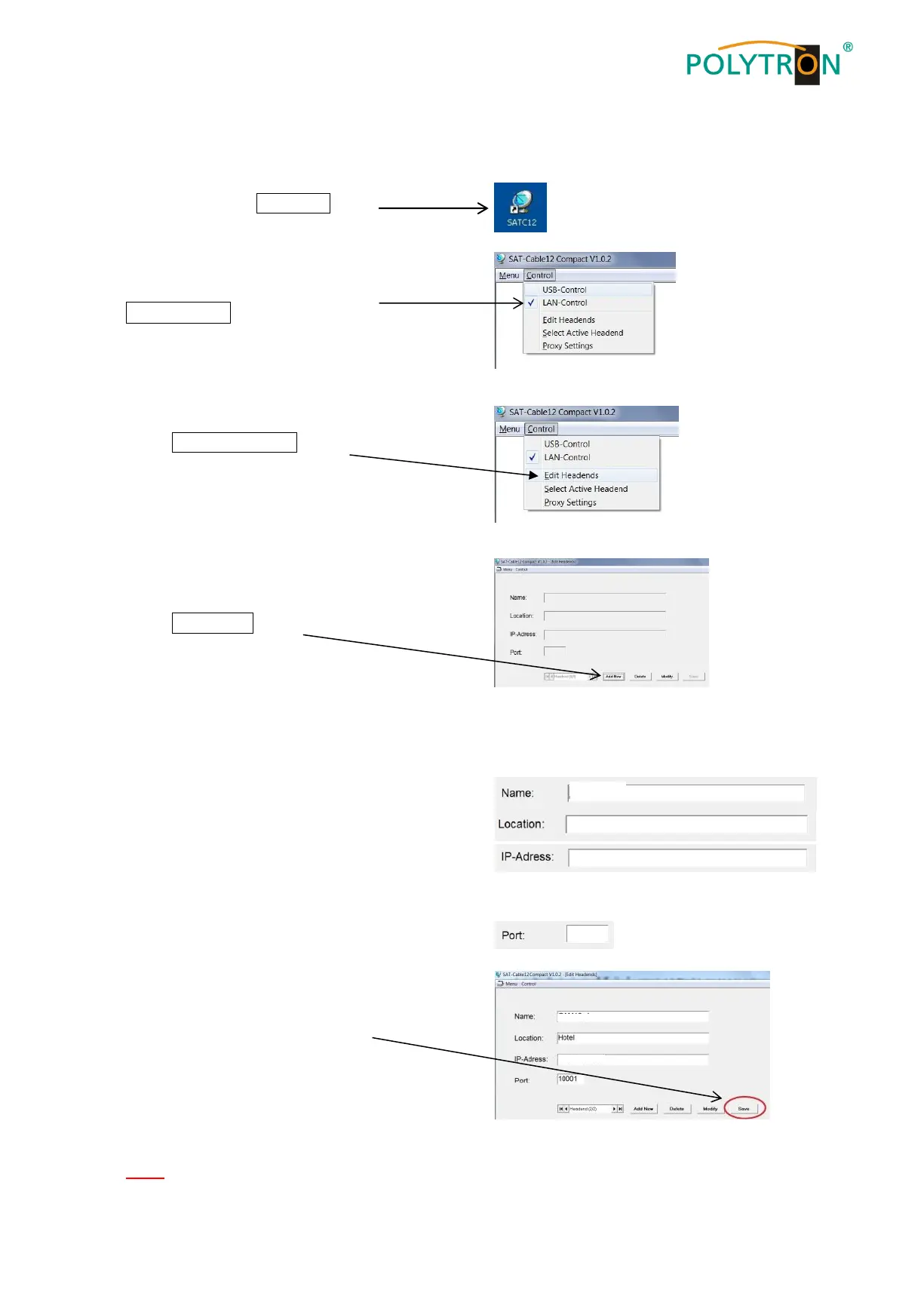
8.5.1. Creating the headends
Start the program – SATC12 –
Activate the menu item
LAN-Control in the Control menu
Select Edit Headends to set
the connection of the PCU 4141
Select Add New from
the submenu
The following menu fields are now enabled for data input:
Enter the name of the device (freely selectable)
Enter the name of the location (freely selectable)
Enter the IP address of the headend
to be controlled
(Factory setting 192.168.001.227)
Enter the port of the headend to be controlled
(Factory setting 10001)
Save saves the headend data
Note: Same procedure for creating further headends!


 To Next Page