53
8.8.3. „Password“ function
Protection against unauthorized access to the Program-Menu.
The password function isn’t activated in the factory settings and can be switched on from
µC-SW-Version 1.31 on, like described as follows:
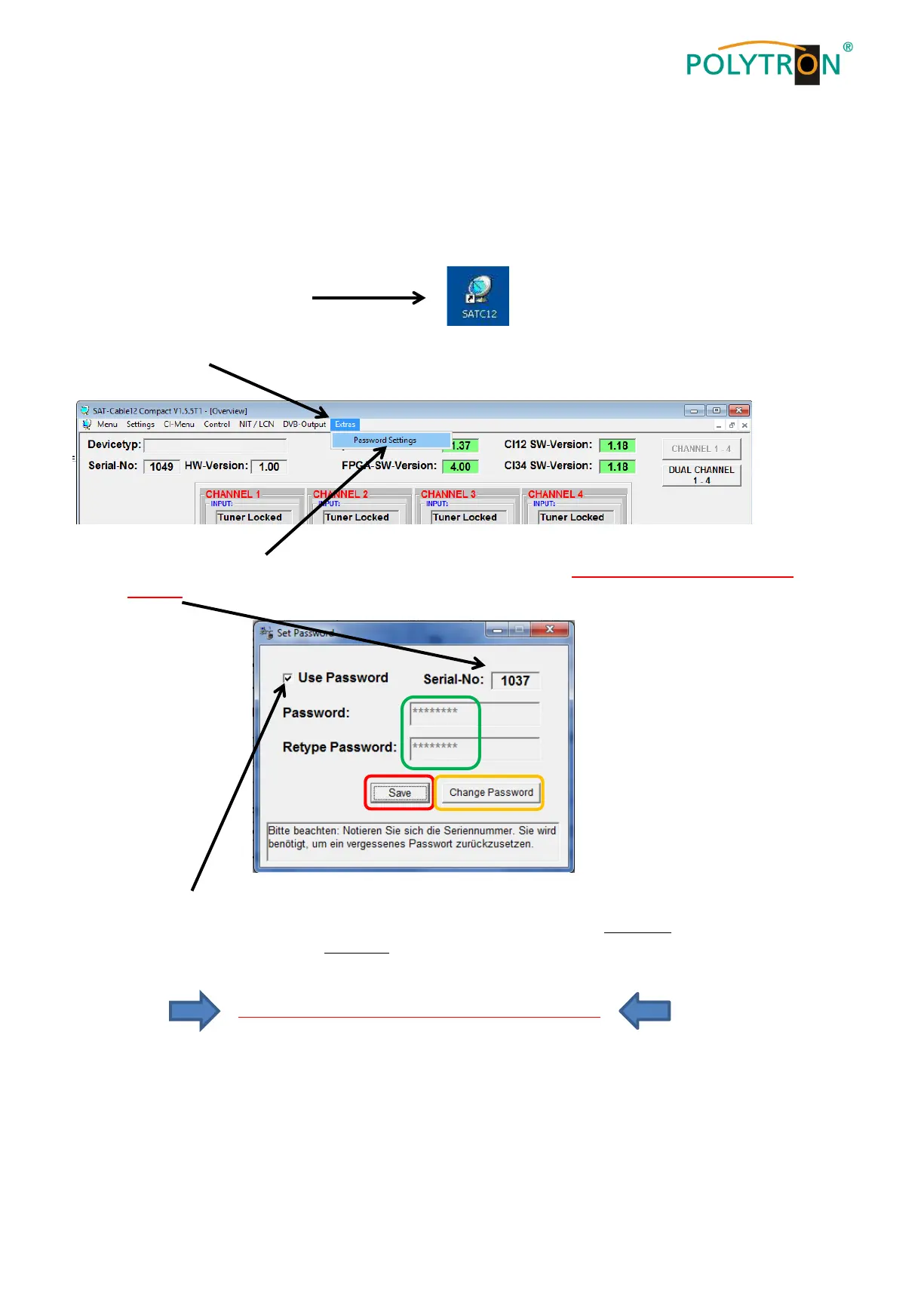
Klick on Extras in the upper row.
Klick on Password Settings. It appears following pop-up window, please urgently note the serial-
number, because this will be needed to reset the password, if required.
Place a tick in the check-box to select Use Password.
Enter the password (min.6 / max.10 digits) in the input field Password (consisting of letters, numbers or
special characters in random sequence) and retype the password in the input field Retype Password.
By clicking on Change Password a new password can be created.
Klick on Save to store the password-settings.
Exit the program [SATC12] or go on with the settings, if necessary.



 To Next Page