51
Firmware update 8.8.
The menu “firmware update” is used to refresh the firmware of the device. In this way, the basic software of
the device will be updated.
The programming of the input and output parameters carried out under 8.2 is not influenced by this.
8.8.1. Firmware version overview
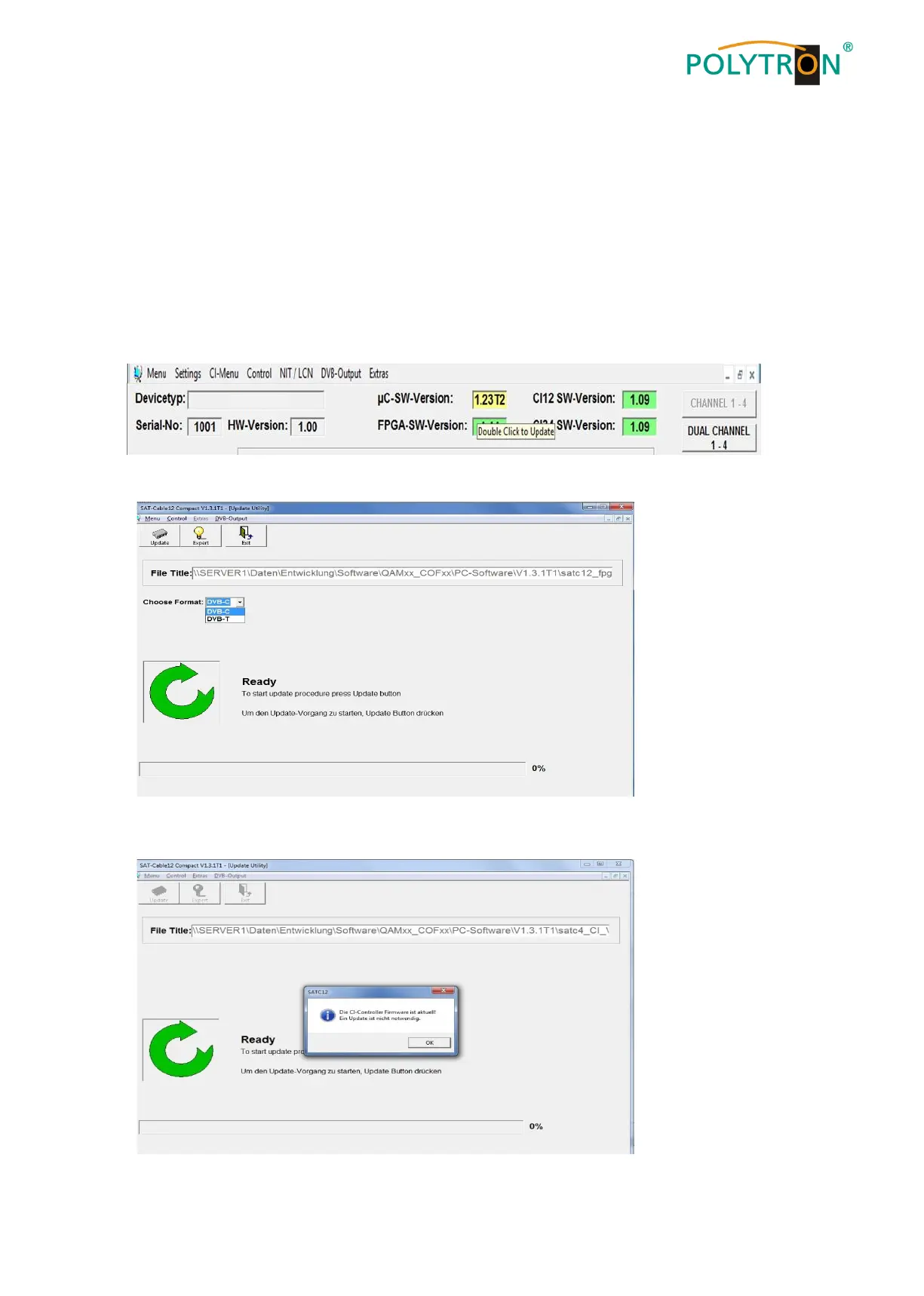
The appropriate display boxes of the firmware overview are highlighted in coloured background.
Green indicates that the firmware is up to date.
Yellow indicates that a new firmware is available.
Double click on the display box which shows the firmware, opens automatically the update menu.
If the firmware is up-to-date, following picture appears:


 To Next Page