44
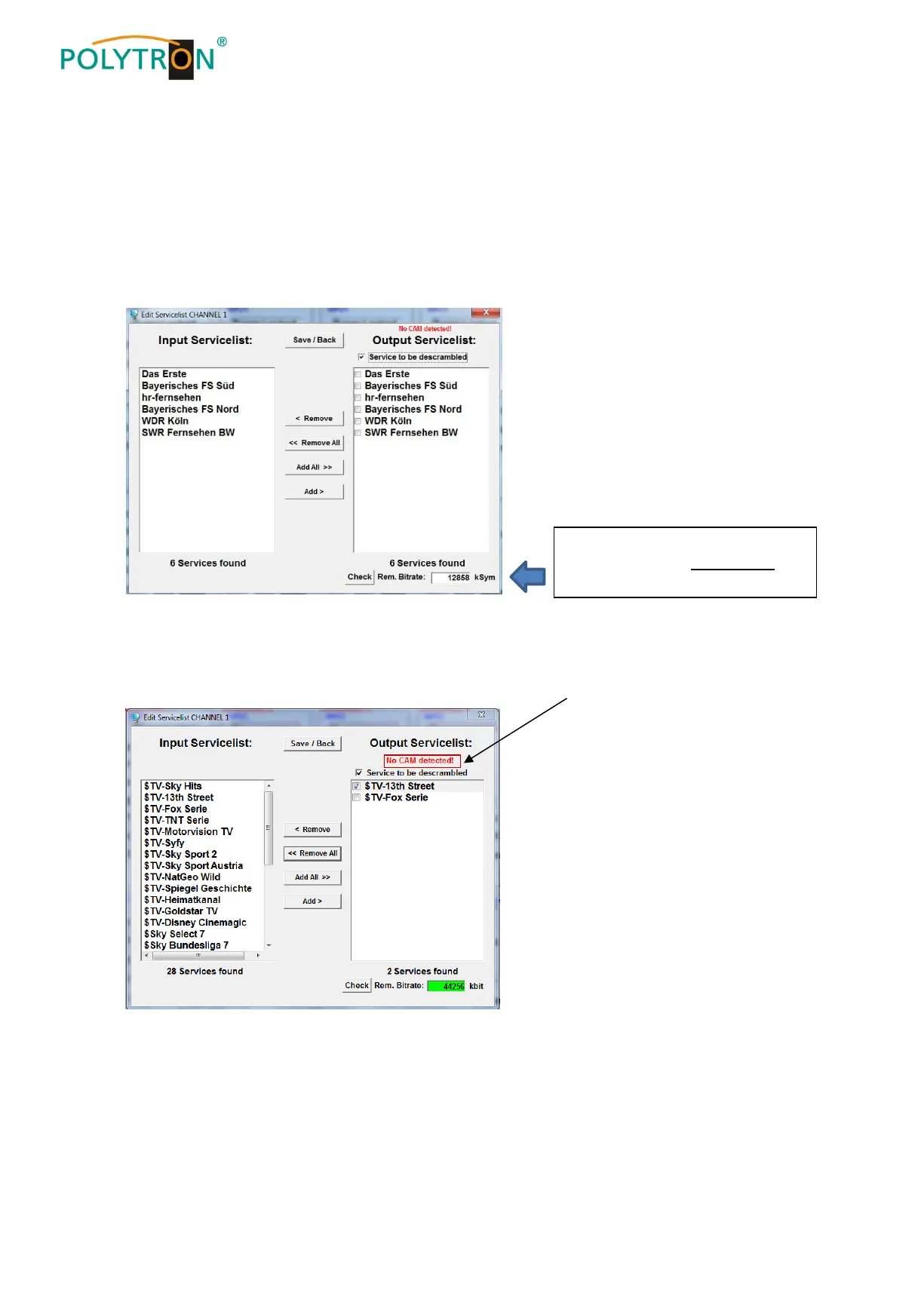
By clicking on a service in the input list and clicking on the command Add, this service is added to the output
list (also double-clicking on a service in the input list automatically adds it to the output list).
Clicking on a service in the output list and clicking on the command Remove removes this service from the
output list (also double-clicking on a service in the output list removes the service automatically).
By single-clicking on the Save/Back button, the output list is saved and the window is automatically closed.
If you want to choose only a few services from a transponder containing many services, you can first click on
Remove ALL and then select the required services.
8.3.2. Selection of the channels to be decoded
Insert the CAM module with the appropriate smart card into the CI slot.
In case of not inserted or not detected CAM module following information appears:
The still available data rate is
shown in the field “Rem. Bitrate”.
This should be at least 5.000 kSym.


 To Next Page