54
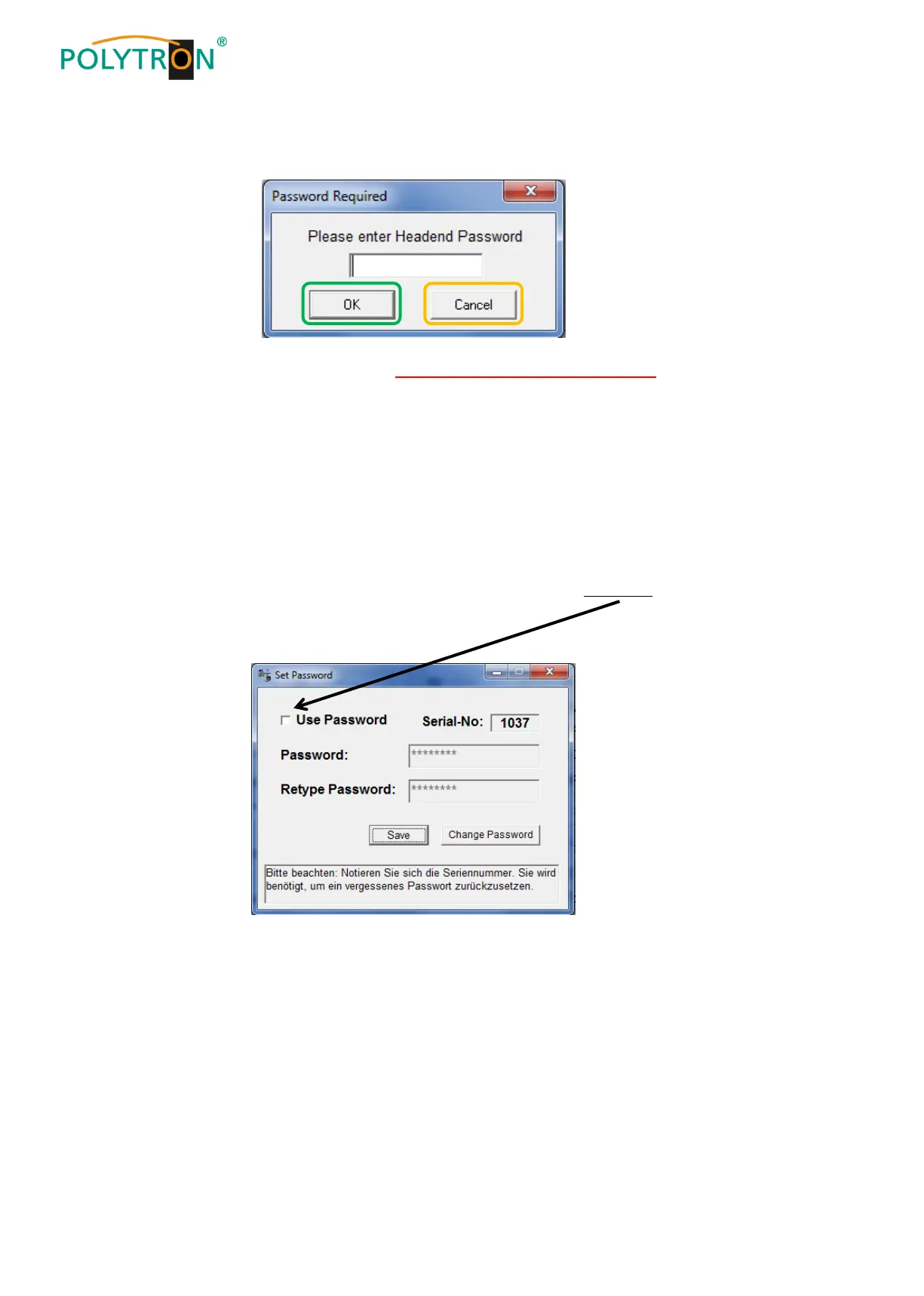
After next time starting the program [SATC12] please enter the password in the input field and then click on OK to
confirm the password or click on Cancel to correct the password, if required.
Please note: In this pop-up window is no change of the password possible.
--------------------------------------------------------------------------------------------------------------------------------------
Should the password get lost or has fallen into oblivion we willingly help you relating to the generally password-reset.
For this purpose we urgently need the serial-number of the device, as already mentioned on the previous page.
The serial-number you can also find on the label which is affixed on the outer side of the housing.
The generally password-reset can only be applied by POLYTRON, for this procedure you will get a new password to
reactivate the access to the device again.
By removing the tick in the check-box Use Password you can certainly also deactivate the password function, but
you will need the password to log on before.


 To Next Page