43EGW06-PCPEG-20140813
TM
TM
SECTION V: OPERATION
ECC-PCP REMOTE INTERFACE UNIT
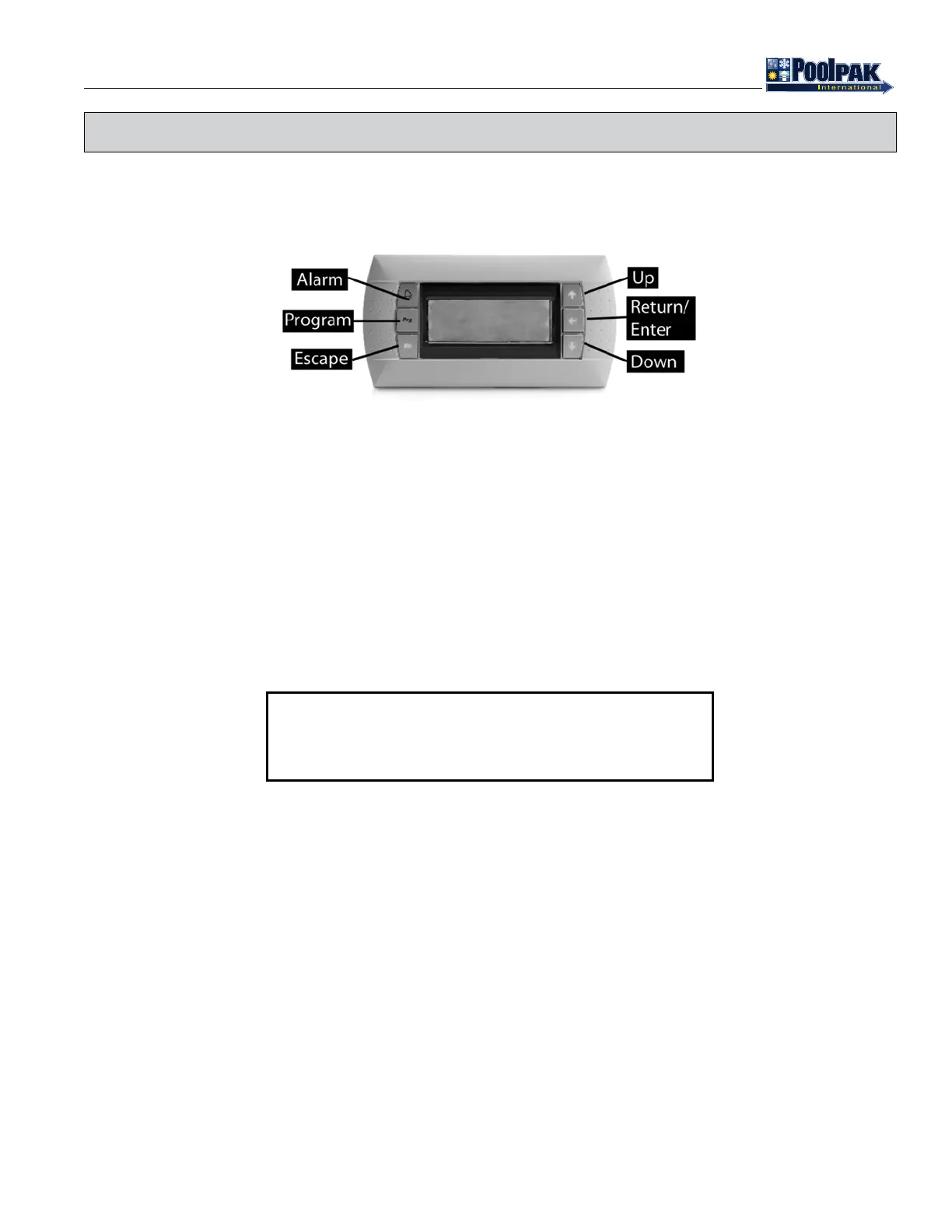
Figure 5-1. RIU Keypad
PCP_EG_StraightOnKeypadAnnotated_20121204.eps
The ECC-PCP Remote Interface Unit (RIU) is designed around the Carel pGD0, 4-line x 20 character, backlit, LCD
display module. The RIU displays are accessed through six backlit selection buttons. They consist of a Return/ Enter
Key, Up Key, Down Key, Program Key, Alarm Key, and Escape Key, as shown above.
After approximately 5 minutes, the RIU will display the status screen rotation. Press the Escape key to bypass the ve
minute delay and move directly to the status display.
STATUS DISPLAY
The status screens contain basic information about operation of the PoolComPak™ system. Press the up or down arrow
keys to move from screen to screen. The screens will also rotate automatically every 10 seconds.
Figure 5-2. Status Screen 1
S P A C E T E M P _ _ o F
S P A C E R H _ _ %
S P A C E D E W P O I N T _ _ o F
(O U T S I D E T E M P) _ _ o F
Status Screen 1 displays:
• Space Temperature in °F or °C
• Space Relative Humidity in %
• Space Dew Point in °F or °C
• Outside Air Temperature in °F or °C (with Economizer Option Only)
Status Screen 2 displays:
• Water Heating - YES indicates that the unit is returning recovered heat back to the pool water.
• Aux Water Heat - YES indicates that the controller has closed the relay contact requesting auxiliary pool water heater
operation.
• Water Temperature in °F or °C
Status Screen 3 displays:
• SPACE temperature control requirement:
• TEMPERATURE- OK Indicates the space temperature is at setpoint.
• HEATING- YES Indicates the space requires heating.
• COOLING- YES Indicates the space requires cooling.
• AUX AIR HEAT Indicates the space requires additional heating. The auxiliary air heating relay contacts close to
activate the external heating system.



 To Next Page