22 | EN
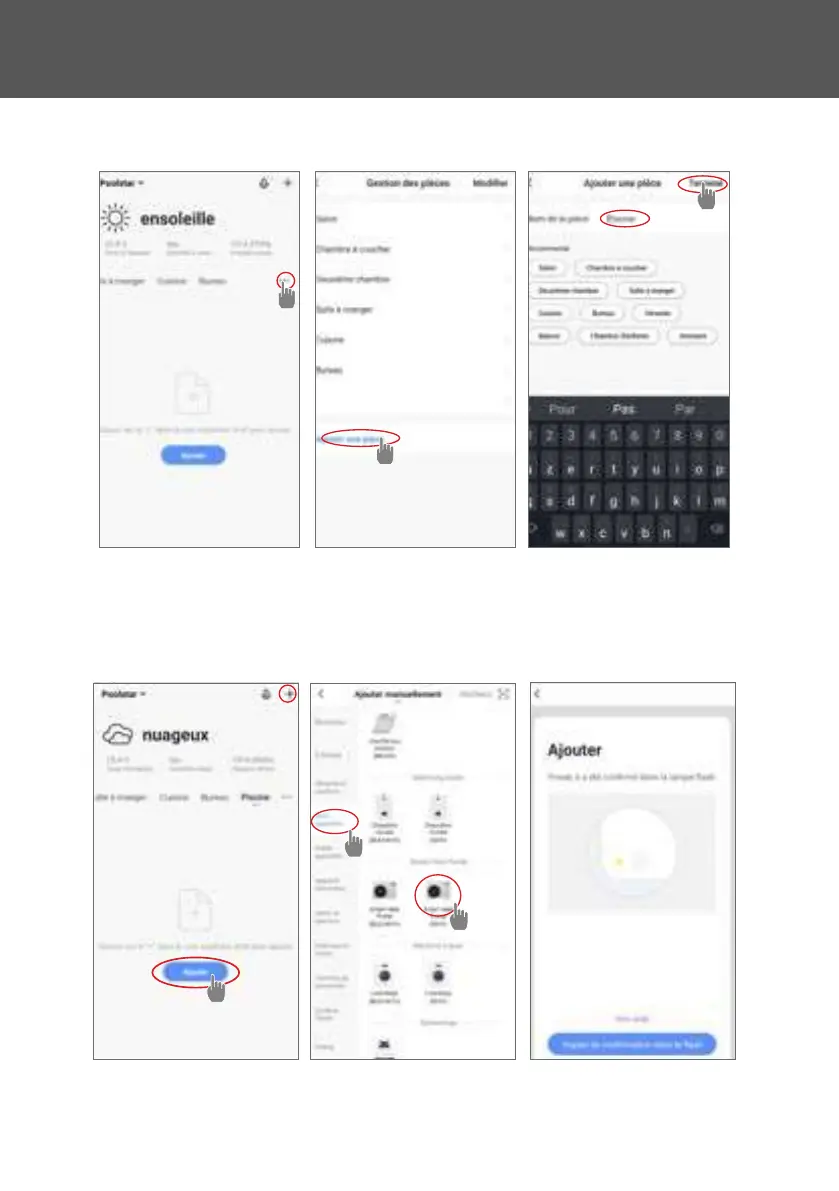
Step 3 (recommended): Add an object by clicking “…” and then “Add Object”. Enter a name
(«Pool» for example), then click “Done”.
Step 4: Now add a device to your “Pool”
Click “Add” or “+” and then “Large appliances…” followed by “Water heater”.
At this point, leave your smartphone on the “Add” screen and go to the pairing step for your
control box.
4. USE



 To Next Page