PORTER Reliant
14
4. OPERATING INSTRUCTIONS
4.1 FRONT PANEL COMMAND/SIGNALING
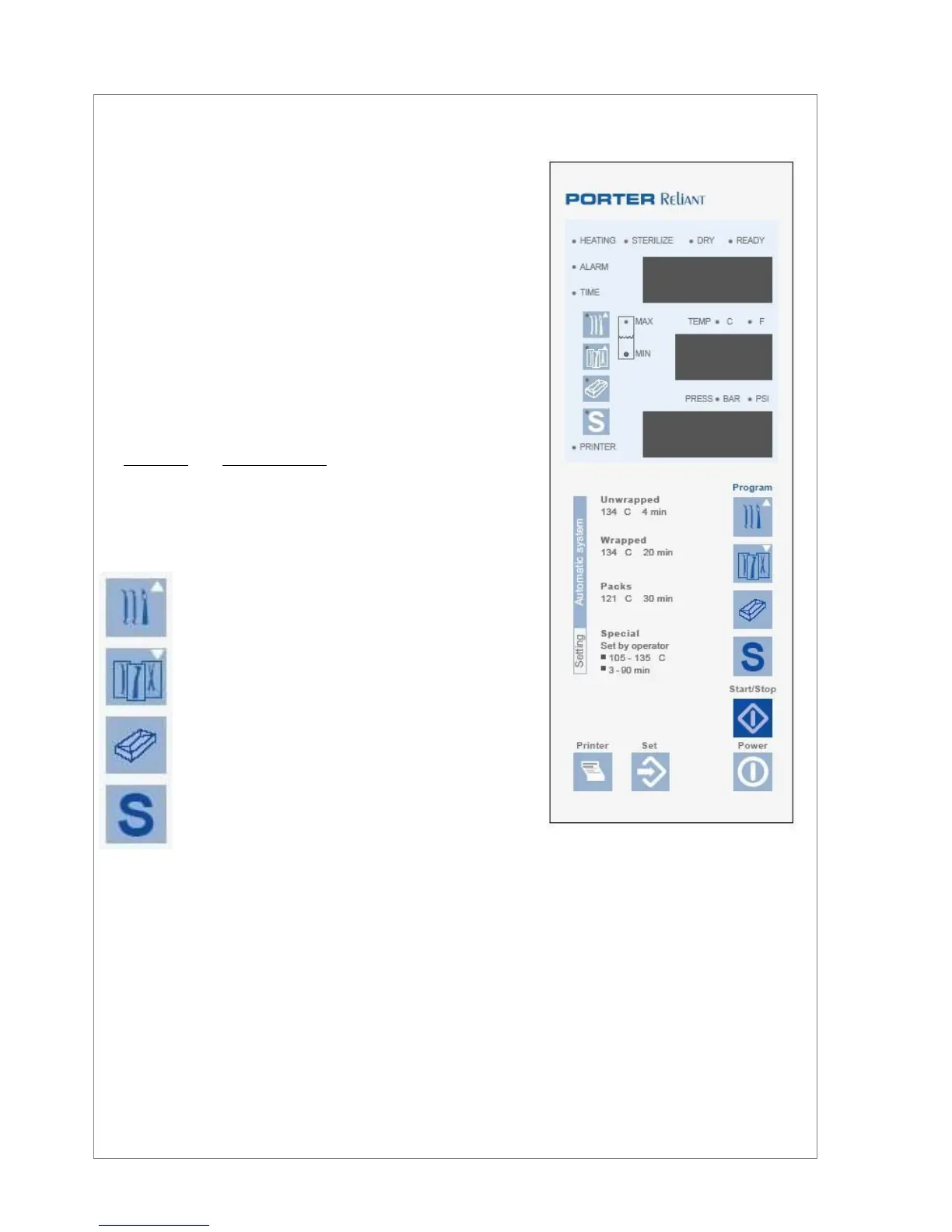
The front panel is equipped with control keys, signalling Led’s
and displays. A slight push on a key will activate the command.
LCD Displays: Visualize (from the top) the value of the para-
meters Time (Led Time turned on), Temperature (measure
unit: °C or °F, depending on the setting, related Led turned on)
and Pressure (measure unit: bar or psi, depending on the set-
ting, related Led turned on); the upper display visualize, instead
of time, the alarms occurred during the cycle (Led Alarm turned
on).
Phase in progress indication: HEATING – STERILIZE – DRY
– READY - turned on or flashing during the phases of the cy-
cle.
Tank water level indication: Turned on for water level in the
main tank and used water tank at minimum or maximum value
respectively.
Current program indication: 1 – 2 – 3 – 4 - turned on for the
selected program.
PRINTER indication: turned on for printer enabled.
Program selection keys :
Program 1 – Sterilization at °C, 4 min. :
for unwrapped solid instruments
Program 2 – Sterilization at 134°C, 20 min. :
for hollow and porous material (also wrapped)
Program 3 – Sterilization at 121°C, 30 min. :
for delicate hollow and porous material (also
wrapped) not supporting high temperature
Program 4 - Special cycle programmable by the op-
erator
Key
Start/Stop
: controls the start or the stop of the selected cycle, unlocks the door at the end of the
cycle or in case of alarm occurred during the cycle.
Key
Power
: enables the command panel, the auto-test at the switching on and the pre-heating resis-
tance.
Key
Set
: allows to set: date/time, measuring units, report printout language, sterilization Tem-
perature/Time and drain time for the special cycle.
Key
Printer
: enables the report printout. The key has own indication Led: for Led off, the PC port can
be used for the PC connection (Service mode only).


 To Next Page