PORTER Reliant
27
9. CONNECTIONS
9.1 CONNECTION TO AN EXTERNAL PRINTER
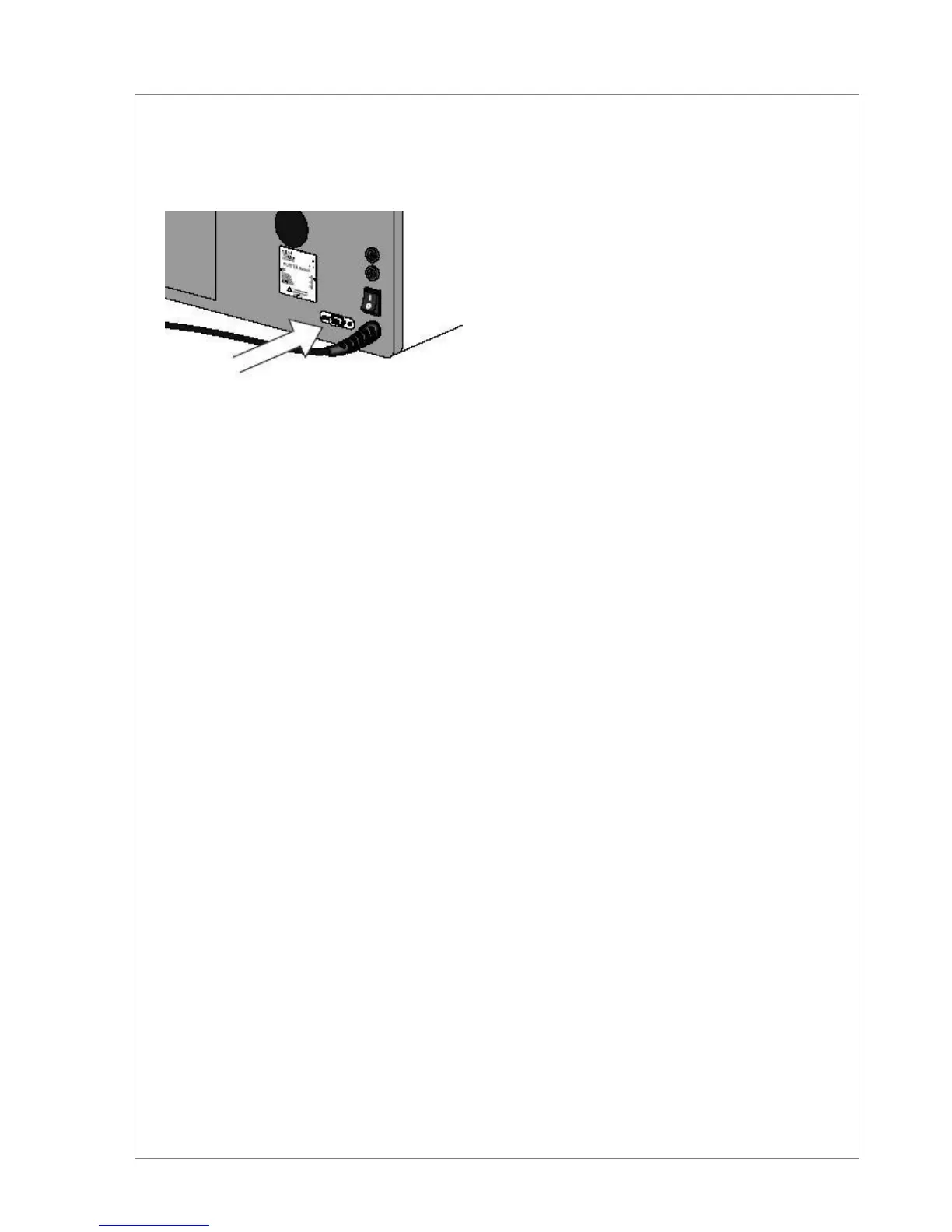
The equipment is not provided with internal printer but set with a serial interface for the link to an external printer the
process data are sent to in order to document and certify the sterilization performed. The use of a printer, mandatory
in some countries, will become more and more frequent in order to document the effective sterilization of the instru-
ments, also for its forensic and medical aspects.
The printer cable cannot exceed 3 meters.
It is possible to connect the sterilizer to a RS232 serial printer using a serial DB9 cable . Please contact Porter for
further information.
1. Switch-on the printer,
2. Switch-on the sterilizer.
The report is automatically printed during the cycle and with the following data content:
process date and time - cycle number - selected program and parameters - cycle type – start/end time of the
sterilization phase - end time of the drying phase
In case of trouble or cycle interruption, the printout will report the message ABORTED CYCLE - NOT STERILE with
the indication of the detected alarm.
Remember to switch off the printer at the end of the working day .
To set the language for the report printout, see chapter 5.
The PRINTER port only interfaces the printer directly. Through a dedicated interface, it can be connected to a
PC to store the sterilization cycles. Contact the reseller or directly Porter for more information.


 To Next Page