- 18 -
15. Astigmatism Chart Function
For the astigmatism chart of this instrument, more types of radiation can be selected by setting.
Moreover, there is the function to indicate the astigmatic axis more accurately. When the active
chart is operating, the background of the liquid crystal display is fixed at the shipment setting
even if it is changed.
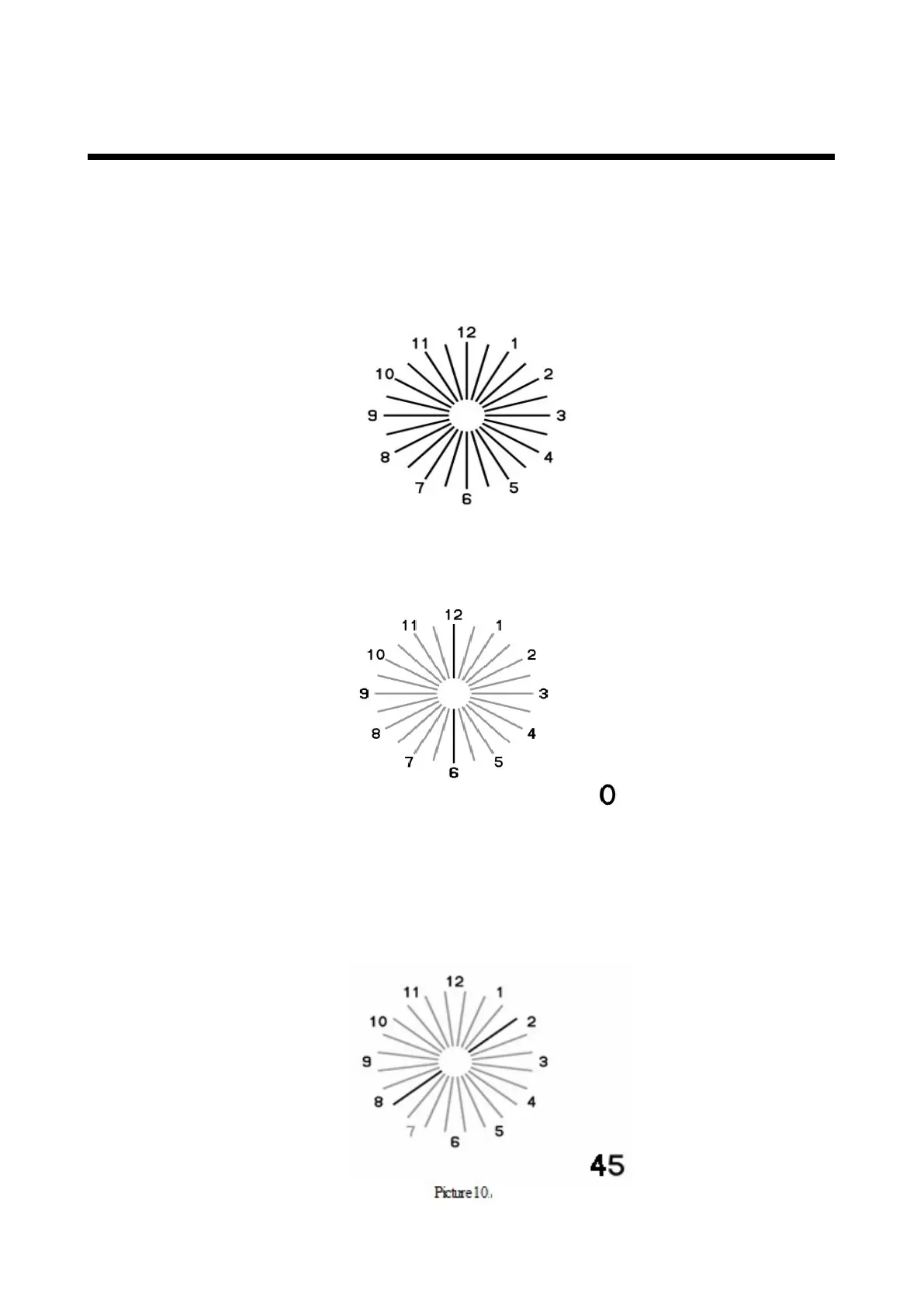
Select the astigmatism chart from the remote controller and indicate it on the liquid crystal
display. You can execute the normal astigmatism test in this condition.
Picture 8
Select the Mask Up and Mask Down button of the remote controller again. The color of
the radiation except “12-6 o’clock” fades.
Picture 9
Press the Mask Up and Mask Down button of the remote controller, and the deep color line can
be rotated by 15°. Rotate the deep color line with the Mask Up and Mask Down button until it is
seen most clearly.
Press the Mask Up button, and the astigmatic axis is changed in the positive direction.
Press the Mask Down button, and the astigmatic axis is changed in the negative direction.



 To Next Page