- 20 -
16. Fan & Block Chart Function
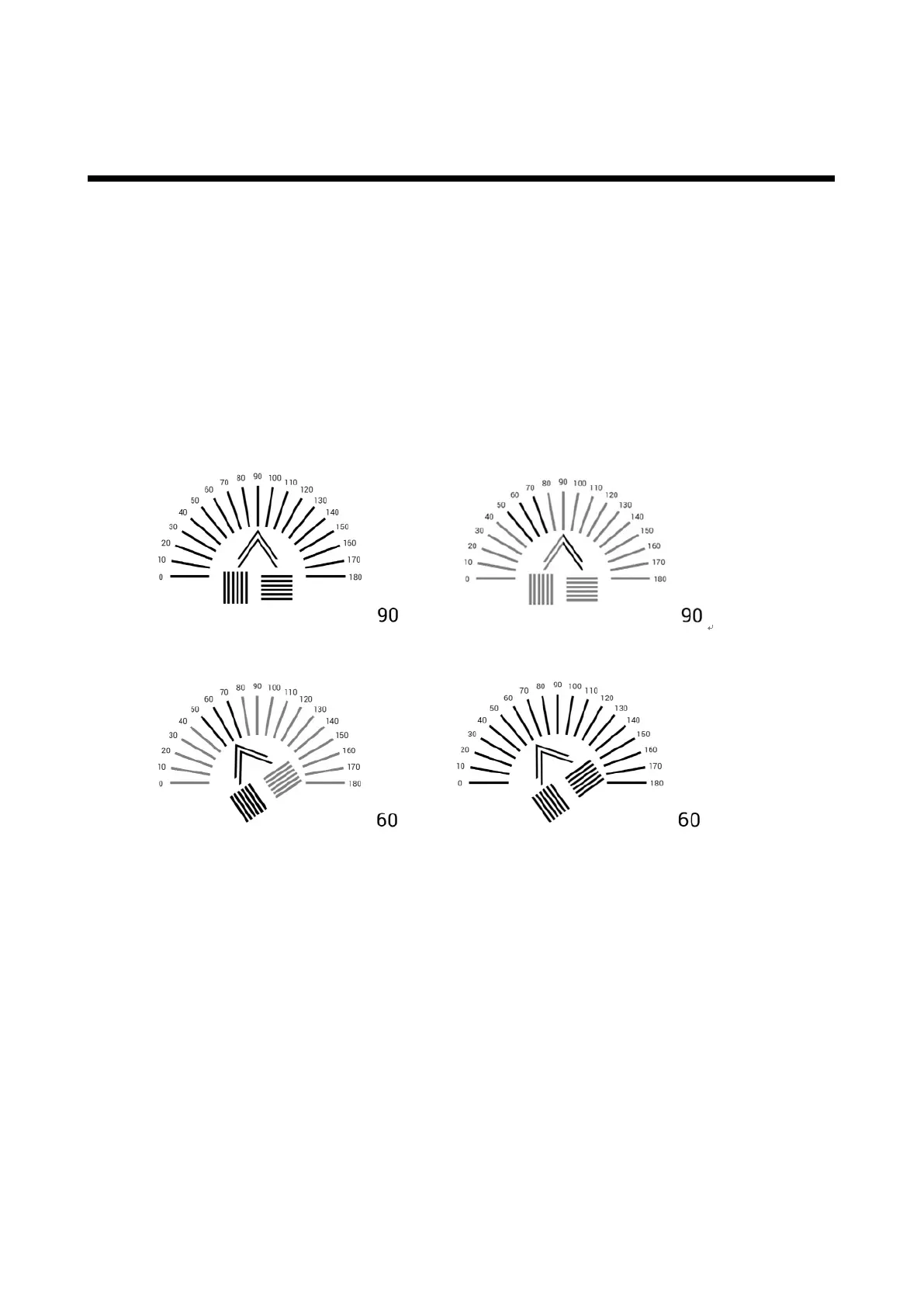
It will be shown in figure 11 when you press astigmatism chart button in twice.
Figure. 11 is a normal astigmatism test chart and apart from that it can be used as an additional
test chart.
Press Mask_up button to display the chart from 0 to 180 degree clockwise by the interval of 10
degree and for anti-clockwise display press Mask-down button. (figure no. 11)
If the patient has astigmatism, the chart will be shown as figure no.12.
Arrow mark will be adjusted until it appears clear. (See Figure no. 13)
Adjust astigmatism axis as the arrow indicates using phoropter or PDR-7000 so that the patient
could see Figure 14.
Figure 11 Figure 12
Figure 13 Figure 14



 To Next Page