- 35 -
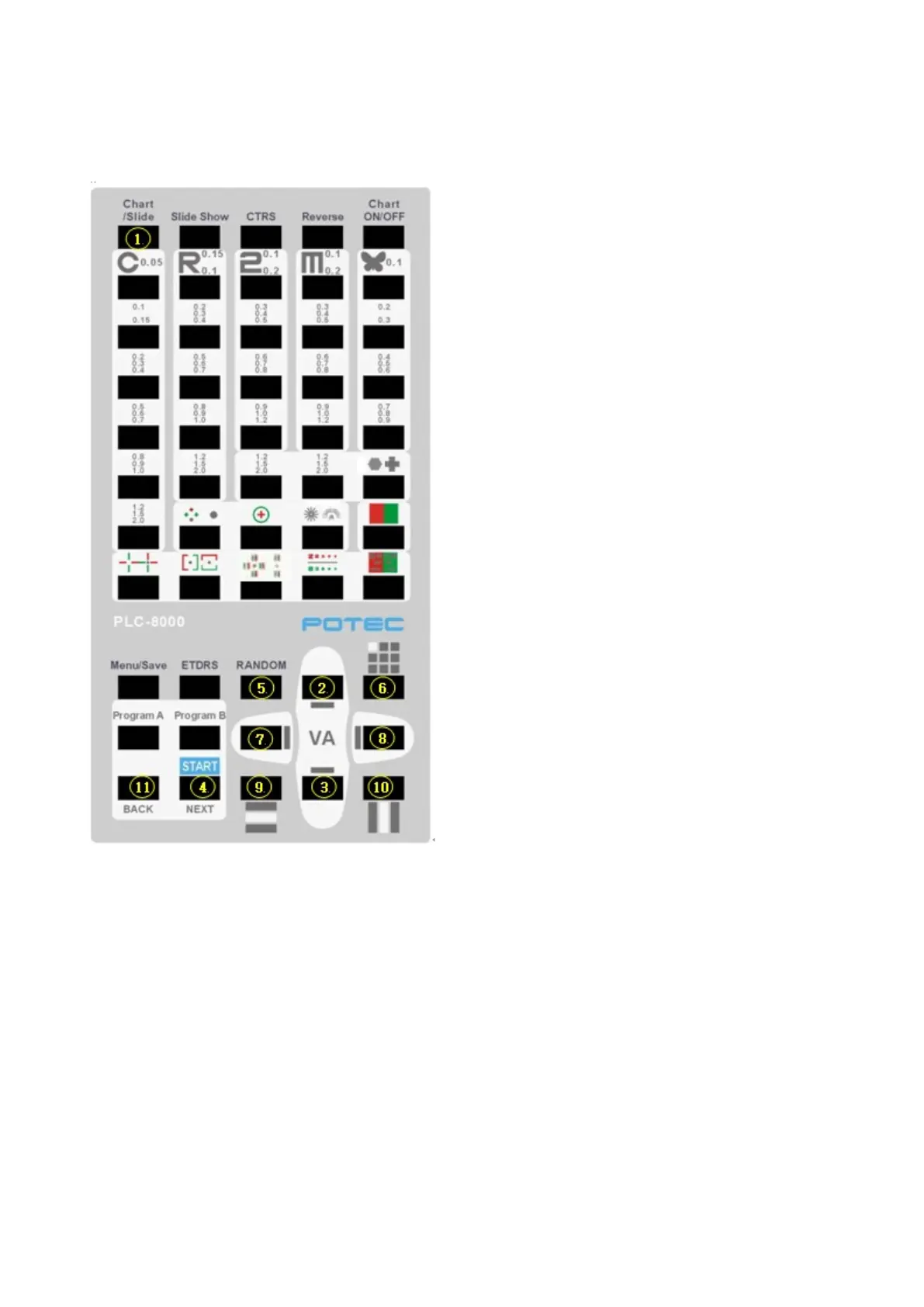
26.3 Remote control function to Video Play
① USB recognize popup / comeback chart screen
② Select upper movie / Increase volume
③ Select downer movie / Decrease volume
④ Start video play
⑤ Stop video
⑥ Pause video play
⑦ Backward 10 seconds
⑧ Forward 10 seconds
⑨ Select previous file to play
⑩ Select next file to play
⑪ Comeback to chart screen


 To Next Page