6-104
Notes:
4.
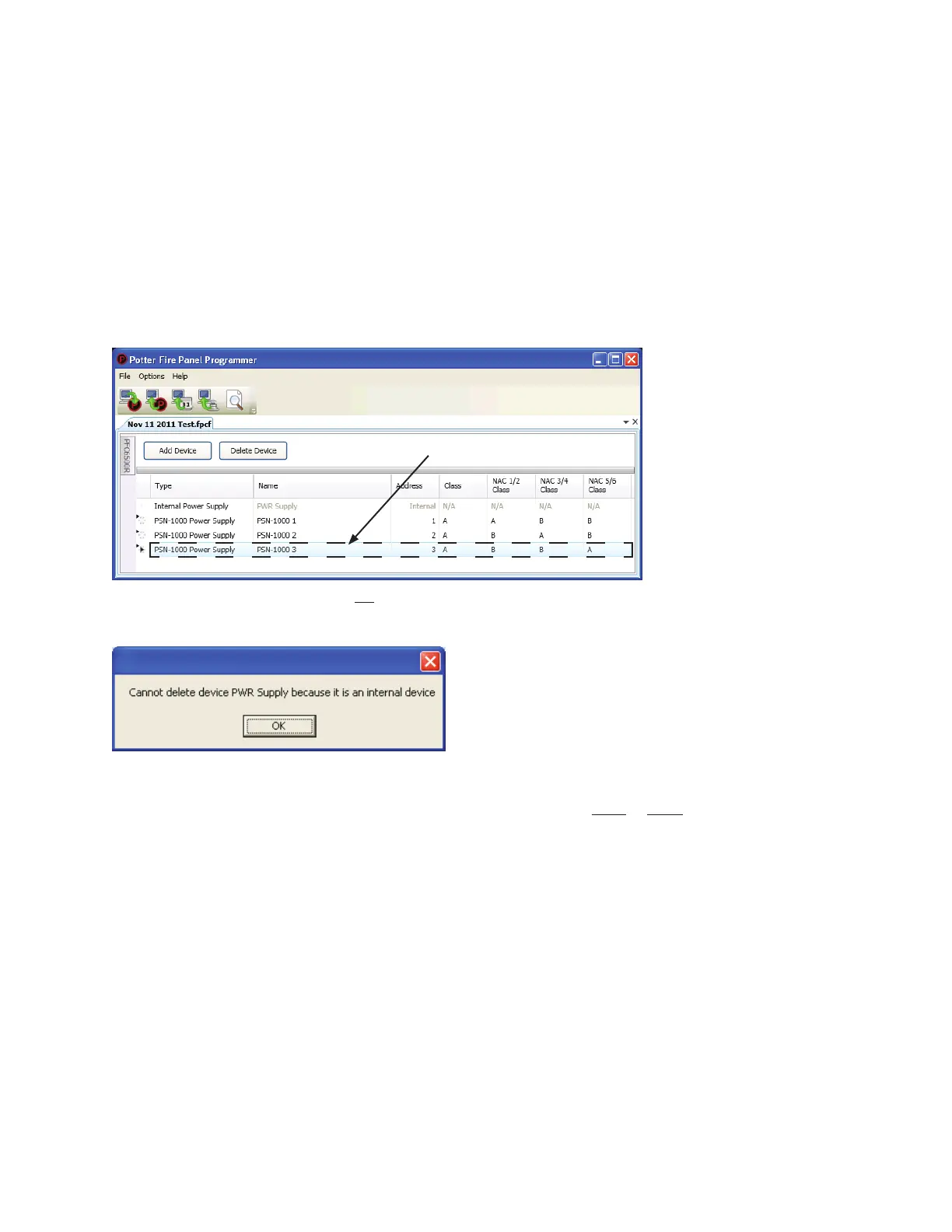
Deleting a Power Supply
To delete a power supply:
1. Power Supply function
Example of Power Supply WindowFigure 129.
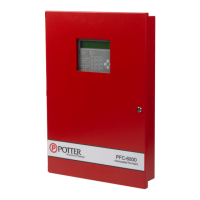
Note: The Internal Power Supply may not be deleted as indicated by the message in the following dialog box.
Example of Dialog Box - Showing Internal Power Supply Cannot Be DeletedFigure 130.
2. "Delete Device" button.
Tip: range or groupSHIFT
CLICK or CTRL CLICK
Click anywhere in power
supply's line to select it.


 To Next Page